A Guide to Ecommerce Personalization Tools That Boost Sales
Ecommerce personalization tools are the secret sauce that helps online stores create unique, one-to-one shopping experiences. These platforms dig into customer data—like browsing habits, past purchases, and even what someone hovers over—to customize product recommendations, offers, and content for each visitor on the fly. The whole point is to make every shopper feel seen and understood.
What Are Ecommerce Personalization Tools and Why You Need Them
Think about your favorite local shop. The owner probably knows you, remembers what you bought last time, and points out new things they know you'll like. Ecommerce personalization tools are designed to bring that same friendly, in-the-know vibe to the digital world. Instead of showing everyone the same static, one-size-fits-all storefront, these systems change what each person sees based on who they are.
It all runs on data. By tracking how users behave—what they click on, what they search for, what they add to their cart and then abandon—these tools build a detailed profile for every single visitor. This lets you stop guessing and start creating genuinely relevant interactions that connect with people. The end result? A shopping journey that just feels right.
Here, you can see how a homepage can be personalized with product recommendations curated specifically for the user logged in.
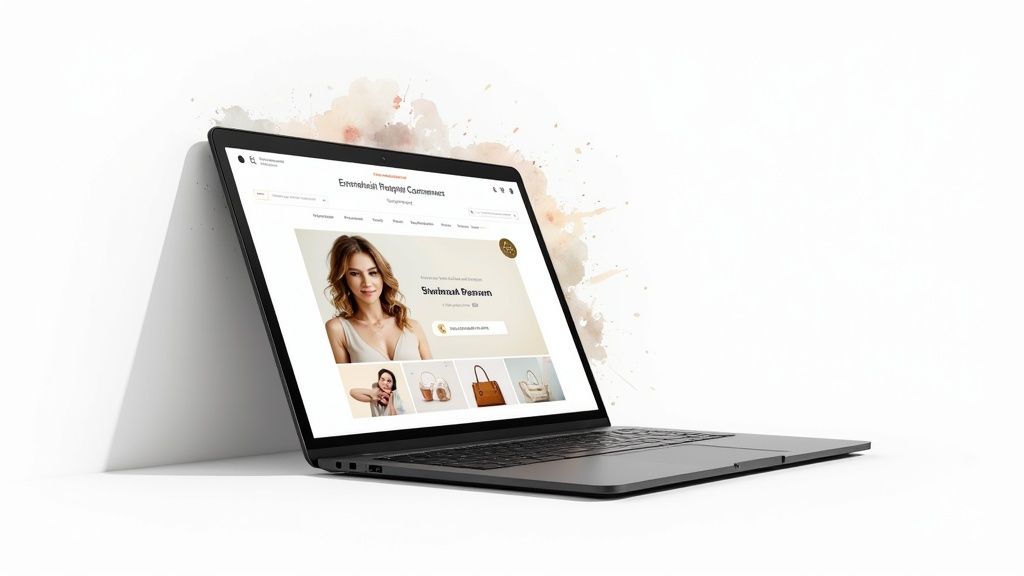
This simple visual shows how a website can look completely different from one user to the next, creating a powerful sense of being recognized as an individual.
The Business Case for Personalization
In a market this crowded, personalization isn't just a "nice-to-have" feature anymore. It's a core strategy for staying afloat and actually growing. Shoppers today have a million options and zero patience. A generic, cookie-cutter experience immediately tells them you don't get them, sending them bouncing right off your site. In fact, research shows that 80% of consumers are more likely to buy from a brand that offers a personalized experience.
Putting these tools to work pays off in real, measurable ways:
- Better Conversion Rates: When people see products that genuinely match their interests, they’re far more likely to click "buy now."
- Higher Average Order Value (AOV): Smart recommendations for complementary items ("You might also like…") or premium upgrades are a natural way to encourage bigger carts.
- Stronger Customer Loyalty: A personalized journey makes shoppers feel valued. That feeling builds a real connection and keeps them coming back. You can learn more about this in our guide on how to improve the ecommerce customer experience.
The Growing Market for Personalization
The demand for these tools is exploding. The global market for ecommerce personalization software was valued at USD 258.5 million in 2023 and is expected to rocket to roughly USD 1.86 billion by 2032. This isn't just a trend; it's a fundamental shift in how businesses connect with customers online. A great example of this in action is an AI fashion stylist, which can offer instant, personalized style advice and virtual try-ons.
By turning raw data into meaningful interactions, personalization tools build a bridge between your business and your customers, turning anonymous traffic into a loyal community. It’s about showing people you’re listening, which is the foundation of any great relationship.
What Can Personalization Software Actually Do?
Think of a great personalization tool less like a single piece of software and more like a team of incredibly insightful digital sales clerks. Each one is dedicated to a single customer, learning their tastes and anticipating their needs. Instead of just rattling off a list of technical features, let's look at what these tools do in the real world to create a shopping journey that feels intuitive and smart.
These platforms aren't just one thing; they're a collection of clever capabilities working together. Each one has a specific job, but they all share the same goal: understanding your customer and responding in a way that feels genuinely helpful.
Let's break down the most important capabilities you'll find.
H3: Dynamic Product Recommendations
This is probably the feature you're most familiar with, but modern recommendation engines are far more sophisticated than just a simple "related items" carousel. A truly powerful engine acts like an expert shop assistant who knows exactly what to suggest next, based on both the customer's behavior and your business goals.
It's not a one-size-fits-all approach. There are a few key types of recommendations:
- Cross-Selling ("Goes well with"): A customer adds a new digital camera to their cart. A smart cross-sell immediately suggests a compatible memory card and a protective case. This is all about increasing the average order value with relevant, complementary items.
- Up-Selling ("A better version"): Someone is looking at a mid-range laptop. An up-sell recommendation subtly showcases a premium model with a faster processor and more memory, guiding them toward a higher-value purchase that might be a better fit.
- Behavior-Based ("Trending" or "You may also like"): These suggestions tap into the wisdom of the crowd or an individual's own browsing history. It might show a visitor items that other shoppers with similar tastes ended up buying, creating a powerful sense of social proof.
The real magic here is making these suggestions feel like genuine advice, not a pushy sales tactic. When done right, it builds trust and makes the whole experience feel more collaborative.
H3: On-Site Messaging and Behavioral Targeting
Imagine your website could greet every visitor differently, depending on who they are and why they're there. That's exactly what on-site messaging and behavioral targeting allow you to do. You can display targeted pop-ups, banners, and other messages that are triggered by very specific actions or visitor traits.
It's about having a proactive conversation with your shoppers. For instance, you could set up rules to:
- Welcome a first-time visitor who clicked through from a specific Instagram ad with a pop-up offering 10% off their first order.
- Gently remind a returning customer about the items they left in their cart with a subtle banner at the top of the page.
- Trigger an exit-intent pop-up with a free shipping offer for a user who is about to leave the site with a full cart.
This kind of targeting ensures your messages are relevant and land at the perfect moment, which drastically increases the chance they'll be acted on. Considering 80% of consumers are more likely to buy from a brand that personalizes the experience, this is a direct line to meeting that expectation.
H3: AI Chatbots and Conversational Commerce
The latest personalization tools are now integrating AI-powered chatbots that function as 24/7 personal shoppers. Forget the clunky, pre-programmed bots from a few years ago. Today's advanced AI agents, like MxChat, use sophisticated technology like Retrieval-Augmented Generation (RAG) to provide astoundingly relevant and accurate answers.
A chatbot with RAG has instant access to your entire product catalog, your FAQ database, and even customer reviews. When a shopper asks, "Do you have any waterproof hiking boots under $150 that are good for wide feet?" the bot doesn't just do a keyword search. It understands the nuances of the question and cross-references all its knowledge to deliver a curated list of perfect options, complete with product links and key features.
This turns a basic support channel into a dynamic sales tool. By offering instant, expert-level advice, these AI agents can answer complex questions, recommend products, and even help with order management, personalizing the entire conversational experience at scale.
To help you see how these features stack up, here's a quick summary table.
Key Personalization Capabilities Explained
This table breaks down the core functions of a typical personalization tool and highlights the direct business value each one brings to the table.
| Capability | Description | Primary Business Impact |
|---|---|---|
| Product Recommendations | Suggests relevant items to shoppers based on their behavior, purchase history, and real-time intent. | Increases Average Order Value (AOV) and boosts product discovery. |
| On-Site Messaging | Displays targeted pop-ups, banners, and notifications triggered by specific user actions or segments. | Improves Conversion Rates and reduces cart abandonment. |
| Behavioral Targeting | Customizes content, offers, and the overall site experience based on visitor data (e.g., location, traffic source). | Enhances user engagement and builds Customer Loyalty. |
| Email Personalization | Sends automated, triggered emails based on user behavior, such as abandoned cart reminders or post-purchase follow-ups. | Drives Repeat Purchases and increases customer lifetime value (CLV). |
| AI Chatbots (with RAG) | Provides 24/7 conversational support and sales assistance by understanding complex queries and providing accurate answers. | Lowers support costs, increases sales, and improves Customer Satisfaction. |
As you can see, each capability tackles a different part of the customer journey, but they all work toward the same goal: making every shopper feel like the site was designed just for them.
How to Choose the Right Personalization Tool for Your Business
Picking the right ecommerce personalization tool can feel like a huge decision, but it doesn't have to be a shot in the dark. The trick is to look past the flashy feature lists and get real about what your business actually needs. A platform that works wonders for a global corporation might be way too complex and pricey for your growing WooCommerce store.
The goal here is to find a solution that not only fits you today but can also grow with you tomorrow. It's a balancing act—you need powerful capabilities, but you also need something that's easy to use. The last thing you want is a tool that becomes a technical headache for your team instead of a valuable asset.
This simple process flow breaks down the core stages of evaluation, helping you move from initial research to a confident decision.
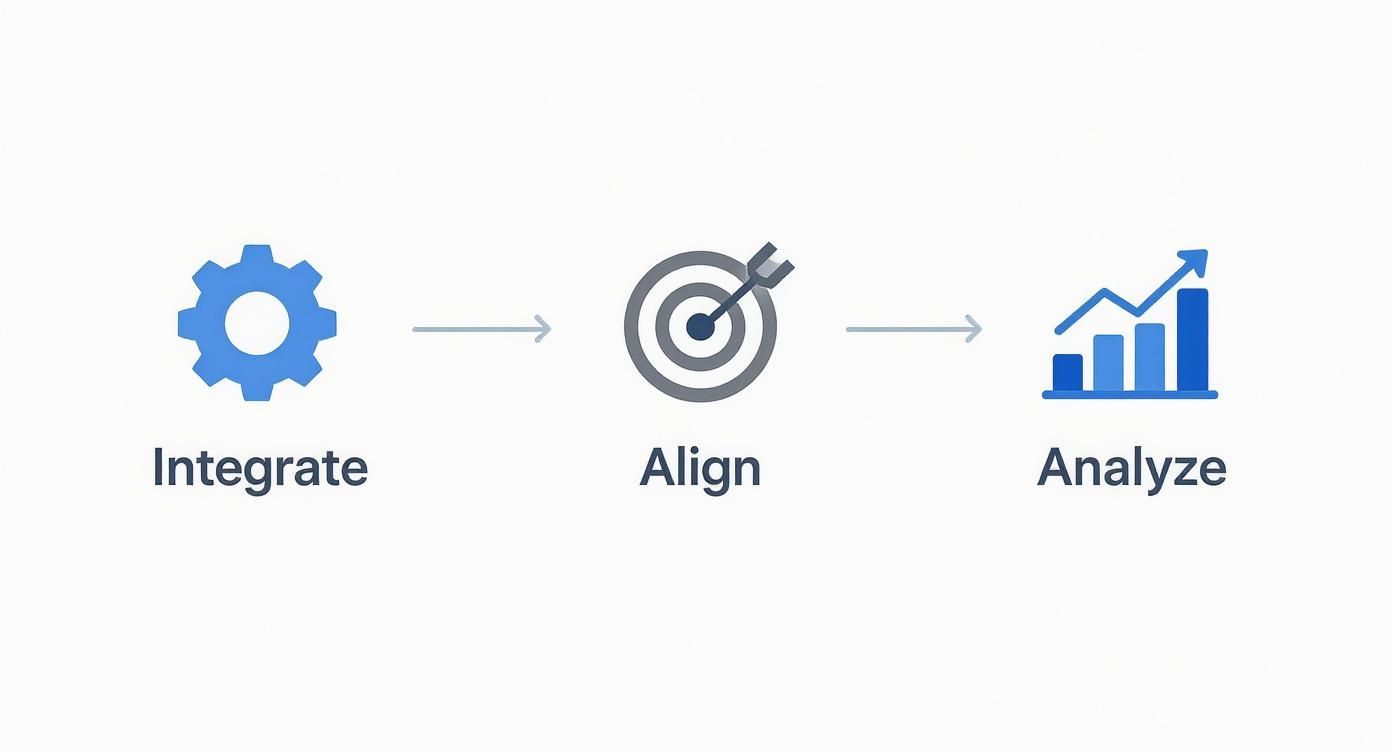
As the visual shows, your choice should be grounded in technical compatibility (Integrate), aligned with your business objectives (Align), and justified by results you can actually measure (Analyze).
Align the Tool with Your Business Goals
Before you even book a demo, ask yourself one simple question: "What problem am I really trying to solve?" If you don't have a clear goal, you're just shopping for tech. Your objective will be the compass that points you toward the features that matter most.
For example, is your main focus on boosting your store’s average order value (AOV)? If so, you'll want a tool with a seriously smart product recommendation engine that excels at upselling and cross-selling. Or maybe your biggest headache is cart abandonment. In that case, you should prioritize a platform with solid behavioral targeting and on-site messaging to trigger exit-intent pop-ups and timely reminders.
A personalization tool is a means to an end, not the end itself. The best software for your business is the one that directly helps you achieve a specific, measurable outcome, whether that's boosting conversions by 5% or cutting down on customer churn.
Assess Integration and Ease of Use
Let's be honest: a brilliant personalization tool that won’t connect with your existing tech is pretty much worthless. For stores built on WordPress and WooCommerce, seamless integration is a must-have, not a nice-to-have. Look for tools that offer dedicated plugins or have well-documented APIs that make connecting your store’s data a breeze.
You also need to think about your team’s technical skills. Who is going to be running this thing day-to-day? If you don’t have a developer on standby, you need a platform with an intuitive, user-friendly interface. Many modern ecommerce personalization tools are built for marketers, featuring visual campaign builders and simple dashboards that don't require you to write a single line of code.
Evaluate Data Analytics and Reporting
Personalization runs on data, so any tool you consider has to give you clear, actionable insights into its own performance. A good platform goes beyond vanity metrics and provides deep analytics that show you exactly how your campaigns are affecting the bottom line.
When you're looking at a tool's reporting features, here are a few key questions to ask:
- How does it measure ROI? The tool should be able to clearly attribute bumps in conversion rates, AOV, and revenue directly to your personalization efforts.
- Does it support A/B testing? The ability to test different offers, messages, and recommendation algorithms is absolutely essential for getting better over time.
- Are the dashboards customizable? You should be able to focus on the key performance indicators (KPIs) that matter most to your business goals, not someone else's.
For more complex tools, like picking an AI chatbot, a structured approach can be a lifesaver. Our chatbot evaluation checklist gives you a detailed framework you can adapt to assess any personalization software, making sure you cover all your bases before making the final call.
Consider Scalability and Pricing Models
Finally, think about the future. Your business is going to grow, and your personalization tool needs to be able to keep up. The solution that works for you today should also be able to handle a bigger product catalog, more website traffic, and more sophisticated customer segments down the road.
Pricing models are all over the map, from monthly subscriptions based on traffic to revenue-sharing deals. Make sure you read the fine print and understand how costs will change as your business expands. A flat-rate or lifetime license, which some WordPress-native solutions offer, can provide predictable costs and incredible long-term value—a huge plus for budgeting and planning.
Your Step-by-Step Implementation Guide
Turning a personalization strategy into a real-world, money-making machine is where the magic really happens. And don't worry—getting a system up and running isn't some overwhelming technical nightmare. With a clear roadmap, you can launch your first personalized campaigns quickly and start delivering immediate value to both your customers and your bottom line.
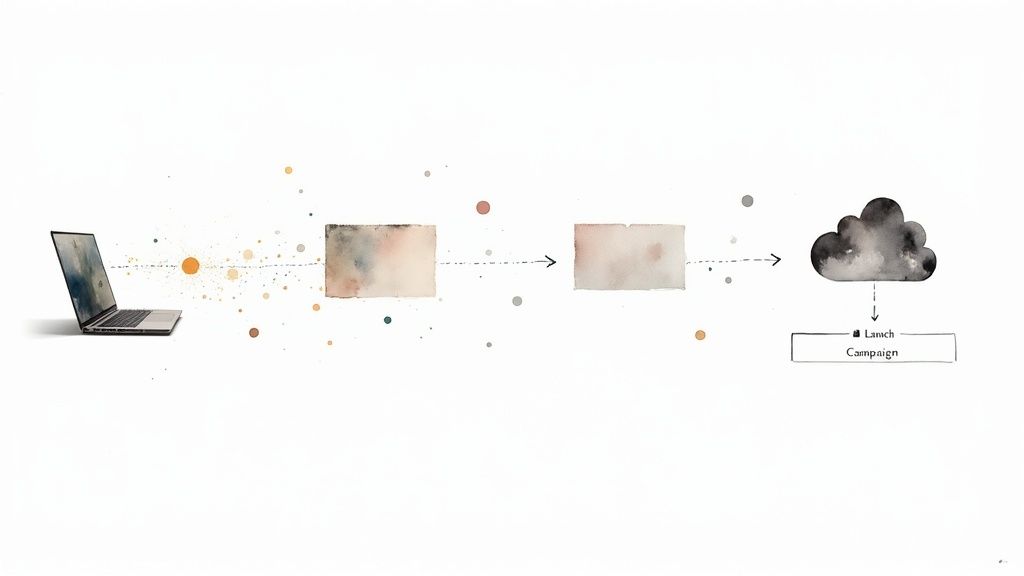
Think of the process as building a smart, automated workflow. It all starts with gathering customer insights, which then fuels intelligent segmentation. The final step is launching targeted campaigns that feel like they were made just for that specific shopper.
Connect Your Data Sources Securely
First things first, you need to give your personalization tool the fuel it needs to work. This means securely connecting it to all the places where your customer data lives. It's a bit like plugging in different appliances—each connection powers a different, essential function.
For a WooCommerce store, this usually starts with integrating the tool directly with your website to track what visitors are doing in real time. We’re talking about clicks, page views, and what they’re searching for. You'll also want to plug it into your email marketing platform to see who's engaging with your campaigns and connect it to your CRM to pull in crucial purchase history.
Handling this data ethically and transparently is non-negotiable. Always make sure you're compliant with privacy laws like GDPR and be upfront with your users about what you’re collecting and why it helps improve their shopping experience.
Define Your First Audience Segments
With data flowing into the system, your next job is to start making sense of it all through audience segmentation. This is just a fancy way of saying you’re grouping visitors into different "buckets" based on who they are or what they've done on your site. Instead of a one-size-fits-all approach, you can create experiences that resonate with specific groups.
You can get started with a few simple but incredibly powerful segments:
- New Visitors: These are the people just walking in the door. They might appreciate a welcome discount or a quick tour of your best-selling products.
- Returning Customers: Your loyal fans who have bought from you before. You could show them new arrivals based on past purchases or offer them exclusive perks for sticking around.
- Cart Abandoners: The ones who got so close but left without buying. A timely pop-up or a gentle reminder email can be all it takes to bring them back.
By creating these distinct groups, you stop shouting into a crowd and start having real conversations. It’s a complete game-changer.
Launch Your Initial Personalization Campaign
Okay, your segments are defined and you're ready for action. My advice? Don't try to personalize everything at once. Start small with a campaign that's easy to set up and measure. This lets you see results fast and builds momentum for bigger things.
A great first campaign is to add a "Trending Now" product recommendation widget to your homepage, aimed specifically at new visitors. You’re using social proof to point them toward popular items, making their first visit engaging and less overwhelming.
Another effective starting point is a geo-targeted banner. If you notice a ton of traffic coming from a specific city, why not show them a banner with a special shipping offer for their area? These small, targeted tweaks can have a surprisingly big impact on your conversion rates.
Launching these campaigns is easier than ever, thanks to the explosion of cloud-based tools, which grabbed over 65% of the market share in 2023. This market is on a serious growth trajectory, projected to hit USD 2.4 billion by 2033—a massive leap from USD 263 million in 2023.
Test, Measure, and Refine Your Approach
Finally, personalization isn't a "set it and forget it" task. The stores that see the best results are the ones that are constantly testing, learning, and refining what they do. This is where A/B testing becomes your best friend. It’s a simple concept: show two different versions of a campaign to different groups of people and see which one wins.
For instance, you could test a "15% off" pop-up against a "Free Shipping" offer for cart abandoners to see which one gets more people to complete their purchase. The data you get back is gold. It tells you exactly what your customers respond to, letting you make decisions based on hard evidence, not guesswork. As you get more comfortable, you can even experiment with more advanced features, like making a bot to answer product questions instantly, and measure how it affects engagement and sales.
7. How Do You Know If It’s Actually Working? Measuring Your ROI
Putting a personalization strategy in place is one thing, but proving it’s making a real difference is where the rubber meets the road. A great strategy isn't just about cool features; it's about driving real, measurable results for your business. To get a clear picture of your return on investment, you need to look beyond surface-level stats and dig into the key performance indicators (KPIs) that directly affect your revenue.
This isn't just about justifying the cost of a new tool. It’s about understanding what resonates with your customers so you can double down on what works and refine your approach over time. It’s how you move from guesswork to a data-driven strategy.
Conversion Rate Lift
One of the first places you'll see personalization pay off is in your conversion rate. We're not just talking about the overall site conversion; we're talking about the lift—the direct increase in conversions when a shopper interacts with a personalized experience versus a generic one.
Imagine a static "best-sellers" banner converts at 3%. But when you replace it with a personalized recommendation block showing products based on a user's browsing history, that same spot now converts at 5%. That's a huge lift, and it’s concrete proof that relevance inspires action.
Average Order Value (AOV)
Next up is Average Order Value (AOV). This is simply the average amount a customer spends in a single transaction. Personalization is fantastic at bumping this number up by making it incredibly easy for shoppers to find more items they want.
This is where smart up-selling and cross-selling come into play.
- Up-selling: Showing a customer a slightly better, more premium version of the product they're already considering.
- Cross-selling: Suggesting items that perfectly complement what’s already in their cart, like batteries for a toy or a protective case for a new gadget.
When done right, these suggestions don't feel pushy. They feel genuinely helpful, like a great salesperson guiding them to the best possible purchase, which naturally leads to bigger carts.
Customer Lifetime Value (CLV)
While AOV gives you a snapshot of a single sale, Customer Lifetime Value (CLV) tells the whole story. It measures the total amount of money you can expect from a customer over the entire course of their relationship with you. This is the ultimate yardstick for long-term, sustainable growth.
Think about it: a personalized experience makes people feel seen and understood. That feeling builds incredible loyalty, turning first-time buyers into repeat customers who keep coming back. Over time, these loyal customers become your most valuable asset. Tracking CLV shows you whether you’re just making quick sales or building lasting, profitable relationships. You can dive deeper into this topic in our guide on essential customer experience metrics.
So, how does this all come together? Let's look at the numbers. Below is a simple breakdown of the kind of impact a well-executed personalization strategy can have on your store's core metrics.
Key Performance Indicators for Personalization ROI
Tracking the right metrics to understand the true impact of your ecommerce personalization strategy.
| Metric (KPI) | What It Measures | Why It's Important for Personalization |
|---|---|---|
| Conversion Rate Lift | The percentage increase in conversions from personalized vs. non-personalized experiences. | Shows that your tailored content and offers are effectively persuading visitors to buy. |
| Average Order Value (AOV) | The average amount spent per order. | Proves that your up-sell and cross-sell recommendations are successfully increasing basket size. |
| Customer Lifetime Value (CLV) | The total projected revenue from a single customer over their entire relationship with you. | Demonstrates that you're building loyalty and encouraging repeat business, not just one-off sales. |
At the end of the day, tracking these KPIs tells a clear story. It shows that investing in ecommerce personalization isn't just about creating a slicker, more modern website—it's about building a fundamentally healthier, more profitable business.
Proven Personalization Strategies in Action
It’s one thing to talk about personalization in theory, but seeing it work in the real world is where the magic really happens. These aren't just abstract ideas; they're proven methods for turning customer data into genuinely better shopping experiences—the kind that actually drives revenue.
Take the fashion industry, which has been at the forefront of this for years. Fashion retailers track everything—every click, every search, every time a shopper pauses on an item—to create a dynamic lookbook just for them. So, instead of seeing a generic "New Arrivals" page, a returning visitor gets a handpicked collection that fits their personal style. It’s no wonder this approach dramatically boosts the chances of a sale.
This strategy is so powerful that the fashion and apparel sector leads the way in using personalization tools, commanding about 37% of the market share. They've mastered using a customer's browsing history to offer spot-on style advice and even size suggestions, making people happier and increasing sales at the same time.
How Different Industries Personalize
The core idea is the same everywhere, but how it's done changes from one industry to another. Each business finds its own unique way to solve customer problems and gently guide them toward the perfect purchase. You can see this play out in some of the top ecommerce personalization examples from leading brands today.
Electronics Stores: Imagine a customer browsing a few 4K TVs. A smart personalization engine will immediately start showing them compatible soundbars, the latest gaming consoles, or streaming devices that work well with those TVs. This makes the whole buying process simpler and naturally increases the average order value.
Online Grocery Services: These platforms have a great memory. They analyze your past orders to guess what you’ll need on your next shopping trip. By pre-filling your cart with weekly must-haves like milk and bread, they remove the hassle and make it incredibly easy to reorder.
Beauty Retailers: If someone buys a specific shade of foundation, the site can instantly suggest the perfect matching concealer or complementary skincare products. It’s like having a virtual beauty advisor on call, which builds trust and encourages customers to explore more products.
The secret ingredient is anticipation. Great personalization doesn't just react to what a customer is doing right now; it predicts what they’ll need next. This makes the entire shopping journey feel natural and genuinely helpful.
The Rise of the AI Personal Shopper
One of the most exciting developments in this space is the AI-powered personal shopper. An intelligent assistant, like MxChat, can completely change the game by offering expert guidance 24/7, right when the customer needs it.
Picture a customer trying to pick a new laptop. They probably have a ton of questions about screen resolution, processor speed, and whether it will run their specific software.
Instead of making them dig through dozens of product pages and technical specs, an AI chatbot can simply ask a few clarifying questions and then recommend the perfect models. This conversational style guides customers through complex decisions, answers their questions on the spot, and gives them the confidence they need to click "buy." It's like having an expert sales associate ready to help every single visitor.
Common Questions About Personalization Tools
Jumping into the world of personalization tools always brings up a few questions. I get it. Before you commit to a new platform, you want to know how it's going to affect your business, from your wallet to your website's performance.
Let's break down some of the most common things store owners ask.
What’s the Typical Price Tag on These Tools?
This is usually the first question, and the honest answer is: it depends. The cost for personalization software can be all over the map, but most platforms structure their pricing to grow alongside your business.
You'll generally run into one of these three models:
- Subscription Model: Think of it like Netflix for your store. You pay a set monthly or annual fee, which makes budgeting straightforward and predictable.
- Usage-Based Model: This is a "pay-as-you-go" approach. Your bill is tied directly to things like your monthly traffic or how many recommendations the tool serves. It’s flexible and scales up or down with your busy seasons.
- Revenue-Sharing Model: Some tools take a small cut of the extra sales they help you make. This is a great partnership model because they only make money when you do.
The right choice really comes down to your store's current size and how fast you're planning to grow.
Can Personalization Hurt My SEO?
This is a smart question, and one I hear a lot. The short answer is no, as long as it’s set up correctly. Search engine crawlers like Googlebot are typically shown a default, non-personalized version of your site. This means your core content, keywords, and structure stay consistent for indexing.
In fact, done right, personalization can actually give your SEO a nice indirect boost. When you create a better, more relevant experience, people stick around. That improves the very metrics that search engines reward:
- Longer Dwell Time: Visitors who find what they're looking for stay on your pages longer.
- Lower Bounce Rates: A personalized experience makes people less likely to hit the back button.
- Better Engagement: More clicks and interactions send strong signals to Google that your site offers real value.
What's the Difference Between Personalization and Customization?
These two terms get thrown around and used interchangeably all the time, but they’re fundamentally different. Nailing this distinction is key to understanding what makes these tools so powerful.
Personalization is done by the system, for the user. The software watches a user's behavior and automatically adjusts the experience to match. That "Products You Might Like" section on Amazon? That's classic personalization.
Customization, on the other hand, is done by the user, for themselves. This is when someone actively makes a choice to change their experience, like switching a site to dark mode or using filters to only see blue t-shirts.
Think of it this way: personalization is proactive and predictive, while customization is reactive and requires the user to do the work.
Ready to give your customers their own AI personal shopper? With MxChat, you can build smart, no-code chatbots that deliver instant product recommendations and answer questions 24/7. You'll cut down on support tickets, boost your sales, and create loyal customers—all without a monthly fee. See what's possible at https://mxchat.ai.