How to Add a Chat Widget on Website and Boost Conversions
Putting a chat widget on your website is one of the fastest ways to connect with visitors, answer their questions on the spot, and gently nudge them toward becoming customers. Think of it as your 24/7 digital concierge, offering the kind of instant help that phone and email just can't keep up with.
Why a Chat Widget Is No Longer Optional
A chat widget isn't just another support tool; it's a core part of a modern growth strategy. Websites used to be static digital brochures, but today’s customers expect an interactive experience. A chat widget delivers that real-time connection, meeting the "I want it now" expectation that defines modern online behavior.
Imagine a potential customer lands on your pricing page. They have one small question holding them back from making a purchase. Without an easy way to ask, they're probably going to leave and you'll never know why. With a chat widget, they get an answer in seconds, and you just might close a sale.
From Simple Chat to Smart Assistant
Today’s chat widgets are worlds away from the basic live chat tools of the past. They've evolved into sophisticated, AI-powered conversational assistants. This massive leap in capability is why the global AI chatbot market, valued at $60.48 billion, is projected to skyrocket to $247.1 billion by 2032. Businesses are clearly investing heavily in this technology to automate support and drive better engagement.
This image shows the fundamental purpose of a chatbot: giving people immediate, automated answers. What began as simple, rigid systems are now intelligent agents that can understand context, learn from interactions, and provide genuinely helpful, personalized guidance.
The Real-World Impact on Your Business
Let's cut to the chase. Implementing a chat widget delivers tangible results you can actually measure. An e-commerce store can use it to rescue abandoned carts by offering a last-minute discount. A B2B company can have it qualify leads around the clock, so the sales team only talks to genuinely interested prospects.
Before we dive into the "how-to," let's quickly recap why this is such a smart move for any website.
Chat Widget Impact Across Key Business Metrics
This table breaks down the core benefits of a chat widget, showing how it directly contributes to your most important goals.
| Business Goal | How a Chat Widget Helps | Expected Outcome |
|---|---|---|
| Increase Sales & Leads | Answers pre-sale questions instantly and guides users to checkout or a contact form. | Higher conversion rates and a more qualified sales pipeline. |
| Improve Customer Support | Provides 24/7 automated answers to frequently asked questions, freeing up your team. | Reduced support tickets, lower operational costs, and faster resolution times. |
| Boost User Engagement | Proactively engages visitors, offers personalized recommendations, and keeps them on-site. | Longer session durations, lower bounce rates, and increased visitor loyalty. |
| Gather Customer Insights | Collects valuable data on common questions, pain points, and user interests. | Actionable feedback to improve products, services, and website content. |
As you can see, the benefits go far beyond just "chat." It's a multipurpose tool that impacts everything from sales to support.
The bottom line is that a well-configured chat widget can be your most efficient sales and support agent, working tirelessly to grow your business. Here’s a quick rundown of what that looks like in practice:
- Boosted User Engagement: By offering instant, interactive help, you keep visitors on your site longer and guide them where you want them to go.
- Happier Customers: Nothing beats getting an immediate answer. This reduces friction and builds the kind of trust that turns visitors into loyal customers.
- Better Conversion Rates: Resolving doubts at that critical moment of decision-making is a proven way to increase sales. We cover more on this in our guide on how to increase sales conversion rate.
For those wanting a deeper look at the ROI, this breakdown of chatbots for small businesses makes a compelling case.
Getting Your MxChat Widget Live on WordPress
Getting a smart chat widget on your website shouldn't be a technical nightmare. I’ve seen people wrestle with code and complicated setups, but with MxChat, it’s a genuinely simple process. We designed it to get you up and running in just a few minutes, even if you’ve never touched a line of code.
It all starts right from your WordPress dashboard. You won't have to mess with downloading ZIP files or dealing with manual uploads. The MxChat plugin is right there in the official WordPress repository, which means it's secure, vetted, and installs with a couple of clicks.
Installing the MxChat Plugin
First thing’s first: head over to the ‘Plugins’ area in your WordPress admin menu and choose ‘Add New.’ In the search box on that page, just type in "MxChat." You’ll see our official plugin pop right up.
From here, it's a familiar two-step dance for anyone who’s used WordPress:
- Install: Click the "Install Now" button. WordPress does the heavy lifting, downloading and setting everything up in the background.
- Activate: Once it's done installing, that same button will change to "Activate." Give it a click, and you're officially good to go.
You'll now spot a new MxChat menu item in your WordPress sidebar. This is your new command center for building bots, tweaking the widget's design, and everything else. The first time you click it, a handy setup wizard will kick things off.
Your First Steps with the Setup Wizard
This initial wizard is all about making the connection between your website and your MxChat account as painless as possible. It asks for your API key to sync everything up instantly, so you're not juggling settings in two different places.
You’ll also get a chance to do some basic branding right out of the gate. You can pick a primary color for the widget so it doesn't clash with your site's look and feel, and you can write a simple welcome message. Don't stress about making it perfect on the first try—you can change all of this later. For a more detailed look, check out our full guide on how to add an AI chatbot to WordPress with MxChat.
A Quick Tip from Experience: If you activate the plugin and don't see the chat widget on your site right away, don't panic. This is almost always a caching issue. Before you start troubleshooting, clear your website’s cache (through your caching plugin or host) and your browser's cache. That usually does the trick.
The path from a visitor landing on your site to becoming a happy customer often starts with a single, helpful interaction.
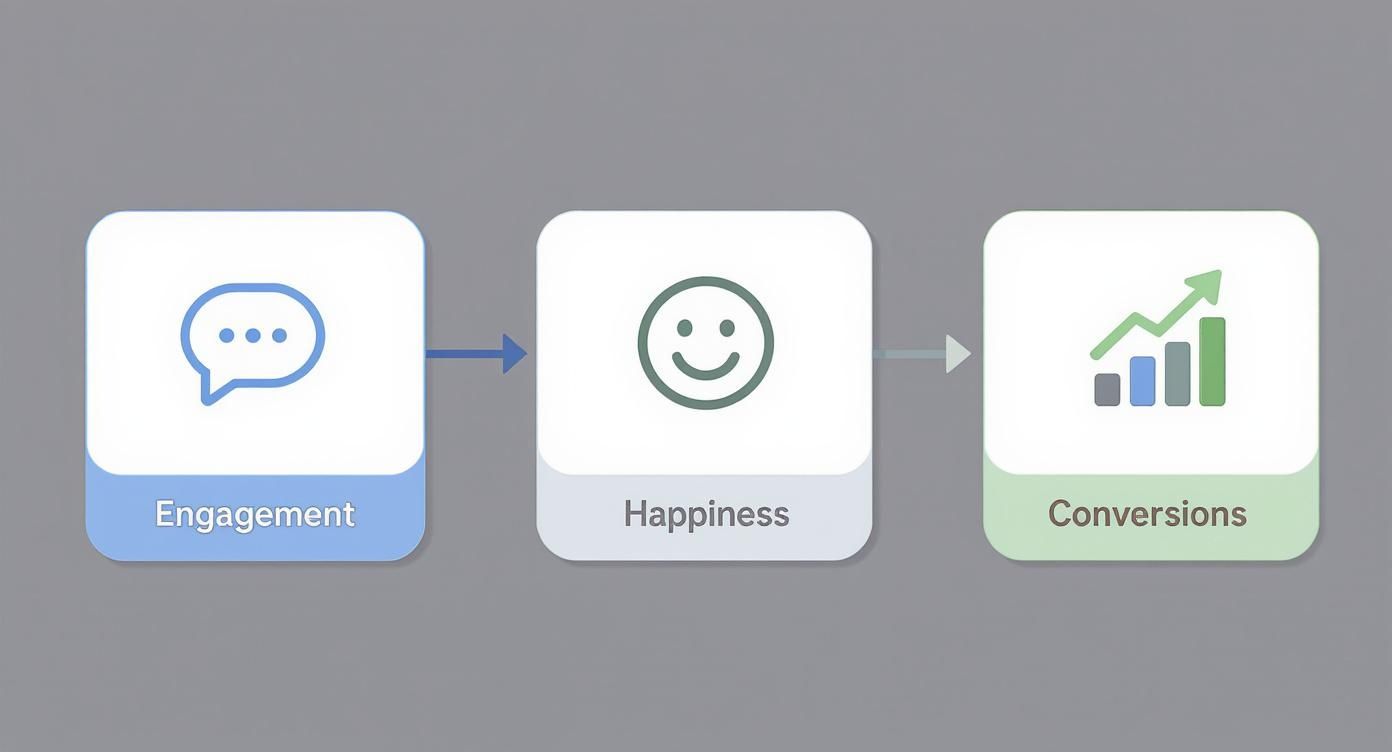
This flow shows exactly what we're aiming for: using proactive engagement to make customers happy, which is what ultimately drives more sales and sign-ups. Now that the plugin is installed, it’s time for the fun part—building the brains behind your new chat assistant.
Building Your First AI Assistant with MxChat
Okay, this is where the magic happens. Now we get to give your chat widget a brain and a personality, transforming it from a simple pop-up into an intelligent assistant that actually sounds like your brand. The secret is feeding it the right information and carefully crafting its character.

The foundation of any smart chatbot is its knowledge base. Think of it as the library your AI studies to become an expert on your business. You can upload all sorts of documents—FAQs, product manuals, shipping policies, company history, you name it. A well-stocked, clearly written knowledge base is the single most important factor for getting accurate, helpful answers from your bot.
Crafting a Winning Bot Persona
Your bot's personality is just as crucial as its knowledge. In MxChat, you can define a unique persona that lines up perfectly with your brand's voice. This really comes down to a few key details:
- Name: Give your bot a memorable name. It could be something straightforward like "SupportBot" or a bit more creative, like "Leo the Lead Bot."
- Avatar: Upload a custom image. This could be your company logo or even a friendly character illustration that fits your vibe.
- Tone of Voice: Define how you want it to sound. Is it formal and professional, or casual and witty? Be specific with your instructions, like, "Respond in a friendly, helpful tone, using simple language and occasional emojis."
Getting this step right ensures the chat widget on your website feels like a natural extension of your brand, not some generic, third-party tool bolted on. For a deep dive, check out our guide on https://mxchat.ai/making-a-bot/.
A strong persona builds trust. When a bot's personality matches the brand, users are more likely to engage with it, ask questions, and follow its guidance, leading to a much better customer experience.
Choosing the Right AI Model for the Job
MxChat gives you the flexibility to choose from different AI models, like OpenAI's powerful GPT-4o or other faster, more cost-effective options. The decision here is really a balancing act between intelligence, speed, and cost.
A powerhouse model like GPT-4o is brilliant for handling complex, nuanced conversations but might come with a slightly higher response time and cost. On the other hand, a lighter model could be faster and cheaper, making it a perfect workhorse for handling a high volume of simple, repetitive questions. For a more in-depth look at how AI is changing the game for online stores, check out this ultimate guide on using an AI chatbot for ecommerce.
This strategic choice means you can balance performance with your budget. For instance, you could deploy a high-powered model for a sales-focused bot on your pricing page and a faster, more economical one for general support inquiries across the rest of your site. It’s all about optimizing resources without hurting the user experience.
The power of real-time communication is undeniable. Data shows that around 60% of customers are more likely to return to a website offering live chat, and over 63% are more likely to make a purchase. By providing instant, AI-driven answers through your chat widget, you're directly meeting this expectation.
Tying Your Chat Widget into WooCommerce
For anyone running an e-commerce store, a chat widget is so much more than just a place for customers to ask questions—it's a sales machine in waiting. When you connect MxChat directly to your WooCommerce setup, you're building a bridge that turns window shoppers into paying customers. This link helps you guide visitors, solve their problems in real-time, and give your revenue a serious boost.

The magic is that your AI assistant becomes context-aware. It knows exactly which product page a visitor is looking at, which is a total game-changer. Suddenly, you can push proactive, page-specific messages.
Imagine someone is hesitating on the product page for a high-end camera. The chat widget can pop up with a perfectly timed, "Hey there! I see you're checking out the ProShot X1. Did you know it comes with a free lens cleaning kit this week?" This isn't just a generic welcome; it's a strategic nudge designed to address hesitation and highlight value at the exact moment it matters most.
Taking Repetitive E-commerce Questions Off Your Plate
Let’s be honest, one of the biggest time-drains for any online store is answering the same questions day in and day out. "Where's my order?" "What’s your return policy?" "Do you ship to my country?"
MxChat can pull live data straight from your WooCommerce database to handle these on the spot. A customer asking for their order status gets an instant, real-time update—even at 2 AM. This frees up your human support team for the tricky stuff, while customers get the immediate answers they’ve come to expect. Creating a dedicated chatbot for WooCommerce is genuinely one of the best moves you can make to streamline your operations.
Winning Back Abandoned Carts with Smart Triggers
Cart abandonment is a massive headache for e-commerce, costing stores billions. One of the most effective ways to fight back is to use your chat widget to intervene right before a shopper clicks away. By setting up an exit-intent trigger, MxChat can spot when a user’s mouse moves toward the browser's close button on the cart or checkout page.
This is your golden opportunity to make one last, compelling offer.
When a shopper with a full cart is about to bounce, a well-timed message can be the difference between a lost sale and a new loyal customer. Something as simple as, "Leaving so soon? Here’s a 10% off code to complete your order!" can have a huge impact on your recovery rate.
This one tactic shifts your chat widget from a passive tool into an active revenue-recovery machine. It's a simple change that can turn a potential loss into a definite win.
Boosting Sales with Intelligent Product Suggestions
Beyond just providing support, your WooCommerce integration lets the chat widget become a virtual personal shopper. Because the AI knows what a customer is browsing, it can offer smart recommendations for related products or upsells.
Here are a few ways this plays out:
- Complementary Products: If a customer adds a new laptop to their cart, the widget can suggest a compatible mouse or a protective carrying case.
- Alternative Options: A visitor lands on an out-of-stock item? The bot can immediately show them similar products that are ready to ship.
- Upsell Opportunities: When someone is looking at a standard product, the bot can gently highlight the extra benefits of the premium version.
To get you started, here are a few automation ideas you can set up to engage visitors at different points in their journey.
E-commerce Automation Ideas for Your Chat Widget
| Automation Trigger | Example Message | Primary Goal |
|---|---|---|
| Time on Page | "Looks like you're interested in this! Have any questions I can help with?" | Engage hesitant buyers and provide proactive support. |
| Exit-Intent | "Wait! Before you go, here's a 15% discount to complete your purchase." | Reduce cart abandonment and recover lost sales. |
| Item Added to Cart | "Great choice! People who bought this also loved our [Related Product]." | Increase Average Order Value (AOV) with cross-sells. |
| Returning Visitor | "Welcome back! Can I help you find what you're looking for today?" | Build customer loyalty and personalize the experience. |
Starting with one or two of these triggers is a great way to see an immediate impact. This proactive approach doesn't just make the shopping experience better by simplifying product discovery; it also directly increases your average order value. By making smart, timely suggestions, your chat widget helps customers find exactly what they need while making your business more profitable.
Customizing the Look and Feel to Match Your Brand
A generic, out-of-the-box chat widget on a website can stick out like a sore thumb. It feels bolted on, breaking the seamless experience you’ve worked so hard to create. The real goal is to make the widget feel like an integral part of your site, blending right in and strengthening your brand identity with every interaction.
Your first move is to tackle the basics: colors and placement. Hop into the MxChat dashboard and plug in your brand's hex codes to get a perfect color match. While the bottom-right corner is a classic for a reason, don't be afraid to test it on the left if it works better with your site’s layout.
Advancing Beyond Basic Colors
With the fundamentals in place, it’s time to get a bit more clever. A single, static welcome message for every visitor feels impersonal. Instead, why not tailor the greeting based on the page they're on? It’s a simple way to show you’re paying attention.
Here are a few ideas I've seen work really well:
- Pricing Page: Greet them with something proactive like, "Trying to decide on a plan? Let me know if you have any questions!"
- Product Page: Offer specific help, such as, "Interested in this item? Ask me about features or shipping details!"
- Blog Post: Engage them with a lighter touch. Maybe, "Hope you're enjoying the article! Let me know if you want to dive deeper into this topic."
This kind of contextual greeting makes the entire interaction feel more natural and genuinely helpful. You're meeting the visitor right where they are, which goes a long way.
A well-customized chat widget does more than just look good—it builds trust. When the widget’s design and messaging align perfectly with your brand, it signals professionalism and attention to detail, making visitors more comfortable engaging with it.
Designing Pre-Chat Forms That Convert
The pre-chat form is another customization you don’t want to overlook. This is your prime opportunity to capture lead information before the chat even kicks off. But tread carefully—there’s a fine line between being helpful and being a nuisance.
The key is to keep it short and sweet. Only ask for what you absolutely need, like a name and an email address. You can also use this form to intelligently route conversations from the start. A simple question like, "What can I help you with today?" with dropdown options for "Sales Inquiry" or "Technical Support" can direct the user to the correct bot or human agent instantly. It's a small step that both gathers essential data and makes your entire support process run smoother.
Common Questions About Adding a Chat Widget
Even with a process this simple, you're bound to have some questions. I get it. Whenever you add something new like a chat widget on your website, a few common worries pop up—usually about performance, what happens after hours, and whether it’s really worth it for your business.
Let's clear the air and tackle these common questions head-on.
Will a Chat Widget Slow Down My Website?
This is easily the most common question I hear, and it’s a smart one to ask. Nobody wants to trade a new feature for a slow site.
The good news is that modern chat widgets like MxChat are built to be incredibly lightweight. They load asynchronously, which is just a fancy way of saying the widget’s code loads separately from the rest of your site. Your pages, text, and images will load first, so your visitors won't notice a thing. It won't mess with your Core Web Vitals.
That said, I always recommend running a quick "before and after" speed test with a tool like PageSpeed Insights whenever you add a new plugin. It’s good practice and gives you total peace of mind.
How Do I Handle Chats When My Team Is Offline?
You can't be online 24/7, but your website is. This is exactly where the AI part of your chat widget becomes your most valuable employee.
Inside MxChat, you can set up your team's business hours. When you're "offline," the AI chatbot takes over completely. It will keep answering questions using the knowledge base you've fed it.
But what if a question is too complex? The bot can instantly switch into a lead capture tool. You can configure it to:
- Ask for the visitor's name and email.
- Automatically create a support ticket in your system.
- Reassure the person that a human will get back to them as soon as the team is back online.
It's a perfect system for managing expectations while making sure you never lose a single lead.
A modern chat widget isn't just an "on or off" tool. Its real strength is the hybrid model—seamlessly blending AI for round-the-clock service with the option for a human to jump in when that personal touch is needed. You get the best of both worlds.
Can This Widget Actually Capture Leads?
Absolutely. In fact, if you’re only thinking of it as a support tool, you’re missing half the picture. A well-configured chat widget is one of the best proactive lead-gen tools you can have.
Think about your high-intent pages, like your pricing or services pages. Instead of just letting people browse, you can program your bot to engage them.
For example, you could set a rule where if someone spends more than 30 seconds on your pricing page, the bot pops up with a targeted question: "Finding the right plan can be tricky. Can I help you figure out which one fits your team?" From there, it can ask a few qualifying questions, gather contact details, and either schedule a demo or alert your sales team. Your website just became an automated lead qualification machine.
What Is the Difference Between a Chatbot and Live Chat?
It really boils down to AI vs. human.
A chatbot is the automated AI program. It works 24/7, answering questions instantly based on the data and persona you've given it. Live chat is when a visitor connects directly with a real person on your team for a one-on-one conversation.
The best platforms, like MxChat, don't make you choose. They use a hybrid approach where the chatbot acts as the first line of defense, handling all the common, repetitive questions. If a conversation gets too complicated or the visitor asks to speak to a person, the bot can seamlessly hand off the entire chat history to a live agent. The agent has all the context and can pick up right where the bot left off.
Ready to turn your website into a conversion powerhouse? MxChat gives you all the tools you need to deploy an intelligent AI assistant, capture more leads, and provide stellar support—all without monthly fees. Get started today at https://mxchat.ai.