Unlock time: how to automate repetitive tasks efficiently
Automation is all about getting software to handle those mind-numbing, rule-based jobs that eat up your day. For anyone running a WordPress site, this means using a tool like MxChat to link up your plugins and apps. Suddenly, tedious chores like data entry or manually posting social media updates become processes that run entirely on their own.
Why Automation Is Your New Secret Weapon

Before we get into the "how," let's talk about the "why." The real cost of all that manual work isn't just the hours you lose. It's the constant drain on creativity, focus, and even team morale.
Think about all those small, repetitive tasks that chip away at your day: copying customer details into a spreadsheet, updating a project board, or sharing your latest blog post across three different social media platforms. Each one is a tiny interruption that pulls you and your team away from the work that actually grows the business.
This isn't a niche problem. A study from Kissflow revealed that nearly 94% of companies deal with repetitive, time-consuming tasks every single day. The same report found that automation improved job roles for 90% of knowledge workers and boosted productivity for 66% of them. The proof is in the numbers—this stuff works.
A New Way to Think About Automation
It's easy to think of automation as a complex, technical project that only developers can handle. It’s time to flip that script.
Think of it as a strategic move to reclaim your most valuable asset: your team’s brainpower. When you automate a task, you’re not just saving a few minutes here and there. You're creating breathing room for innovation, deeper customer engagement, and long-term planning.
Here's what that mental shift really unlocks:
- Deeper Focus: Your team can finally concentrate on solving complex problems instead of getting stuck in administrative quicksand.
- Fewer Mistakes: Automated systems don't get tired and make typos. They follow the rules every single time, leading to more accurate, consistent results.
- Smoother Scaling: As your business grows, your automated workflows can handle the extra volume without you needing to throw more people at the problem.
Let's look at what this means in the real world. This table breaks down the stark difference between common manual tasks and their automated counterparts, highlighting the immediate gains in time and efficiency.
The Daily Grind: Manual vs. Automated Workflows
| Task | Manual Process (The Pain) | Automated Process (The Gain) |
|---|---|---|
| New Lead Follow-Up | A sales rep manually copies lead info from a form into a CRM, then drafts and sends a welcome email. This can take 5-10 minutes per lead. | A new form submission automatically creates a contact in the CRM, tags them, and triggers a personalized welcome email sequence. Time saved: 100%. |
| Blog Post Promotion | After publishing a post, you manually create and schedule separate updates for Facebook, LinkedIn, and X (formerly Twitter). | Publishing a new post automatically generates and shares tailored updates on all connected social media channels. Consistency and reach improve instantly. |
| Customer Support Triage | Someone reads every support ticket, decides which department it belongs to (billing, tech, sales), and manually reassigns it. | An AI chatbot analyzes the ticket content, categorizes it based on keywords, and routes it to the correct team member. Response times drop dramatically. |
The contrast is pretty clear. One path is filled with friction and potential for error, while the other is built for speed and reliability.
The goal isn't just to do things faster. It's to create a system where the right work gets done with minimal friction, allowing your team to perform at their best.
Tools like MxChat are built specifically to make this happen inside WordPress. They act as the bridge between your plugins and apps, letting your website take action based on specific triggers. For example, when a customer fills out a contact form, MxChat can instantly add them to your email list, create a task in your project management tool, and send a personalized follow-up—all without anyone lifting a finger.
If this concept is new to you, our guide on how to revolutionize your business with AI chatbots is a great place to start. This is how you finally stop working in your business and start working on it.
Setting Up MxChat on Your WordPress Site

Alright, let's get our hands dirty. This is where we go from talking about automation to actually making it happen on your WordPress site. Getting MxChat installed is your first real step toward winning back hours in your day and learning how to automate repetitive tasks for good.
Don't worry if you're not a developer. The whole process is designed to be pretty straightforward. We're going to walk through the installation and then connect the tools you already use, setting the stage for your first automated workflow.
Getting The Plugin Installed And Activated
First things first, you need to get the MxChat plugin onto your site. This part works just like any other plugin you've ever installed on WordPress. Just download the MxChat file, head to your dashboard, and navigate to Plugins > Add New.
Once you upload and activate it, you’ll spot the new MxChat menu item in your sidebar. That’s your new automation hub. The first time you click it, a setup wizard will pop up to walk you through the basics, like connecting your OpenAI account by adding your API key.
Here's a pro-tip from someone who's made this mistake: always copy and paste your API keys. A single typo is the number one reason connections fail, and it's so easy to avoid. Just double-check the first and last few characters to be sure.
If you want a more detailed, click-by-click guide for this initial setup, we've got you covered. Check out our dedicated article on how to add an AI chatbot to WordPress with MxChat. It breaks down every single step.
Connecting Your Go-To Tools
With MxChat active, it's time for the fun part: hooking up your other apps. This is what unlocks the real power of workflow automation. Take a second to think about the platforms you live in every day.
- Email Marketing: Do you use Mailchimp or ConvertKit? You can connect them to automatically subscribe new leads from your contact forms.
- Social Media: Link up your X (formerly Twitter) or LinkedIn profiles to get your new blog posts shared automatically.
- CRM: Integrating your customer relationship management software means new contacts get logged without you lifting a finger.
The MxChat dashboard gives you a simple interface to manage all these integrations. You'll authorize each service one by one, and they'll appear in your central hub.
Once you have your key services connected, you've got all the pieces in place. Your MxChat installation is now primed and ready to take on its first workflow.
Your First Automated Workflow in WordPress
Alright, with MxChat all set up, let's build something that makes a real difference right away. Theory is fine, but there's nothing better than seeing a tedious task vanish from your to-do list for good. We're going to build a classic, high-impact workflow: automatically sharing your brand-new WordPress blog posts across your social media channels.
Think about it. This one automation solves a universal pain point for content creators. You hit "Publish," then you're stuck opening a dozen other tabs to copy, paste, and schedule everything. It's the perfect example of a low-value, repetitive task that's begging to be automated. Before we jump in, it's good to know that the core idea of workflow automation is simply creating a chain of automated actions that kick off when something specific happens.
Inside MxChat, every automation you build has two main parts: a trigger (the event that gets the ball rolling) and an action (the job that gets done).
Defining Your Trigger Event
First things first, we need to tell MxChat what to look out for. In our case, the trigger is straightforward but powerful: a new blog post is published on our WordPress site. Since this happens right inside WordPress, the trigger is rock-solid and reliable.
When you're in the MxChat workflow builder, you'll start by picking "WordPress" as the app. A list of possible triggers will pop up, and you'll want to choose something like "New Post is Published." This tells MxChat to spring into action the second a post's status flips to "published." You can even get more specific by adding filters—for example, only running the automation for posts in the "Case Studies" category. This gives you incredibly fine-tuned control.
Configuring Your Action
Once the trigger is set, it's time to define what happens next. This is the "then" in our "if this, then that" logic. Our goal is to blast the new post out on social media, so we’ll pick a platform you connected earlier, maybe LinkedIn or X (formerly Twitter).
You'll choose an action like "Create a Post." Now for the fun part: customizing what your social media update actually says and looks like. The real magic here is using dynamic data pulled directly from the trigger. Instead of typing out a static message, you can map information straight from the new blog post itself.
You can set up your social media post to automatically include:
- The Post Title: Pulls the exact title from your new WordPress post.
- The Post URL: Inserts a direct link right back to your article.
- The Featured Image: Grabs the post's featured image to make your update pop.
This means that every time an article goes live, MxChat builds a perfectly crafted, relevant social media update all by itself. You design the template once, and it handles the rest for every single post you publish from here on out.
The goal is to set it and forget it. A few minutes of setup today eliminates a recurring task forever. This is the fundamental principle of how to automate repetitive tasks effectively—invest a little time now to save a lot of time later.
Finalizing and Activating the Workflow
After you've mapped the data fields (like telling it the WordPress "Post Title" goes into the "Text" field for your tweet), you can give it a test run. MxChat lets you pull in a recent blog post to make sure all the wires are connected correctly before you go live.
If the test looks good, all that's left is to flip the switch and turn the workflow on. From that moment on, every new blog post you publish will be shared automatically. No more manual work. You've just built your first hands-off process.
And while this example is all about social media, that same "New Post Published" trigger could kick off dozens of other actions, like adding a new lead from a form submission into your CRM. In fact, learning how to use a forms action in your workflows can unlock a whole new world of possibilities for handling leads and managing data.
Powerful Automation Recipes to Level Up
Once you get the hang of simple, one-step workflows, the real fun begins. This is where you start to see huge returns on your time by chaining multiple actions and using conditional logic to build sophisticated "recipes." Think of these less as single automations and more as small, interconnected systems working behind the scenes to run parts of your business for you.
This is exactly how smart companies are getting ahead. The global industrial automation market is on track to hit $226.8 billion by 2025 for a reason—it delivers real results. Digging into the data, you'll find that over 90% of workers say automation helps them work more efficiently, and businesses using it report an average 22% cut in operating costs. You can explore more automation stats over on Thunderbit.com to see just how big the impact is.
Let's look at some practical recipes you can build.
Recipe One: Automate Weekly Performance Reports
We've all been there: spending Monday morning pulling analytics, pasting data into a spreadsheet, and drafting an email to the team. It's a classic time-sink. Let's build a recipe that handles this entire chore every single week, freeing you up for more important work.
Here’s how this workflow could come together:
- The Trigger: The whole process kicks off automatically, scheduled for every Monday at 9:00 AM.
- Data Grab: MxChat reaches into your analytics plugin (like Google Analytics for WordPress) and pulls key metrics from the last seven days—think total visitors, top-performing pages, and conversion rates.
- Data Formatting: Instead of a raw data dump, the workflow organizes everything into a clean, easy-to-digest summary.
- The Delivery: Finally, it packages that summary into an email and sends it to your predefined list of stakeholders, whether that's the marketing team or company leadership.
The value here is consistency. You guarantee that everyone gets the key performance updates on time, every time, without you ever having to lift a finger.
Recipe Two: The Smart Commenter Nurture Sequence
Every comment on your blog is a chance to build community and nurture a potential lead. But who has the time to manually track new commenters and add them to the right email segment? This recipe automates that entire relationship-building process.
The logic is pretty straightforward:
- The Trigger: A new comment gets approved on any post in your WordPress site.
- The Check: The workflow first checks if the commenter's email is already in your email marketing platform, like Mailchimp. If it finds a match, the automation simply stops.
- The Action: If the email is new, MxChat adds that person to your email list and applies a specific tag, like "Engaged Commenter."
- The Follow-Up: That new tag instantly triggers a pre-written welcome email sequence just for them. Maybe it offers a related resource or invites them to subscribe for more updates.
This isn't just about saving a few minutes here and there. It creates a genuinely personalized experience for your most active readers, turning casual visitors into loyal fans. If you want to explore more advanced techniques, our guide on how to build a bot and enhance your website with MxChat is a great next step.
This infographic breaks down the core concept of a trigger-to-action automation, which is the foundation for all of these more powerful recipes.
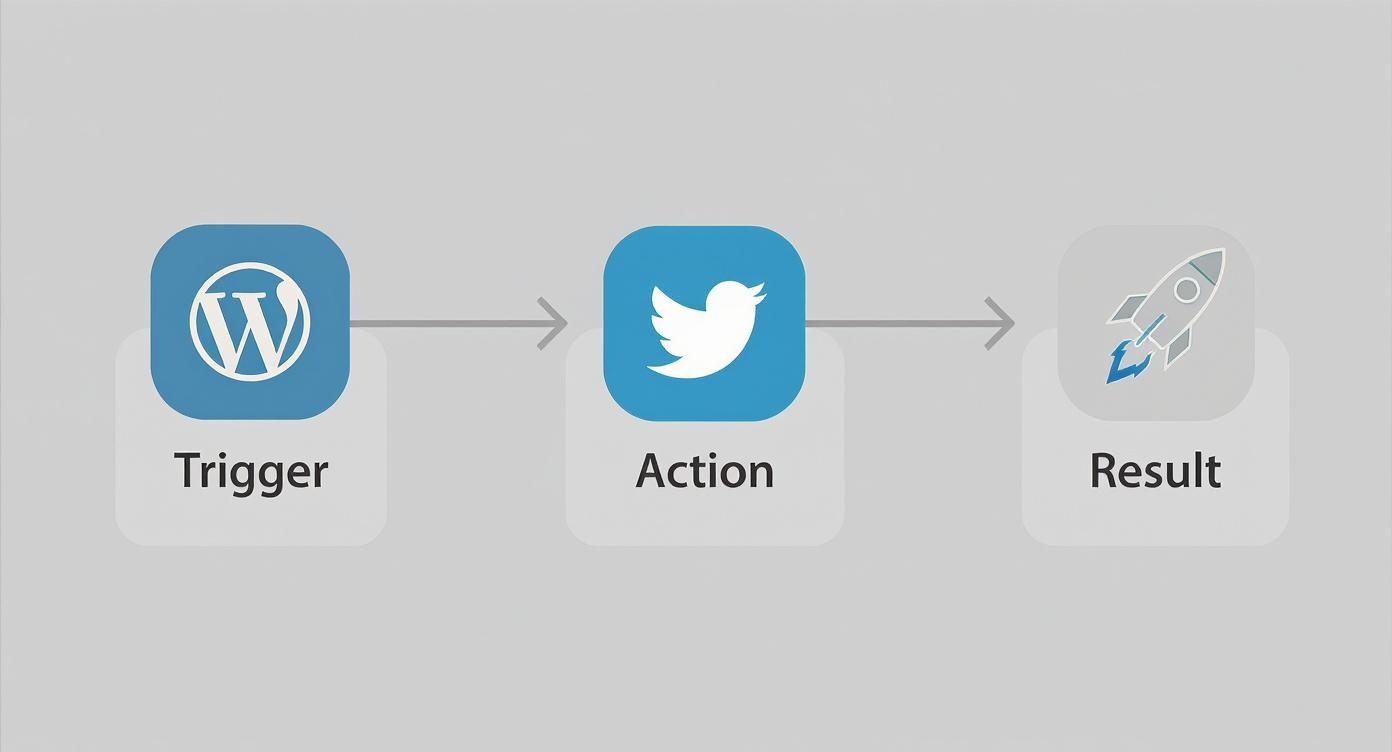
At the end of the day, even the most complex recipes boil down to this simple idea: something happens in one place, and it causes something else to happen somewhere else.
The real power comes from layering multiple actions, adding conditional logic, and connecting different apps to create a seamless, hands-off process. This is when automation graduates from a simple time-saver to a strategic business asset.
High-Impact Automation Ideas for Your Business
To get your gears turning, explore these automation recipes to see how different departments can benefit and how much time you could realistically save each week.
| Automation Recipe | Primary Beneficiary | Estimated Weekly Time Saved |
|---|---|---|
| Auto-Transcribe & Summarize Meeting Recordings | Sales & Management | 2-3 Hours |
| Sync New WordPress Users to CRM | Marketing & Sales | 1-2 Hours |
| Generate Social Media Posts from New Blogs | Marketing | 2-4 Hours |
| Notify Slack Channel of New High-Value Orders | Sales & Operations | 1 Hour |
| Create & Assign Tasks for New Form Submissions | Project Management | 2-3 Hours |
These are just starting points. The key is to look at your own daily and weekly tasks and ask, "Could a machine be doing this for me?" More often than not, the answer is yes.
Navigating Common Automation Roadblocks
Getting started with automation is an exciting prospect. The dream is a perfectly tuned, hands-off system that just works. But let's be real—the path to get there isn't always a straight line. Automations can break, they can become obsolete, and sometimes, they just get way too complicated. Learning to automate tasks is one thing; learning to build a resilient system that doesn't just create new headaches is the real goal.
One of the biggest traps I see people fall into is trying to automate absolutely everything. It’s a natural impulse, but it often leads to a system that feels robotic and misses that crucial human touch, especially when you're dealing with customers. Sometimes, a little bit of intentional friction is actually a good thing.
Another classic mistake is building workflows that are wildly complex. A tangled web of triggers and actions might seem powerful at first, but it quickly becomes a nightmare to debug or update down the road. This isn't just a hunch; studies show that around 78% of businesses have a tough time managing their complex workflows, and only 31% manage to scale their automation efforts successfully. You can dig into more of these stats in this report on business process automation statistics.
Keeping Your Automations Healthy
So, how do you avoid these problems? It all comes down to being proactive. You can't just "set it and forget it."
First things first, build in failure notifications from the very beginning. Most automation platforms, MxChat included, can shoot you a quick email or a Slack ping the moment a workflow runs into a snag. This is your early warning system. It means you'll know right away when something breaks, instead of finding out weeks later that your data has been a mess the whole time.
Think of your automations like a garden. They need regular tending to thrive. Neglect them, and you'll come back to a mess of weeds and broken processes.
Finally, get into the habit of doing regular check-ins. A quarterly review is a great place to start. During this time, pull up your major workflows and ask a few straightforward questions:
- Is this still necessary? Your business goals shift, and an automation that was essential last year might just be digital clutter today.
- Is it running smoothly? Take a peek at the logs. Are you seeing a lot of errors or weird delays? That could be a sign of a bigger issue lurking under the surface.
- Could this be simpler? As you get more comfortable with automation, you’ll often spot a much cleaner, more elegant way to get the same job done.
When you treat your automations as living, breathing parts of your business, you create a system that’s not only powerful but also reliable and sustainable for the long haul.
Your Automation Questions Answered
When you first start exploring automation, a lot of questions pop up. It’s easy to get excited about the possibilities, but making it work in the real world is another story. Let's tackle some of the common things that might be on your mind as you learn how to automate repetitive tasks.
Cost is usually the first big question. While some enterprise-level systems have price tags that can make your eyes water, tools like MxChat are built to be much more accessible for everyday businesses. The key isn't the sticker price; it's the return on investment (ROI). Think about it: if a small monthly fee saves you 10 hours of tedious manual work, that tool has paid for itself many times over.
Another worry I hear a lot is about complexity. People assume you need to be a coding wizard to make automation work. The great news is that modern no-code platforms are designed for the rest of us. If you can think in terms of "if this happens, then do that," you've already got the fundamental skill needed to build your first workflow.
Picking Your First Automation Target
So, with all the possibilities, where should you actually start? My advice is always the same: find a task that's high-volume, strictly rule-based, and has almost no exceptions. Don't try to automate a nuanced, creative process right out of the gate.
Look for the low-hanging fruit—the quick wins that build momentum.
- Data Entry: Think about copying customer info from a contact form straight into a Google Sheet.
- Simple Notifications: How about instantly pinging a Slack channel every time a new order comes in?
- Basic Reporting: Imagine automatically pulling the same three key metrics every Monday morning for your team update.
These are perfect starting points because they are incredibly predictable. Nailing these simple automations will give you the confidence to tackle more complex recipes down the road.
Ensuring Your Workflows Stay Reliable
"What happens if my automation just stops working and I don't notice?" It's a legitimate concern. The last thing you want is a silent failure causing problems behind the scenes. The solution is to build in your own safety net from day one.
The most resilient automations are the ones that tell you when they break. Always configure your system to send an email or a message when a workflow hits an error. This simple step turns a potential disaster into a minor hiccup.
And what about connecting different apps? Yes, absolutely! That’s the real power of a tool like MxChat. It acts as the glue between your systems, letting your WordPress site talk directly to your CRM, email marketing service, or project management board. This creates a truly connected and efficient operation. For a deeper dive into this topic, you can find more common business automation questions answered here.
Ready to stop wasting time on repetitive tasks and start building your own automated workflows? With MxChat, you can deploy intelligent, no-code chatbots on your WordPress site to handle customer support, capture leads, and automate your to-do list for good. Get MxChat today and reclaim your productivity.