e commerce automation: Boost sales and efficiency
E-commerce automation is all about using software to take care of the repetitive, manual jobs that come with running an online store. Think of it as a digital crew working 24/7, handling everything from sending order confirmations to updating your inventory, which frees up your actual team to focus on growing the business.
What Is E-Commerce Automation and Why It Matters
Let's imagine your online store is a busy coffee shop. If you were doing everything by hand, you'd have to take every single order, grind the beans, brew the coffee, shout out the customer's name, and then race to the back to mark down your bean inventory on a clipboard. It’s a recipe for burnout, slow service, and mistakes.
Now, picture a high-tech, automated coffee shop. A customer taps their order into a kiosk. That signal instantly tells a machine to grind the beans and brew the perfect cup, while a notification pings the customer's phone when it’s ready. That’s e-commerce automation in a nutshell—a smart system of triggers and actions that gets work done on its own, no human touch required.
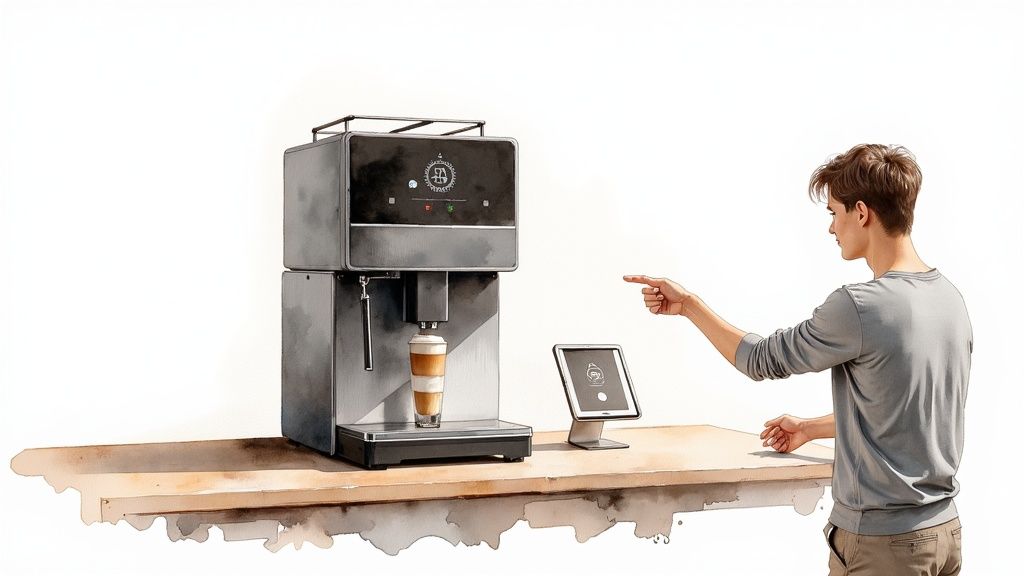
This hands-off approach completely changes how you run your business. Instead of being buried in day-to-day administrative tasks, you can put your energy into bigger things like marketing, developing new products, and making your customer experience unforgettable. If you're looking for ways to get more time back in your day, our guide on how to automate repetitive tasks is a great place to start.
The Urgent Need for Automation
The pressure in online retail is no joke. Global e-commerce sales are expected to blow past $6.8 trillion by 2025, and that growth is leaving traditional retail in the dust. In a market moving this fast, sticking with manual processes is a major handicap. In fact, 72% of successful e-commerce companies are already using automation, and they've seen it boost lead generation by as much as 80%.
When you really dig into it, you start to see the true cost of manual order screening versus automated restrictions. The difference is eye-opening.
Automation isn't a luxury reserved for giant corporations anymore. It's a must-have for any online business that wants to scale, stay competitive, and keep up with what modern customers expect.
Core Goals of E-Commerce Automation
At the end of the day, automation isn't just about saving time. It's about hitting key business goals that boost your bottom line and build a loyal customer base. The main objectives really boil down to a few key things:
- Boosting Efficiency: Automation cuts down on manual data entry, reduces human error in the fulfillment process, and keeps your operations running like clockwork, even when you're asleep.
- Improving the Customer Experience: It delivers instant order confirmations, provides timely shipping updates, and offers 24/7 support with tools like AI chatbots—which 75% of consumers actually prefer for quick questions.
- Driving Scalable Growth: It gives your business the power to handle more orders and more customer chats without needing to hire more people or dramatically increase your operating costs.
Essential Automation Workflows That Drive Growth
Knowing why you should automate is one thing, but actually putting it into practice is where the magic happens. Real automation isn't about finding a single "on" switch. It’s about building a series of smart, interconnected workflows that handle specific jobs across your business. Think of each workflow as a dedicated team member who never sleeps, constantly working to boost your sales and efficiency.
These systems almost always run on a simple "if this, then that" logic. A specific event, the trigger (like a shopper adding an item to their cart), kicks off a pre-planned action (like starting a reminder email sequence). By setting these up, you build a business that practically runs itself, freeing you up to think about the big picture instead of getting bogged down in repetitive tasks.

To see how this works in the real world, let's look at the most common and impactful workflows you can set up. The table below breaks down a few key examples, showing how a simple trigger leads to an automated action that delivers a clear business benefit.
Key E-Commerce Automation Workflows and Their Impact
| Business Area | Example Workflow Trigger | Automated Action | Primary Business Benefit |
|---|---|---|---|
| Marketing | Customer abandons their shopping cart. | Send a series of reminder emails, potentially with a discount. | Recovers lost sales and boosts conversion rates. |
| Sales | A lead signs up for the newsletter. | Add the lead to a "welcome" email nurture sequence. | Builds customer relationships and guides new leads to purchase. |
| Customer Support | Customer asks, "Where is my order?" in the chat. | AI chatbot instantly retrieves and provides tracking information. | Provides 24/7 instant support and reduces support ticket volume. |
| Inventory | Product stock level drops below 15 units. | Send an automatic reorder alert to the supply manager. | Prevents stockouts of popular items and avoids lost revenue. |
| Fulfillment | A new order is successfully paid for. | Generate a shipping label and send the order to the correct warehouse. | Speeds up the shipping process and reduces manual errors. |
As you can see, each workflow tackles a specific pain point with a precise, automated solution. Now, let's dig a little deeper into each of these areas.
Marketing and Sales Automation Workflows
For most online stores, this is ground zero for automation. It’s the area where you’ll see the most immediate impact on your bottom line by nurturing leads, winning back lost sales, and personalizing the entire shopping experience.
The classic example is the abandoned cart recovery workflow. A shopper leaves without buying? A clock starts ticking. After an hour, an automated email goes out with a friendly nudge. If they still don't bite, another email could land in their inbox 24 hours later, maybe with a small discount to seal the deal. This one workflow alone can be a game-changer for reclaiming lost revenue.
Another incredibly powerful tool is customer segmentation. Automation can tag customers based on what they do:
- New Customers: Automatically get funneled into a welcome email series.
- Repeat Buyers: Are tagged as "loyal" and receive exclusive offers or early peeks at new products.
- High-Value Customers: Get flagged for VIP treatment, making sure they always feel special.
This lets you stop shouting the same message at everyone and start having relevant conversations. Tailoring your campaigns this way is a core strategy for anyone figuring out how to increase online sales with smarter marketing.
Customer Support Automation
Let's be honest, your support team probably answers the same five questions all day long. Automation gives them a lifeline by providing instant answers to common queries, which frees them up to handle the truly tricky issues that need a human brain.
The goal of support automation isn't to replace your team, but to empower them. By handling the 80% of simple, recurring questions, automation lets your support staff focus on the 20% of interactions that truly require a human touch.
An AI chatbot, for instance, can be connected to your order and shipping data. When someone types, "Where is my order?" the bot can pull up the tracking info and give a real-time update on the spot. This keeps customers happy with 24/7 answers and slashes your support ticket volume.
Inventory and Fulfillment Workflows
Your back-end operations are where automation really shines by preventing expensive human errors. Trying to manage inventory manually is a recipe for disaster—you either run out of your bestsellers or end up with a warehouse full of stuff nobody wants.
A simple but vital workflow is the low-stock alert. You can set a rule that sends an automatic heads-up to your purchasing manager whenever a product's inventory dips below a certain number (say, 10 units). This proactive alert ensures you reorder before you run out. No more disappointed customers, no more lost sales.
On the fulfillment side, automation can instantly route an order to the closest warehouse based on the customer's address, which means faster, cheaper shipping. It can also print shipping labels and ping the customer with tracking info the second their package is on its way. To get this right, check out these 4 tips to automate e-commerce operations for boosting your efficiency.
By connecting these systems, you create a perfect, seamless handoff from the moment an order is placed to the moment it lands on a customer's doorstep—all with barely any manual effort.
Transforming Support with AI Chatbots
Of all the ways e-commerce automation can reshape your business, few hit with the immediate impact of a good AI chatbot. Think of it as hiring a super-powered customer support agent. This team member works 24/7, never needs a coffee break, and can juggle thousands of conversations at once without breaking a sweat.
This isn't just about reducing your support ticket queue. It’s about creating a better, faster, and genuinely more helpful experience for every single person who visits your store.
Before, a simple question like "Where is my order?" kicked off a whole manual chain of events. A customer emails you, a ticket is created, and an agent has to log in, look up the order, find the tracking number, and paste it all into a reply. That whole process could easily take hours. The "after" is a world apart.
With an AI chatbot like MxChat, that same customer gets an instant, accurate answer pulled right from your store's backend. This kind of immediate fix makes customers happy and, just as importantly, frees up your human team to solve the tricky, high-value problems that actually need a human touch.
Answering Questions Around the Clock
At its core, a support chatbot is your store’s first line of defense for common questions. Your customers don't want to hunt through FAQ pages or wait hours for an email back. They want answers now, whether it's 3 PM on a Tuesday or 3 AM on a Sunday.
An AI chatbot can instantly handle that huge wave of routine questions:
- Order Status: "Has my package shipped yet?"
- Product Details: "Is this jacket waterproof?"
- Return Policy: "How do I start a return?"
- Shipping Information: "Do you ship to Canada?"
By getting these answers out of the way on the spot, you smooth out the entire customer journey. This doesn't just boost satisfaction; it removes the little points of friction that might otherwise cause a potential buyer to give up and leave.
From Support Agent to Sales Assistant
But a really smart chatbot does more than just answer questions—it actively helps you sell more. By connecting directly to your product catalog, an AI assistant can become a powerful personal shopper, turning passive browsers into confident buyers.
Picture the "before" scenario: a customer lands on a product page, but they're not quite sure if it's the right fit. They might click around a bit, get frustrated, and leave. Now, picture the "after," where the chatbot proactively steps in.
Chatbot: "I see you're looking at our hiking boots! Are you planning a trip for a specific climate? I can help you find the perfect pair."
That single interaction completely changes the game. It turns a static webpage into a dynamic, helpful conversation. From there, the chatbot can ask a few more questions and offer up tailored recommendations, guiding the customer to the exact product they need.
This proactive help is a key part of how to automate customer service to boost conversions. It's no longer just about solving problems; it’s about creating opportunities.
Recovering Carts and Capturing Leads
We all know the pain of abandoned carts. Before automation, your only real tool was a generic "Did you forget something?" email sent hours after the fact. An AI chatbot gives you a much more immediate—and effective—weapon.
Imagine a customer has a full cart but is hesitating on the checkout page. The chatbot can sense this and intervene right at that critical moment.
- Before: The customer leaves. You cross your fingers and hope an email eventually brings them back.
- After: The chatbot pops up with a perfectly timed message: "Hey, looks like you're about to go. Can I answer any questions about your order? Here's a 10% discount to help you finish checking out today."
This is a game-changer for conversion rates.
The chatbot can also be a fantastic lead-capture machine. If someone is just browsing, the bot can offer to send them a discount code or notify them about an upcoming sale in exchange for their email. Just like that, a casual visitor becomes a valuable lead for your marketing funnels. This isn't some futuristic idea; it's happening now. In fact, 92% of e-commerce businesses are already using generative AI to personalize experiences, so getting on board is key. You can learn about current digital commerce statistics to see just how widespread these strategies have become.
Your Roadmap to WooCommerce Automation
If you're running your store on WordPress and WooCommerce, jumping into e-commerce automation doesn't mean you have to rip everything out and start from scratch. Far from it. The smart approach is a gradual one, adding small, efficient gears to your existing business engine rather than trying to flip one giant, disruptive switch.
The best place to begin is with a simple diagnostic. Just grab a notepad and spend a day or two tracking every little repetitive task you and your team do. Where are the time sinks? Manually updating order statuses? Answering the same five customer questions over and over? Chasing down abandoned carts? This list is your treasure map—it points directly to where automation will give you the biggest, fastest wins.
The process is often as simple as identifying a common problem and letting a tool provide an instant, automated solution.
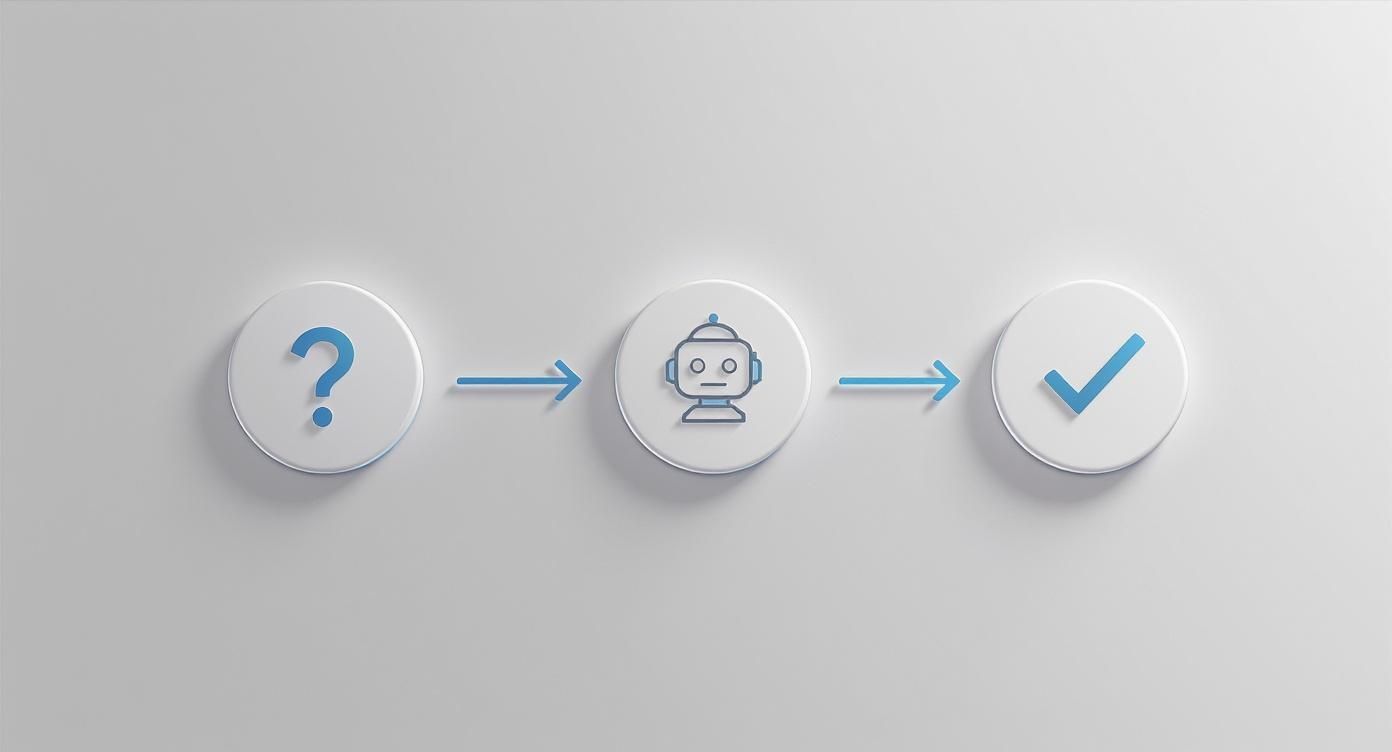
This basic flow—from customer question to AI-powered resolution—is the core of what makes modern automation so effective, especially for customer support.
Choosing Your Automation Toolkit
With your list of time-drains in hand, you can start exploring the massive ecosystem of WordPress plugins. The key is to find tools that play nicely with your current setup, are easy to get the hang of, and don't break the bank. Don't try to solve every problem at once. Instead, pick one major pain point—like abandoned carts or repetitive support queries—and find a great solution for that.
For instance, if customer support is eating up most of your day, a tool designed specifically as a chatbot for WooCommerce would be a perfect starting point. You'll want to look for plugins that integrate deeply with your store, so they can pull product details, check order statuses, and tap into your knowledge base without any extra effort.
I always tell clients: start small, scale smart. By implementing and mastering one workflow at a time, you build confidence and see real results without getting buried under a complex new system.
Your First Automation Workflow: Abandoned Carts
An abandoned cart recovery sequence is the perfect first project. It's relatively easy to set up, has a direct impact on your revenue, and gives you clear, simple metrics to track.
Here’s a typical four-step process to get it up and running:
- Install a Dedicated Plugin: Find an automation plugin that integrates with WooCommerce. Many email marketing tools (like Mailchimp) or specialized cart recovery plugins offer this out of the box.
- Set Your Trigger: The trigger is simple: "A customer adds an item to their cart but doesn't complete checkout within a set time" (say, 60 minutes).
- Create Your Email Sequence: Design a short series of emails. The first can be a gentle reminder. A second email, sent 24 hours later, could offer a small discount or highlight some great customer reviews to build a little trust.
- Launch and Monitor: Flip the switch and watch the data roll in. Keep an eye on your open rates and click-through rates, but the most important metric is the recovery rate—the percentage of abandoned carts that your emails successfully turn into completed sales.
Modern automation tools often use visual, block-based editors, which makes setting up these kinds of workflows incredibly intuitive, even if you’re not a developer.
Scaling Your Automation Strategy
Once your first workflow is humming along and bringing in sales, you can start layering in more automations. That task list you made at the beginning is your guide. Maybe the next logical step is to automate customer support with an AI chatbot that can handle all those "Where is my order?" questions.
After that, you might tackle inventory management by setting up low-stock alerts that automatically ping your purchasing manager. Each new layer should build on the last, creating a powerful, connected system that saves time, cuts down on errors, and helps your business grow. This methodical approach is what makes an e-commerce automation strategy both effective and sustainable in the long run.
Measuring Success and Avoiding Common Pitfalls
So, you've set up your automations. Great. But now the real work begins. Automation isn't a "set it and forget it" magic bullet; it’s a living part of your business strategy that needs to be monitored, tweaked, and refined.
Without a way to measure what's happening, you’re just guessing. You might feel like things are running smoother, but you won't know for sure what your return on investment (ROI) truly is. Success isn't just about clawing back a few hours in your day—it's about seeing real, measurable improvements in sales, customer happiness, and your bottom line.
Defining Your Key Performance Indicators
To get a clear picture of how your automations are performing, you need to track the right numbers. Forget vague goals and focus on the specific, hard data that tells the real story. These key performance indicators (KPIs) are your report card.
Here are the essential metrics you should be watching:
- Average Support Response Time: How fast are customer questions getting answered now that your AI chatbot is on the job? A big drop here is a direct win for customer satisfaction.
- Cart Abandonment Rate: Keep a close eye on this number, especially after you launch your abandoned cart recovery emails. If that percentage starts to shrink, you know your automation is successfully pulling buyers back over the finish line.
- Conversion Rate from Automated Campaigns: Are the people who get an automated product recommendation or a welcome email actually buying something? This KPI directly links your automation efforts to your sales figures.
- Customer Lifetime Value (CLV): This one is more of a long game. But as your support and marketing automations create better experiences, you should see customers coming back more often, which drives up the total value they bring to your business over time.
Common Pitfalls to Sidestep
Even with the best intentions, automation strategies can easily go off the rails. Knowing the common tripwires ahead of time can help you avoid them and make sure your automations enhance the customer experience, not break it. A little foresight here goes a long way.
The e-commerce world is rushing to automate. With the Business Process Automation (BPA) market expected to reach $23.9 billion by 2029 and 85% of businesses projected to be using it, the pressure is on. But that rush often leads to predictable mistakes. You can find more of these automation statistics and industry insights at thunderbit.com.
Automation should feel like a helping hand, not a cold, robotic barrier. The goal is to make your business more human and responsive by freeing up your team for meaningful interactions, not to eliminate the human element entirely.
Let's walk through the mistakes we see most often.
Over-Automating and Losing the Human Touch
This is the big one. It's incredibly easy to go too far and create an experience that feels cold and impersonal. When a customer has a complicated or emotional problem, trapping them in an endless chatbot loop is a one-way ticket to frustration.
- The Fix: Always, always give customers an easy way out. Make sure there’s a clear “talk to a human” button or option in every automated interaction. Use automation to handle the simple, repetitive stuff so your team has more time to build real relationships with customers who need it.
Choosing the Wrong Tools
Not all automation software is built the same. A tool designed for a massive enterprise is probably going to be a complicated, expensive nightmare for a small WooCommerce store.
- The Fix: Start with your biggest headache. If abandoned carts are killing your sales, find a tool that does an amazing job of solving that specific problem. Look for solutions that play nicely with the tools you already use, like WooCommerce, and don’t require a computer science degree to operate. Don't get upsold on a hundred features you'll never touch.
Got Questions About E-commerce Automation? Let's Clear Things Up.
Diving into the world of e-commerce automation can feel like a big step. It’s completely normal to have questions—and maybe a few doubts—before you start changing how you run your business. So, let's tackle the most common ones head-on.
Think of this as your quick guide to getting over those initial hurdles. We’ll break down the real costs, talk about what it means for your team, and show you how to keep that all-important personal touch alive and well.
What’s the Real Cost and ROI of Automation?
This is usually the first question on everyone's mind: "How much is this going to set me back?" It's easy to picture a huge, scary invoice, but the reality is much more flexible. Costs can be anything from a few bucks a month for a simple plugin to a more significant investment for a platform that does it all.
The key is to start small. You don't need a massive, complex system on day one. Just pick one area where you can make a big impact, and go from there.
- Your Starting Point: A good abandoned cart recovery plugin or a basic AI chatbot often costs less than a daily coffee habit, but the return can be immediate.
- Calculating ROI: The return on your investment isn't just about what you save on labor. The real ROI comes from the sales you recover from abandoned carts, the increase in customer lifetime value from providing instant support, and the priceless value of freeing up your own time to actually grow the business.
The question isn't just "What does it cost?" but "What is it costing you not to automate?" Every single sale lost to an abandoned cart or hour spent on a mind-numbing task has a price tag. Automation is how you stop paying it.
Automating just one or two key tasks can often pay for the software within the first few months. In fact, some reports show that getting smart with e-commerce automation can boost ROI by as much as 45%, making it one of the smartest moves you can make for growth.
Will Automation Make My Team Obsolete?
This is a big fear, and an understandable one, but it’s mostly a myth. The goal of automation isn’t to replace people—it’s to empower them. It's about taking the robotic, repetitive work off their shoulders so they can focus on what humans do best: thinking critically, solving complex problems, and connecting with other people.
Think about your customer support team. Instead of answering "Where is my order?" a hundred times a day, they could be spending that time helping a customer with a tricky issue, building a genuine relationship, and turning a frustrated shopper into a lifelong fan.
Automation handles the mundane, freeing up your people for:
- High-Level Strategy: Digging into market trends and planning your next big campaign.
- Creative Problem-Solving: Tackling unique customer challenges that a bot could never handle.
- Building Customer Relationships: Engaging with high-value customers and creating those "wow" moments.
- Product Development: Using real customer feedback to make your products even better.
Ultimately, automation acts as a force multiplier for your team, letting them get more done without getting buried in busywork.
I'm a Small Business on a Budget. Where Do I Start?
When you're running a small business, every dollar and every minute counts. The great news is you don't have to automate everything all at once. The smartest approach is to find your single biggest pain point—that one task that sucks up the most time for the least reward—and start right there.
For most online stores, one of these two areas gives you the most bang for your buck right out of the gate:
- Abandoned Cart Recovery: This is a direct line to more revenue, period. Setting up an automated email or SMS sequence to win back those almost-sales is a low-cost, high-reward first move.
- Basic Customer Support: Answering the same handful of questions all day is a massive time-drain. A simple AI chatbot can handle all the FAQs about order status, shipping, and returns, freeing up hours of your time every single week.
Pick one, get it running smoothly, and then use the time and money you save to fund your next automation project. This step-by-step approach makes e-commerce automation completely doable for any budget.
How Do I Keep a Human Touch in an Automated Store?
This is a huge—and valid—concern. Nobody wants their store to feel cold and robotic. The secret is to use automation to enhance the human touch, not get rid of it.
Your automated systems should feel like a helpful assistant, not a wall between you and your customers. The trick is to design your workflows with a little empathy and always leave an open door for a real conversation.
Here are a few practical ways to do it:
- Inject Your Personality: Write your automated emails and chatbot responses in your brand's voice. If you're fun and quirky, make them sound that way!
- Always Offer a Human Handoff: Make sure every automated interaction has a clear, easy way to "talk to a real person." This is non-negotiable. It builds trust.
- Use Automation to Be Proactive: You can set up an alert that tells you when a high-value order comes in. That could trigger a task for you or your team to pop a handwritten thank-you note in the package—a small, personal gesture that automation made possible.
By letting automation handle the logistics, you create more opportunities for the meaningful, personal interactions that build real loyalty.
Ready to see how a smart AI assistant can transform your customer support and boost sales? MxChat lets you build intelligent, no-code chatbots for your WordPress and WooCommerce store, providing 24/7 assistance and turning visitors into customers—all without monthly fees. Get started with MxChat today and discover the power of smart automation.