Chatbots for WordPress to Boost Site Engagement
Think of a WordPress chatbot as an AI-powered plugin that adds a conversational sidekick to your website. It’s essentially a digital assistant that can automate support, capture leads, and guide users—all without you lifting a finger, 24/7. This isn't just a gadget; it's a strategic tool for any serious WordPress site.
Why Your WordPress Site Needs Smarter Conversations
Is your team swamped with customer questions? In a world where people expect answers now, making them wait is the fastest way to lose them. This is exactly where chatbots for WordPress become a game-changer. They are your tireless, always-on team members, ready to greet and help every visitor the second they land on your site.
Picture an online store owner who spends hours every day answering the same questions about shipping policies, return processes, and stock levels. Every minute spent on repetitive queries is a minute not spent on growing the business. By adding a smart chatbot, those common questions get answered instantly, keeping customers satisfied and freeing up the owner's valuable time. The chatbot doesn't just deflect tickets; it becomes a proactive sales assistant.
Before we dive deeper, here's a quick look at the core benefits.
Table: Key Benefits of Integrating a Chatbot on WordPress
| Benefit Area | Impact on Your WordPress Site |
|---|---|
| 24/7 Availability | Provides instant support and lead generation around the clock, even outside of business hours. |
| Lead Generation | Actively engages visitors, qualifies leads with targeted questions, and captures contact information. |
| Enhanced User Experience | Delivers immediate answers and guides users, reducing frustration and making your site more helpful. |
| Increased Sales & Conversions | Proactively assists shoppers, answers product questions, and can reduce cart abandonment. |
| Operational Efficiency | Automates repetitive tasks, freeing up your human team to focus on more complex, high-value issues. |
These advantages highlight how a chatbot moves from a simple support tool to a central part of your growth strategy.
Beyond Basic Support
Today’s chatbots are much more than glorified FAQ bots. They are built to solve real business challenges and create a far more interactive and helpful experience for your visitors.
Here’s what a well-designed chatbot can do for you:
- Qualify Leads Around the Clock: It can ask the right questions to figure out who's a serious prospect, grab their contact info, and even pop a meeting right into your calendar.
- Reduce Cart Abandonment: By spotting a user lingering on the checkout page, it can jump in to answer a last-minute question or even offer a small discount to nudge them over the finish line. To see how powerful this can be, check out how chatbots in e-commerce can leverage shopping cart integration.
- Provide Instant, Accurate Answers: It turns your website into an interactive knowledge base, leading users directly to the information they need without forcing them to hunt through endless pages.
This move toward smart, automated help isn't just a fad. The numbers show a massive shift. For example, the LiveChat WordPress plugin alone handled traffic from 75 million visits in a single year. That’s a huge indicator of the demand for these kinds of tools.
Ultimately, a great chatbot turns your static website into a living, breathing conversation. This doesn't just meet the expectations of today's customers; it gives you a serious leg up on the competition, letting you scale your business without having to scale your payroll. It’s one of the most effective ways to optimize the user experience on your WordPress site and convert casual browsers into loyal customers.
How Modern AI Chatbots Actually Work
If you've ever dealt with a clunky, robotic chatbot, you know how frustrating they can be. Forget that experience. Today's AI has given chatbots for WordPress a massive upgrade, turning them from simple script-followers into genuinely smart digital assistants. The technology driving them is sophisticated, but the idea behind it is surprisingly simple.
Think of it like hiring a new team member who's an incredibly fast learner. To do their job well, they need three things: a brain to process information, a company handbook to learn from, and a way to instantly find the right answer.
The Brain: Large Language Models
At the heart of every modern chatbot is its "brain"—a Large Language Model (LLM). To really get what’s happening under the hood, you need to understand that these bots are powered by Large Language Models. These are massive AI systems trained on vast stretches of the internet, giving them a deep, nuanced understanding of how people communicate.
This is what allows the chatbot to understand what a visitor is asking, no matter how they phrase it, and craft a natural, human-like response. The LLM is the reason the bot can handle tricky questions and avoid those dead-end "I don't understand" moments that plagued older bots.
This technology is catching on fast. The global chatbot market is expected to jump from $15.57 billion in 2025 to a staggering $46.64 billion by 2029. With over 80% of companies already using some form of chatbot, it’s clear this is becoming a standard tool for doing business online.
The image below breaks down how this "AI brain" translates into real-world wins for your WordPress site.
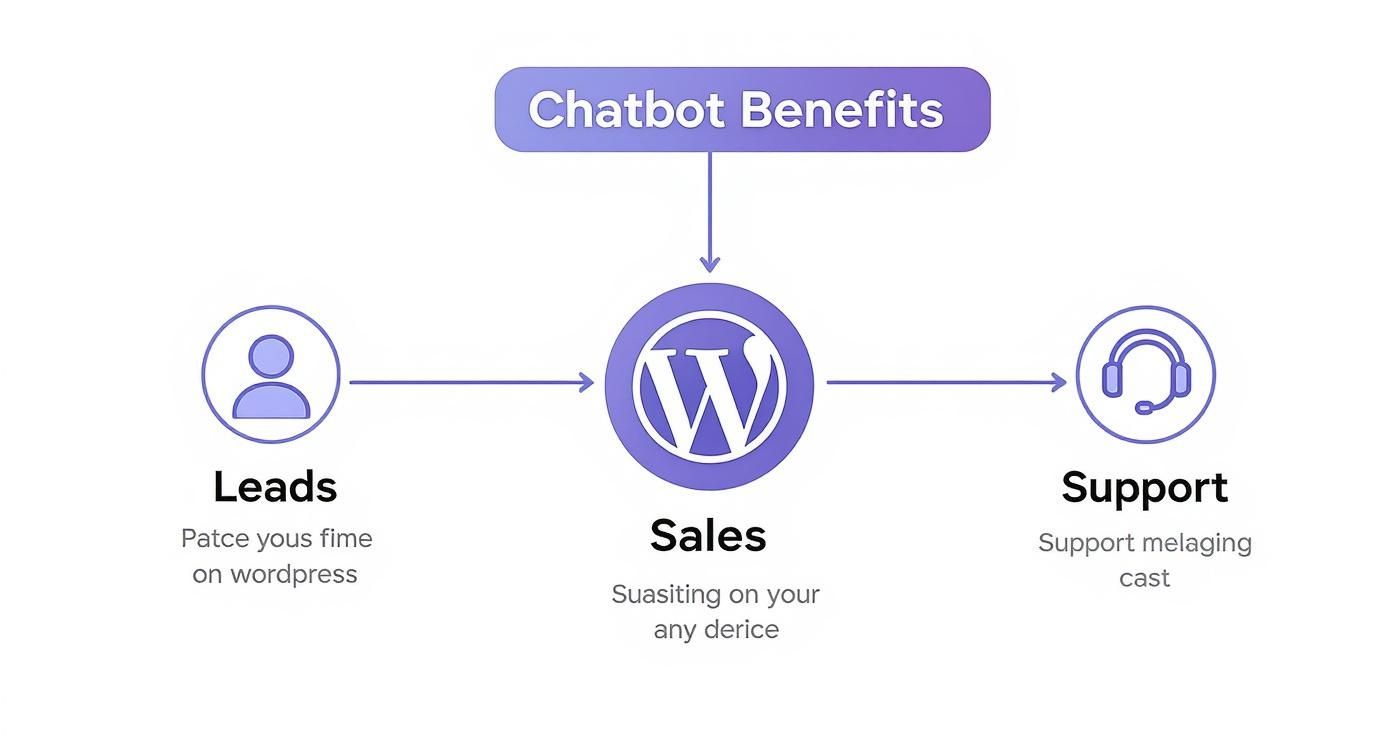
As you can see, a single AI tool can make a difference across the entire customer journey, from that first "hello" to providing support long after a purchase.
The Training Manual: Your Knowledge Base
A powerful brain is useless without the right information. That's where your own website content comes into play. All your pages, blog posts, product descriptions, and even uploaded FAQs become the chatbot's knowledge base—its official training manual.
Key Concept: Your website's content is the single source of truth for the chatbot. The more comprehensive and accurate your content is, the smarter and more helpful your chatbot will be.
When you set up a modern chatbot plugin, it "reads" all of this content. It doesn’t just copy and paste; the AI processes and understands it, building a structured library of everything there is to know about your business. This is how the chatbot gives answers that are always specific and true to your brand.
The Superpower: Retrieval-Augmented Generation (RAG)
Okay, so the chatbot has a brain (the LLM) and a training manual (your knowledge base). But how does it connect a visitor's question to the perfect answer in a split second? This is where a clever technique called Retrieval-Augmented Generation (RAG) comes in.
You can think of RAG as the chatbot's secret weapon. When someone asks a question, the RAG process kicks in:
- Retrieve: First, the system scans your entire knowledge base to find the most relevant snippets of information. It's like your new hire instantly flipping to the exact right page in the company handbook.
- Generate: Then, it hands that specific information to the LLM "brain" with a clear instruction: "Formulate an answer using only these facts."
This two-step process is crucial because it stops the AI from guessing or making things up—a problem known as "hallucination." It grounds every single response in your own content, ensuring the answers are always accurate and reliable.
By combining a powerful language model with your specific data, RAG enables chatbots for WordPress to have truly helpful, context-aware conversations. You can explore this concept further by reading our guide on Retrieval-Augmented Generation.
What to Look For in a WordPress Chatbot
Picking the right chatbot can feel overwhelming. You're flooded with technical jargon and big promises, but what features actually make a difference? With so many chatbots for WordPress out there, it's easy to get lost.
This section is your no-nonsense checklist. We'll cut through the noise and focus on the three core pillars that separate a gimmicky widget from a genuine asset for your business: its brain, its look and feel, and its ability to connect with your other tools. Get these right, and you'll choose a winner.
Core Intelligence and Conversational Quality
First and foremost, a chatbot has to be smart. If a visitor asks a simple question and gets a "Sorry, I don't understand" response, you've not only lost a potential customer, but you've also damaged your brand's credibility. It’s frustrating for them and looks bad for you.
This is where the underlying technology really matters. Look for chatbots built on modern AI, specifically those using powerful Large Language Models (LLMs). The best ones also use a technique called Retrieval-Augmented Generation (RAG), which is just a fancy way of saying the bot bases its answers on your website content, not just general internet knowledge.
This combination is the secret sauce. It ensures the bot doesn't just guess based on keywords but actually understands what the user is asking.
Key intelligence features to check for:
- Natural Language Processing (NLP): Can the bot handle slang, typos, and different ways of phrasing the same question? This is essential for a human-like conversation.
- Context Awareness: Does it remember what you just talked about? A good chatbot won't ask for the same information twice in one conversation.
- Knowledge Base Integration: It must connect directly to your WordPress pages, posts, and products. This is how it provides accurate, up-to-the-minute information straight from the source.
To better understand the leap forward, it helps to see how modern AI chatbots stack up against their older, rule-based counterparts.
Comparing Chatbot Types for Your WordPress Site
The technology powering chatbots has evolved significantly. The table below highlights the key differences between the rigid, script-based bots of the past and the intelligent, flexible AI bots available today.
| Feature | Rule-Based Chatbot | AI-Powered Chatbot (e.g., with RAG) |
|---|---|---|
| Conversational Flow | Follows a strict, pre-defined script. Deviations fail. | Understands intent and can have a flexible, natural conversation. |
| Setup & Maintenance | Requires manually writing every possible question/answer. | Learns automatically from your website content. Minimal setup. |
| Answering Ability | Can only answer questions it has been explicitly programmed for. | Can answer a wide range of questions by analyzing your content. |
| Language Understanding | Basic keyword matching. Easily confused by typos or slang. | Advanced NLP understands context, synonyms, and user intent. |
| Scalability | Very difficult to scale. Adding new knowledge is manual. | Scales effortlessly. Automatically updates when you add new content. |
As you can see, AI-powered chatbots offer a far more dynamic and useful experience for both you and your website visitors, requiring less manual work to deliver better results.
Customization and Brand Alignment
Your chatbot isn't just a tool; it's a representative of your brand. It needs to look and sound the part. A generic bot that clashes with your website's design feels cheap and untrustworthy.
Basic visual customization is a given—you should be able to tweak colors, logos, and fonts to match your site perfectly. But don't stop there. True brand alignment goes much deeper.
Key Takeaway: A great chatbot does more than just answer questions; it embodies your brand's personality. Customization lets you define its tone of voice—whether that's formal and professional, or casual and witty.
This ability to set a "personality" is what makes the interaction feel authentic. It reinforces who you are as a brand with every message. A well-built solution like the MxChat WordPress chatbot plugin gives you this level of control, turning your AI assistant into a true brand ambassador.
Essential Integrations and Workflow Automation
Finally, a chatbot should never be a dead end. Its real value comes alive when it connects with the other software you rely on every day. Integrations are what turn a simple Q&A bot into an automated engine for lead generation and customer support.
When you look for a plugin, don't just look at its own features; see how well it plays with others.
Here are the integrations you should look for:
- CRM Integration (e.g., HubSpot, Salesforce): This is a big one. The bot should be able to capture leads (names, emails) and send them straight into your CRM without you lifting a finger.
- Email Marketing Services (e.g., Mailchimp, ConvertKit): Let visitors subscribe to your newsletter right from the chat window. It’s a frictionless way to grow your email list.
- Live Chat Handoff: Sometimes, a human touch is needed. The bot should be smart enough to recognize when a question is too complex and seamlessly pass the conversation over to a live agent.
- WooCommerce Integration: Absolutely critical for eCommerce stores. A top-tier chatbot can help customers track orders, find products, and even get help during checkout, reducing cart abandonment.
If you focus on these three areas—intelligence, brand alignment, and integrations—you'll be able to confidently choose a chatbot that actually helps your business grow. It’s not about finding the bot with the longest feature list, but the one with the right features.
Setting Up Your First WordPress Chatbot
Getting your first chatbot up and running on a WordPress site is a lot easier than you might think. We're long past the days when you needed to be a coding wizard or hire a developer for this stuff. Today's plugins make the whole process surprisingly simple, guiding you through what used to be a very technical job.
Let's walk through the process of taking your website from static to dynamic with a conversational assistant. We'll cover picking and installing the right plugin, teaching it what it needs to know, and then styling it to look like it’s always been a part of your site. The goal here is to get you from zero to a fully working chatbot, feeling confident every step of the way.
https://www.youtube.com/embed/3-cnNsF6gBU
Step 1: Choose and Install Your Plugin
First things first, you need to pick a chatbot plugin from the WordPress repository. Your choice will hinge on the features you need, but thankfully, the installation is pretty much the same for all of them.
- Head to your Dashboard: Log in to your WordPress admin area.
- Find the Plugins Menu: On the left, hover over "Plugins" and click "Add New."
- Search for Your Chatbot: In the search bar, type the name of the plugin you chose (like "MxChat") or just search for "AI chatbot."
- Install and Activate: When you find it, click "Install Now." Once that's done, hit "Activate."
That’s it. This simple action hooks the chatbot's system into your WordPress site. Most quality plugins will then add a new menu item to your dashboard, ready to walk you through the rest of the setup.
Step 2: Build the Knowledge Base
This is the fun part—it's where your chatbot gets its brain. A modern AI chatbot doesn’t need you to write out hundreds of pre-canned answers. Instead, it learns directly from the content you've already created. Think of it like handing a new employee a stack of company manuals and telling them to get reading.
You simply point the plugin to your content.
- Website Pages and Posts: Most tools can automatically crawl your published pages and blog posts. This is the quickest way to get it up to speed on your business basics, like your "About Us" page or service descriptions.
- Document Uploads: You can often upload specific files like PDFs—think product guides, company policies, or detailed technical specs—to give it deeper expertise.
- WooCommerce Products: For any eCommerce store, syncing your product catalog is a must. This empowers the bot to answer questions about features, pricing, and stock levels for individual items.
Pro Tip: Your chatbot is only as smart as the information you give it. Before you start syncing content, take a quick look at your key pages. Is everything clear, accurate, and up-to-date? A solid FAQ page is pure gold for training a chatbot.
Once you’ve pointed it to the right sources, the AI will "ingest" the information, which can take anywhere from a few seconds to several minutes depending on how much content you have. For more on this, our detailed guide covers how to add an AI chatbot in WordPress and offers great tips for optimizing your knowledge base.
Step 3: Customize Its Look and Personality
Now that the brain is built, it's time to work on its appearance. A chatbot that blends seamlessly with your brand's colors and style feels intentional and trustworthy, not like some random widget you just slapped on.
Most plugins provide a straightforward customization panel where you can tweak:
- Colors and Fonts: Match the chatbot widget to your site’s design for a cohesive, professional look.
- Avatar and Welcome Message: Upload your logo or a friendly icon as the avatar. Then, write a warm welcome message that captures your brand's voice.
- Chatbot Personality: This is where you bring it to life. Decide on its tone. Is it a formal, straight-to-the-point professional? Or a friendly, casual helper? Giving it a distinct personality makes the whole interaction feel much more human.
Step 4: Test and Go Live
Before you introduce your new assistant to the world, you need to put it through its paces. Open your website in an incognito or private browser window and start a conversation. Act like a real customer.
Ask it easy questions, then some tricky ones. Throw it a curveball or two. See how it handles things. This is your chance to find any blind spots in its knowledge or fine-tune its personality.
Once you’re happy with how it performs, you're ready to launch. You can set it live knowing you have a reliable new team member ready to help visitors, answer questions, and make your entire website experience better.
Real-World Examples of WordPress Chatbots
It's one thing to talk about features, but seeing chatbots for WordPress out in the wild is what really makes the lightbulb go on. Let's step away from the theory and look at how actual businesses are using this tech to solve real problems, grow their revenue, and keep their customers happy.
These aren't hypothetical scenarios—they're practical, everyday applications you could put to work on your own site. We'll explore two common situations: an eCommerce store bleeding sales from abandoned carts and a service business swamped with unqualified leads. In both cases, a chatbot becomes the hero of the story.

The Online Boutique Boosting Sales
Picture an online boutique built on WooCommerce. They sell gorgeous, handcrafted jewelry, but they're stuck fighting two classic eCommerce battles: shoppers have a million pre-sale questions, and a huge number of them bail at the last second, abandoning their carts. Their small team is burning hours answering the same emails about shipping, materials, and returns.
The Problem: They're losing sales and wasting precious time. Potential buyers drift away because they can't get an answer right now, and the team is too bogged down in support to focus on actually growing the business.
The Chatbot Solution: They set up a chatbot and feed it all their product info, shipping policies, and FAQs.
Suddenly, things look very different. When a visitor lands on a product page, the chatbot proactively jumps in to help.
- Instant Product Answers: A customer types, "Is this necklace hypoallergenic?" The bot scans the product data in a flash and replies, "Yes, it's made from nickel-free sterling silver, perfect for sensitive skin."
- Cart Abandonment Recovery: Someone else is hesitating on the checkout page. After 30 seconds, the bot pipes up with a friendly note: "Have any last-minute questions before you complete your order? I can help!"
- Proactive Upselling: A user adds a bracelet to their cart. The chatbot sees an opportunity: "Great choice! We have matching earrings that would complete the set. Would you like to see them?"
The Impact: Within the first month, the boutique sees a 25% reduction in abandoned carts. The team gets hours back every single day, now that they're not typing out the same answers over and over. The chatbot isn't just a support agent—it's become a tireless sales assistant that works 24/7.
The Marketing Agency Qualifying Leads
Now, let's switch gears to a digital marketing agency using WordPress. Their contact form is constantly lighting up with new inquiries, which sounds great, but there's a catch: only about 1 in 10 of them is a legitimate, qualified lead. The sales team is wasting an incredible amount of time weeding out spam, low-ball offers, and requests for services they don't even provide.
The Problem: Their lead generation process is incredibly inefficient. The sales team is so busy chasing down dead ends that their response time to high-value prospects suffers.
The Chatbot Solution: They ditch the old "fill out and pray" contact form and replace it with a smart chatbot built to qualify leads.
Now, when a visitor clicks "Get a Quote," they start a conversation instead of filling out a form.
- Initial Greeting: "Thanks for your interest! To connect you with the right person, I just need to ask a few quick questions. First, what services are you looking for?"
- Service Filtering: The chatbot shows a few buttons like "SEO," "PPC," and "Content Marketing." If a user picks something outside their scope, the bot politely lets them know, saving everyone from a pointless conversation.
- Budget Qualification: Next, it asks, "What is your approximate monthly budget for this project?" This one question instantly filters out prospects who aren't a good financial fit.
- Scheduling Integration: For leads that tick all the boxes, the chatbot goes for the close: "It looks like we're a great fit! My colleague's calendar is open. What time works for you next week?"
The bot is synced with their CRM, so it automatically creates a new contact for the qualified lead and books the meeting. The sales team's calendar now fills up with warm, pre-vetted prospects, making their time exponentially more productive.
Your Top Questions About WordPress Chatbots, Answered
Jumping into any new tool for your website comes with a few questions, and that’s a good thing. When that tool interacts directly with your customers, you want to be sure you're making the right choice for your site's speed, your budget, and their experience.
Let's walk through the most common questions and concerns that pop up when people start looking into chatbots for WordPress. My goal here is to give you clear, straight-up answers so you can feel confident moving forward.
Will a Chatbot Slow Down My WordPress Website?
This is probably the number one question I hear, and it's a completely valid concern. We all work hard to make our sites fast. The good news is that a well-built, modern chatbot plugin is designed specifically to have a minimal impact on your site's speed.
How do they pull this off? The secret is asynchronous loading. Think of it this way: your main page content (text, images, etc.) loads first, getting the important stuff in front of your visitor right away. The chatbot’s code loads in the background, completely separate, and then the chat widget pops up a moment later without ever holding up the rest of the page.
On top of that, top-tier solutions serve their files from a Content Delivery Network (CDN). This means the chatbot's code is delivered from a server that's physically close to your visitor, ensuring it loads lighting fast whether they're in London or Los Angeles.
When you're checking out different options, glance at the reviews and see if anyone mentions site speed. But honestly, for almost every site, the boost you get in customer engagement and conversions will make any tiny, often unnoticeable, effect on load time a complete non-issue.
How Much Does a Quality AI Chatbot for WordPress Cost?
The price tag on WordPress chatbots is all over the map, but it really breaks down into a few main categories depending on what you need.
- Free or Freemium Plugins: These are a fantastic way to get your feet wet. They're perfect for a small blog or a business that just wants to test the waters with basic, rule-based chats or a very limited number of AI conversations each month.
- Monthly Subscription Plans: This is the standard for most powerful AI chatbots. You can expect to see plans ranging anywhere from $20 to over $100 per month. What you pay usually depends on things like how many conversations you need, how big your knowledge base is, and which other tools you can connect it to.
- Lifetime Deals (LTDs): Every now and then, especially with newer platforms like MxChat, you'll find an offer for a lifetime license for a single payment. For many, this is a game-changer. It can offer incredible long-term value, giving you all future updates and premium features without ever seeing another monthly bill.
For most small and medium-sized businesses, a paid chatbot is a smart investment. When you tally up the time saved on customer support and the new leads it brings in on autopilot, the cost is often covered very quickly.
Can a Chatbot Handle Conversations in Multiple Languages?
Yes, and this is where today's AI really shines. The advanced Large Language Models (LLMs) that power these chatbots are trained on a truly mind-boggling amount of text from across the internet, in dozens of languages. This gives them an incredible, built-in ability to chat fluently with a global audience.
Most modern chatbots will automatically detect the language a visitor is typing in and respond in the same one. It's a seamless experience. Some even let you build out separate knowledge bases for different languages, so you can fine-tune the accuracy for your most important international markets.
If your business has customers from around the world, this isn't just a nice-to-have feature; it's a must. Providing instant support in someone's native language is one of the most powerful ways to build trust and make them feel right at home on your site.
How Difficult Is It to Train a Chatbot with My Content?
The "training" process for a modern AI chatbot is so simple it almost feels like cheating. Forget the old days of manually programming hundreds of "if this, then that" rules.
Today, you train the bot by just pointing it to your existing content. It looks something like this:
- One-Click Sync: Most plugins can scan your entire WordPress site—all your pages, posts, and even your WooCommerce products—with a single click.
- URL Submission: You can also just paste in a list of specific web page addresses you want it to learn from.
- Document Uploads: Have product manuals, company policies, or detailed guides in PDF format? Just upload them. The chatbot will read and understand them, too.
The AI digests all this information and builds its brain—your knowledge base—in just a few minutes. Keeping it updated is just as easy. When you publish a new blog post, you just re-sync the bot. It's a "train once, benefit forever" model that makes getting started incredibly fast.
Ready to see how an AI assistant can transform your visitor engagement and cut down your support workload? The MxChat platform lets you build an intelligent chatbot powered by your own content. There's no coding needed and no recurring fees. Start building your custom WordPress chatbot today!