Choosing the Right WordPress Chatbot Plugin
So, what exactly is a WordPress chatbot plugin? At its core, it's a piece of software you add to your site that acts like an automated conversationalist. It’s built to simulate a real chat with a human, providing instant customer support, capturing leads, and pointing users in the right direction, day or night.
Think of it as your website's own tireless digital assistant, one that improves the visitor experience and handles routine tasks, all managed right from your WordPress dashboard.
Why Your Website Needs a Digital Concierge

Picture your website having a dedicated assistant on duty 24/7—one that never takes a break. This digital concierge is always there to instantly answer questions, gather contact info from potential customers, and guide visitors exactly where they need to go. That’s the real power a WordPress chatbot plugin brings to the table, turning a static online brochure into a dynamic, two-way conversation.
Let's face it, people online want answers now. A delay of just a few minutes can be the difference between a sale and a lost opportunity. An AI-powered chatbot meets that expectation head-on, transforming passive browsing into genuine engagement. It's the difference between a visitor aimlessly clicking around and one getting their questions answered on the spot.
Turning Visitors Into Customers
Don't mistake a chatbot for a simple support tool; it’s a proactive sales and marketing machine. It gets to work the second someone lands on your site, engaging them to drive real business results.
Here’s how it helps:
- Instant Lead Capture: The bot can ask smart, qualifying questions and collect contact details from interested visitors, piping those warm leads straight to your sales team.
- 24/7 Customer Support: It effortlessly handles all the common questions—business hours, product specs, shipping policies—which frees up your human agents for the tricky stuff.
- A Smoother User Journey: By providing immediate answers, the chatbot removes roadblocks and gently nudges users toward making a purchase or booking a demo.
A well-designed chatbot does more than just answer questions; it actively guides users through your sales funnel. By stepping in to help, it eliminates the friction that causes people to bounce from your site.
Seamless Integration and Accessibility
One of the best things about a modern WordPress chatbot plugin is just how easy it is to get started. You don't need to be a coding wizard or hire a team of developers to add a sophisticated AI assistant to your site.
These tools are built to fit perfectly into the WordPress ecosystem, usually installing with just a few clicks. If you want to dive deeper, you can explore why your WordPress site needs an AI chatbot in 2025. This level of accessibility means powerful AI is no longer just for the big players. Any business can use it to boost sales and keep customers happy.
How Do WordPress Chatbots Actually Work?

To really see why a WordPress chatbot plugin is such a game-changer, it helps to peek behind the curtain. At its core, a chatbot is just a program built to talk with people. Think of it as adding a new, highly specialized team member to your website with a few clicks—one that’s already trained and ready to go.
But here’s the thing: not all chatbots are the same. The technology inside them can range from a simple, script-following assistant to a sophisticated AI that truly understands what your visitors need. Knowing the difference is crucial for picking the right tool for the job.
Rule-Based Bots: The Simple Flowchart
The most basic chatbots run on a set of predefined rules. The easiest way to picture this is as a digital flowchart. The bot gives a visitor a few options, and depending on what they click, it follows a pre-written path.
For example, a visitor might see a prompt like, "What can I help you with today?"
- A) Track My Order
- B) View Return Policy
- C) Contact Support
If they click "Track My Order," the bot fires back a scripted message asking for their order number. These bots are fantastic for handling common, repetitive questions where the conversation is predictable. They’re easy to set up, but they can't handle anything they haven't been programmed for.
A rule-based chatbot is like a helpful, interactive FAQ. It’s great for guiding users through simple processes but gets completely stuck when asked an unexpected question. It can only do exactly what it’s told.
This rigidity is their biggest drawback. If a user types, "Where's my stuff?" instead of picking an option, a rule-based bot will probably say, "Sorry, I don't understand." For a genuinely helpful experience, you need something smarter.
AI-Powered Bots: The Intelligent Assistant
This is where things get really interesting. Modern, AI-powered chatbots don't just follow a script; they actually understand language. They use a technology called Natural Language Processing (NLP), which is a branch of AI that lets computers read and interpret human language just like we do.
Instead of being stuck in a rigid flowchart, an AI chatbot can figure out a user's intent. When someone asks, "How long until my package gets here?" the bot knows they want to check their order status, even without the exact phrase "track my order." This flexibility makes the conversation feel natural and far more helpful.
These advanced bots learn from huge amounts of information, which can include:
- Your website's content: Every page, blog post, and product description.
- Uploaded documents: FAQs, support manuals, and policy documents you provide.
- Product data: All the details from your e-commerce store.
The Power of Context and Memory
The real magic of a top-tier WordPress chatbot plugin is its ability to give answers that are perfectly relevant to the situation. Using advanced methods like vector embeddings, these bots convert all of your website's information into a knowledge base they can search instantly. You can learn more about how a vector embedding chatbot for WordPress delivers such accurate answers by using your own content. This lets the AI pull precise responses directly from your material, not some generic, pre-programmed script.
This turns a simple chat widget into a genuine AI assistant. It can answer detailed product questions, troubleshoot problems using your help guides, and even offer personalized recommendations. It remembers what you’ve been talking about, creating a smooth and intelligent experience that makes visitors feel heard and supported, ultimately building trust in your brand.
The Business Case for Installing a Chatbot
So, what can a WordPress chatbot plugin actually do for your bottom line? Adding an AI assistant to your site isn't just about looking modern; it's a smart business move that pays off in lead generation, customer support, and sales. It turns your website from a static brochure into an active, automated engine for growth.
By engaging visitors the moment they arrive, answering questions instantly, and guiding them where they need to go, a chatbot creates real, measurable value. It’s the difference between a visitor clicking away with unanswered questions and one who becomes a solid lead or a happy customer.
Boost Lead Generation Around the Clock
Your website traffic is a constant stream of potential customers. The question is, how many are slipping through the cracks without ever making contact? A chatbot acts as your 24/7 lead qualification specialist, catching visitors who might have otherwise disappeared. It works day and night to turn anonymous traffic into real opportunities.
Think about a local service business. A potential client lands on the site at 10 PM, long after everyone has gone home. Instead of just seeing a contact form they might fill out "later," they're greeted by a chatbot.
- The bot can ask a few simple qualifying questions, like, "Are you looking for residential or commercial services?"
- It then gathers their name, email, and a quick note about what they need.
- By the next morning, the sales team has a warm, pre-qualified lead sitting in their inbox, ready for a call.
This simple, automated process means you never miss a chance to connect. You capture interest the second it happens, no matter the time of day.
A chatbot’s real superpower in lead generation is its ability to be proactive. It doesn't just sit and wait for a user to find the contact page; it starts a helpful conversation that naturally guides them toward becoming a lead.
This kind of immediate engagement can seriously boost conversion rates compared to passive forms. The bot smooths out the process, making it incredibly easy for interested visitors to raise their hand and say, "Tell me more."
Redefine Your Customer Support
Great customer support isn't a bonus anymore—it's the bare minimum. People expect instant answers, and a chatbot is the most efficient way to give them what they want. It offers immediate, 24/7 help for all the common questions, which frees up your human agents to tackle the complex, high-stakes issues.
For an e-commerce store, this means the chatbot can instantly field questions about shipping policies, return procedures, or product stock. This doesn't just make customers happier; it leads to massive operational savings. Chatbots are quickly becoming a go-to for cutting costs. A typical support interaction with a human agent costs around $6.00, while a chatbot handles it for just $0.50. That’s a 92% cost reduction. You can find more stats and insights on using AI chatbots for WordPress engagement on addwebsolution.com.
The numbers speak for themselves, but the efficiency boost is just as critical. When you automate routine support, you let your team focus on what they do best: solving unique problems and building strong customer relationships.
Cost and Efficiency Comparison: Human vs. Chatbot Support
To really see the difference, let’s put a human support agent and an AI chatbot side-by-side. The contrast in a few key areas makes the business case crystal clear.
| Metric | Human Support Agent | AI Chatbot |
|---|---|---|
| Availability | 8-10 hours/day, 5 days/week | 24/7, 365 days/year |
| Response Time | Minutes to hours | Instant |
| Handling Capacity | 1-3 conversations at a time | Unlimited concurrent conversations |
| Consistency | Varies by agent and workload | 100% consistent answers |
| Cost Per Interaction | ~$6.00 | ~$0.50 |
| Scalability | Requires hiring and training | Instantly scalable |
As you can see, the chatbot offers unparalleled availability and scalability at a fraction of the cost, handling an unlimited number of queries instantly and consistently.
Increase Sales and Reduce Cart Abandonment
Finally, a well-built WordPress chatbot plugin is a seriously powerful sales tool. It can act like a personal shopping assistant, walking users through their purchase, answering product questions, and clearing up any doubts they have in the moment.
Picture an online store where a customer adds something to their cart but then hesitates before checking out. A smart chatbot can spot this and jump in.
- Proactive Engagement: The bot pops up with a helpful message: "Hi! I see you're looking at the Pro-Level Camera. Any questions about its features or our warranty?"
- Overcoming Objections: The customer asks about the return policy. The chatbot gives them a clear, instant answer, removing that point of friction.
- Closing the Sale: Feeling confident, the customer goes ahead and completes the purchase.
That one simple interaction just saved a sale. By offering the right support at that critical decision-making moment, the chatbot actively reduces cart abandonment and helps drive more revenue.
What to Look for in a Modern Chatbot Plugin
Picking the right WordPress chatbot plugin can feel overwhelming. The market is crowded, and it's easy to get bogged down in technical jargon. But here’s the secret: the best plugins aren’t just glorified chat widgets. They’re smart, adaptable business tools that understand, learn, and weave themselves into your daily operations.
Think of this section as your practical buyer's guide. We're going to cut through the noise and break down the core features that actually matter—not just what they are, but why they're so important. Getting this right means choosing a chatbot that helps you hit your goals, whether that’s generating more leads, delighting customers, or boosting sales.
Intelligent and Contextual Conversations
At its core, a chatbot is only as good as its ability to understand what people are actually saying. We've all dealt with frustrating bots that get stuck on a script, leading to a dead end. A modern chatbot has to be smarter than that. It needs to grasp a user’s true intent, not just hunt for keywords.
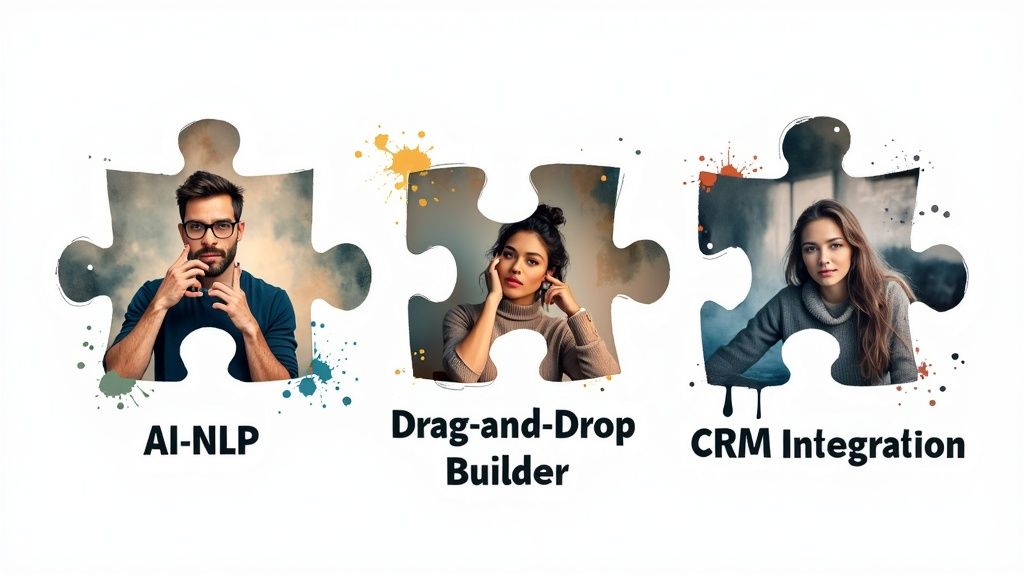
This is where Artificial Intelligence (AI) and Natural Language Processing (NLP) come into play.
- AI-Powered Understanding: This is the magic that lets a chatbot figure out that "where's my stuff?" means the same thing as "track my order." It can handle typos, slang, and different ways of phrasing a question.
- Contextual Awareness: A great bot remembers what you were just talking about. It allows for natural back-and-forth conversation, so users don't have to repeat themselves with every single message.
This intelligence is what separates a helpful, human-like interaction from a robotic one. It’s the difference between a bot that just dumps a link to an FAQ page and one that pulls a specific, direct answer right from your knowledge base.
A truly smart chatbot doesn’t just respond; it comprehends. It uses your website’s content—from blog posts to product descriptions—as its brain, ensuring every answer is accurate, relevant, and perfectly aligned with your brand.
No-Code Customization and Control
Your chatbot is a part of your brand, so it absolutely needs to look and sound like it belongs. A top-tier WordPress chatbot plugin should put you in the driver's seat, giving you full control without making you touch a single line of code. You shouldn't have to call a developer just to change a color.
Look for a plugin with a visual, drag-and-drop builder. An interface like this makes it simple to map out conversations, match the chat widget to your site's branding, and even define the bot's personality. Do you want it to be professional and direct? Or friendly and a bit quirky? You should be able to set that tone with a few simple instructions. This kind of easy control is key to creating a smooth user experience that feels completely native to your website.
Seamless Third-Party Integrations
A chatbot working by itself is useful. A chatbot connected to your other business tools is a powerhouse. Its real potential is unlocked when it can talk to the other software you rely on every day. These integrations automate your workflows, save you from hours of manual data entry, and turn your bot into a command center for customer activity.
For example, when your bot captures a new lead, that information should flow straight into your CRM without you lifting a finger. Here are a few of the most critical integrations to look for:
- CRM Integration: Automatically syncs new leads with platforms like HubSpot or Salesforce, so your sales team can follow up right away.
- Email Marketing Platforms: Adds subscribers collected by the bot directly to your lists in tools like Mailchimp or ConvertKit.
- WooCommerce Integration: Lets the chatbot do things like check on an order status, help manage a shopping cart, or even give personalized product recommendations.
These connections elevate your chatbot from a simple Q&A tool to an automated engine for your marketing, sales, and support. To make this process easier, our chatbot evaluation checklist gives you a clear framework for identifying these features and choosing the best solution for your business.
How to Choose the Right WordPress Chatbot Plugin for Your Business
Picking the perfect WordPress chatbot plugin can feel overwhelming. The market is crowded, and every option seems to have a long list of features and techy-sounding promises. It's easy to get sidetracked.
Here’s the secret: don't look for the "best" plugin on the market. Instead, focus on finding the right one for your business. This simple framework will help you cut through the noise and make a smart choice that actually helps your bottom line.
H3: Start With Your "Why": Define Your Main Goal
Before you even glance at a plugin's feature list, you need to be crystal clear on what problem you're trying to solve. A chatbot built to capture sales leads is a totally different beast from one designed for troubleshooting technical issues.
So, what’s your primary objective?
- Generate More Leads? You’ll want features like proactive chat prompts that grab a visitor's attention, easy-to-use forms right inside the chat window, and seamless integration with your CRM.
- Improve Customer Support? Look for a plugin that can tap into your existing knowledge base, understand nuanced questions, and smoothly hand off complex conversations to a human when needed.
- Increase Sales and Conversions? Your priority should be features that connect directly with WooCommerce—things like letting customers check an order status, getting smart product recommendations, or even managing their shopping cart.
Nailing down your number one goal right from the start makes everything else so much easier. It instantly filters your options and sharpens your focus.
This decision tree gives you a great visual for how to approach your choice, starting with your main business goal and then moving on to budget and future needs.
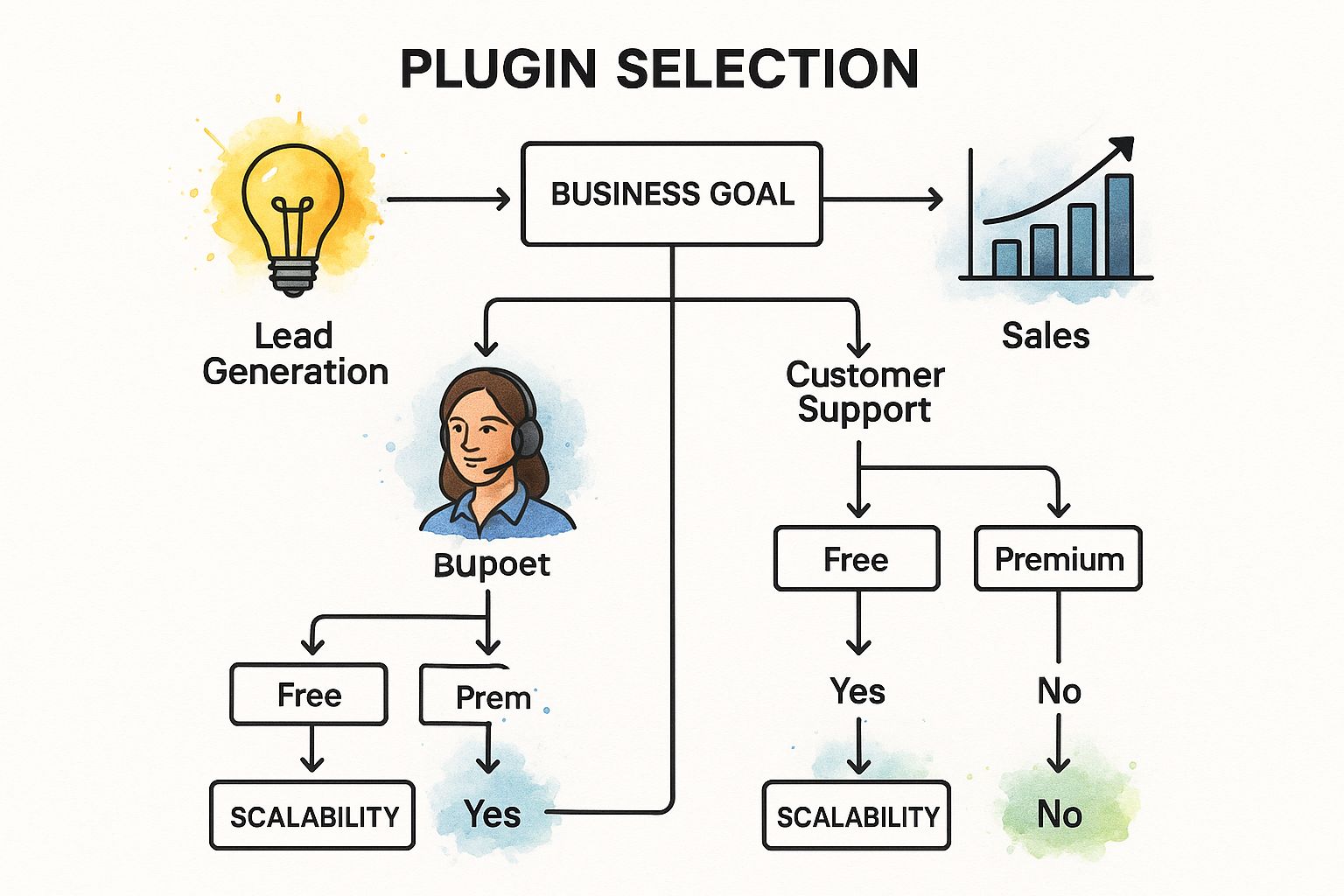
As you can see, it all comes back to that first critical step: defining your goal. That decision will guide your thinking on cost and whether a plugin can grow with you down the road.
H3: Balance Your Budget with Your Future Growth
Next up is the practical side of things: money. Chatbot plugins run the gamut from free, basic tools to sophisticated premium solutions powered by advanced AI. You need to find that sweet spot between what you can afford now and what you’ll need later.
Don't just look at the upfront cost. Think about the long-term value. A free plugin might save you a few bucks today, but if it hits a wall in six months, you'll be stuck migrating to a new system. That's why scalability is so important. Ask yourself if the plugin can handle a sudden spike in website traffic or manage more complex conversations as your business expands.
H3: Understand the Technology Behind the Chatbot
Finally, you need to know what’s under the hood. The technology powering the chatbot makes all the difference. The WordPress Plugin Repository is huge, with over 58,000 plugins accounting for more than 1.2 billion downloads, and chatbot tools are a fast-growing piece of that pie. You can explore more chatbot statistics on adamconnell.me. With so many options, knowing what you're looking for is key.
To help you navigate the choices, it's useful to understand the main types of chatbot plugins available and what they're best suited for.
Chatbot Plugin Types and Best Use Cases
| Plugin Type | Core Technology | Best For | Example Use Case |
|---|---|---|---|
| Rule-Based Bots | Pre-programmed logic & decision trees. | Simple, predictable interactions and lead qualification. | A bot guiding a user through a fixed set of questions to book a demo. |
| AI/NLP Bots | Natural Language Processing (NLP) & Machine Learning. | Answering complex, open-ended user questions naturally. | A customer asking, "What's your return policy for items bought on sale?" |
| Hybrid Bots | A mix of rule-based flows and AI capabilities. | Balancing structured tasks with flexible conversation. | A bot that helps a user track an order (rule-based) but can answer general questions about shipping times (AI). |
| Knowledge Base Bots | AI trained specifically on your website & document content. | Providing instant, accurate support based on your existing information. | A user asking a specific question about a feature, and the bot pulling the answer directly from your help docs. |
Each type has its place, but for most businesses wanting to deliver real, immediate value, an AI-powered chatbot is the clear winner. They create a much more natural and helpful experience for your visitors, building trust and keeping them engaged.
Setting Up Your First WordPress Chatbot
https://www.youtube.com/embed/2lD2-twSyGs
Alright, enough with the theory. The best way to really understand what a chatbot can do for your site is to get one up and running. The good news? You absolutely don’t need to be a coding wizard to make this happen.
Modern chatbot plugins are built for business owners, not just developers. The whole process is designed to be a straightforward, step-by-step affair. Let's walk through what it actually takes to bring your first digital assistant to life.
The Initial Installation and Activation
Your first stop is a place you already know well: the WordPress dashboard. Installing a chatbot plugin is just like adding any other plugin to your site.
- Find Your Plugin: Head over to "Plugins" and click "Add New." From there, you can search for your chosen plugin in the official WordPress directory or, if you have a premium version, upload the ZIP file directly.
- Install and Activate: Just click "Install Now," followed by "Activate." That’s it. This simple action hooks the chatbot's engine into your site's backend, getting it ready for you to customize.
Think of it like getting a new employee set up with their desk and computer. The basic hardware is in place; now it's time to show them the ropes.
Configuring Your Chatbot's Identity
Once the plugin is active, you need to give your chatbot some personality. This is the fun part, where you make the bot a true extension of your brand and not just a generic pop-up window.
A good plugin will give you an easy-to-use settings panel to dial in a few key things:
- Branding and Appearance: Match the chat widget's colors to your brand palette, pop in your logo, and decide where on the screen it should live. You want it to feel like it belongs on your site.
- Welcome Message: This is your chatbot's first impression. Craft a friendly, inviting greeting that appears when a visitor lands on your page. It sets the tone for everything that follows.
- Chatbot Persona: How should your bot sound? Is it all-business and professional, or more relaxed and conversational? You can often give it custom instructions to help shape its unique voice.
Setting up your chatbot's identity is about more than just aesthetics. A well-branded bot with a clear welcome message builds immediate trust and encourages visitors to start a conversation.
Building Your First Conversational Flow
With the look and feel sorted, it’s time to teach your chatbot what to say. The best tools have intuitive, no-code visual builders that are more like sketching out a mind map than writing code. You can literally drag and drop different elements to map out entire conversations.
For instance, you could quickly build a simple flow to capture new leads:
- Start with a question: "Hi! Are you interested in learning more about our services?"
- Offer options: Give them simple buttons like "Yes" or "No."
- Create branches: If the user clicks "Yes," the bot follows up by asking for their email. If they say "No," it can offer to help with something else.
This approach puts you in complete control of the user's journey without needing to touch a single line of code. For an even more detailed walkthrough, our guide on how to add an AI chatbot to WordPress with MxChat breaks this down perfectly.
Testing Before You Go Live
Before you introduce your new assistant to all your site visitors, you have to put it through a final dress rehearsal. This is a crucial step.
Open your website in a private or incognito browser window and act like a customer. Ask it the most common questions you get, follow its pre-built paths, and maybe even try to throw it a curveball or two. This is your chance to spot any awkward phrasing or broken conversation flows before your visitors do.
Once you’re happy with how it performs, you can deploy it across your site and let your new digital team member get to work.
Got Questions About Chatbots? We’ve Got Answers.
Even after seeing all the benefits, it's natural to have some practical questions. Let's walk through some of the most common worries business owners have before they decide to add a chatbot to their WordPress site. I want to give you straight answers so you can feel completely confident moving forward.
The big one is always performance. Will a chatbot slow down my website? The short answer is no, not if you choose a well-built plugin. A good chatbot is designed to be lightweight and should have almost no noticeable impact on your site’s speed. They are built to load asynchronously, which is just a technical way of saying they load independently without making your other page content wait.
How Much Work Is It to Keep a Chatbot Running?
Okay, so it won't slow down the site, but how much time do I need to sink into it? This is another huge question. With a modern AI-powered chatbot, most of the work is front-loaded during the initial setup. Once you've trained it on your website content and business information, the day-to-day management is surprisingly minimal.
Your ongoing tasks really just boil down to:
- Glancing at conversation logs every so often to see where it's excelling and where it might need a little help.
- Updating its knowledge when you add new products, change a policy, or launch a new service.
- Creating new automated conversations if you decide you want it to handle a new goal, like promoting a specific sale.
Think of it less like constant technical maintenance and more like occasional fine-tuning. The best part is that the AI gets smarter on its own over time.
What Happens When a Chatbot Gets Stumped?
This is a critical point: what does the bot do when it doesn't know the answer? A poorly designed bot will just give up with a frustrating "I don't understand." A smart one does something much better.
A well-designed chatbot knows its own limits. It’s programmed to recognize when a question is outside its expertise and will smoothly hand the conversation over to a live person or offer to create a support ticket on the spot.
This is the key. The user never hits a dead end, and you still capture their question for your team to address. This "graceful failure" is a must-have feature for any serious WordPress chatbot plugin.
Ready to put an AI assistant to work that answers questions, grabs leads, and helps drive sales without bogging down your site? MxChat offers a powerful, no-code solution that fits right into your WordPress setup. Start your journey with MxChat today!