How to Use AI for Customer Service: A 2026 Guide
In 2026, customer expectations are at an all-time high. Your audience demands instant, personalized, and 24/7 support, a standard that traditional human-only teams struggle to meet. This is where Artificial Intelligence transforms from a buzzword into a business necessity. Understanding how to use AI for customer service is no longer optional; it’s the key to scaling your support, delighting your customers, and staying ahead of the competition. This guide will walk you through a clear, step-by-step process to successfully integrate AI into your customer service strategy.
Why AI for Customer Support is Essential in 2026
Before diving into the ‘how,’ let’s establish the ‘why.’ Integrating AI into your support workflow isn’t just about cutting costs. It’s about creating a superior customer experience that drives loyalty and growth. The benefits are clear and compelling:
- 24/7 Availability: AI agents don’t sleep. They can resolve common issues and answer questions instantly, any time of day or night, across any time zone.
- Immediate Responses: Customers hate waiting. AI eliminates queue times for common inquiries, providing immediate answers and boosting customer satisfaction (CSAT) scores.
- Unmatched Scalability: AI can handle thousands of conversations simultaneously without a dip in performance. This allows you to manage peak seasons and business growth effortlessly.
- Data-Driven Insights: Every interaction with your AI agent generates valuable data. You can analyze common questions, identify product issues, and understand customer pain points on a massive scale.
- Empowered Human Agents: By automating repetitive, low-level queries, AI frees up your human support staff to focus on complex, high-value, and empathetic problem-solving where they are needed most.
A Step-by-Step Guide to Implementing AI in Customer Service
Ready to get started? Follow these six steps to deploy an AI-powered customer service solution that delivers real results.
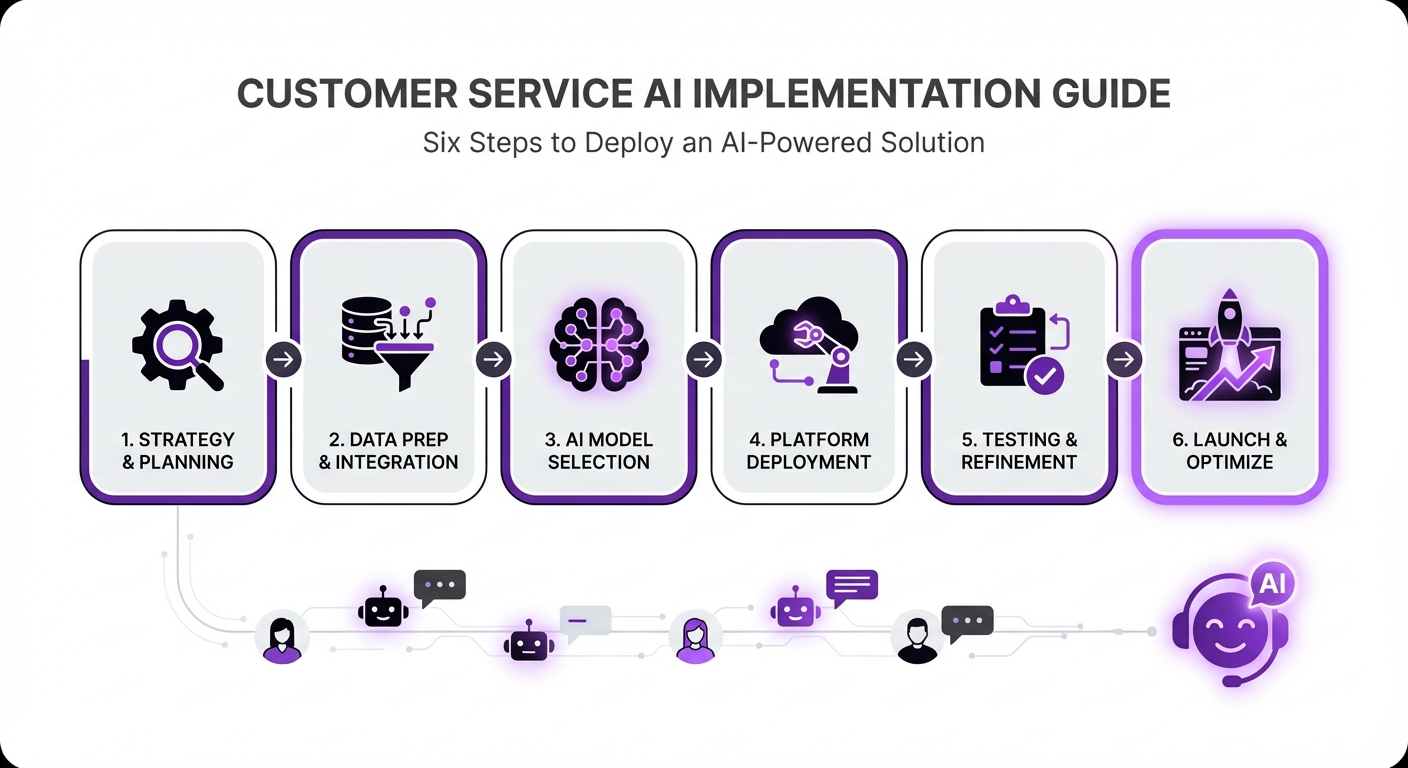
Step 1: Define Your Customer Service Goals
First, identify what you want to achieve. A vague goal like “improve customer service” is not enough. Get specific. Are you trying to:
- Reduce first-response time?
- Decrease the number of support tickets for common questions?
- Improve your CSAT score by a certain percentage?
- Automate order tracking or refund request inquiries?
Step 2: Choose the Right AI Platform
The market is filled with AI tools, but not all are created equal. In 2026, you should look for a platform that is powerful yet easy to use. Key features to prioritize include:
- No-Code Interface: You shouldn’t need a team of developers to build and manage your AI agent.
- Seamless Integration: The tool must integrate smoothly with your existing website and systems.
- Advanced AI Models: Look for platforms that support leading AI models and technologies like Retrieval-Augmented Generation (RAG) for highly accurate, context-aware answers.
Step 3: Train Your AI with Your Business Data
An AI agent is only as smart as the information you give it. This is the most critical step. You need to build a comprehensive knowledge base for your AI to draw from. This can include:
- Product documentation and manuals
- Website FAQ pages
- Shipping and return policies
- Past support ticket resolutions
- Marketing materials
Tip: Your knowledge base is a living asset. Keep it updated with new product information, policies, and solutions to new customer problems.
Step 4: Design the Customer Interaction Flow
Plan how you want customers to interact with your AI. Define its personality—should it be professional, friendly, or witty? This tone should align with your brand voice.
Most importantly, plan the escalation path. No AI can solve every problem. You must create a clear, frictionless process for the AI to hand a conversation over to a human agent when it’s confused, the query is too complex, or the customer simply requests to speak with a person.
Step 5: Deploy and Test Your AI Agent
Don’t launch your AI to all customers at once. Follow a phased approach:
- Internal Testing: Have your own team interact with the AI agent. Let them try to break it, ask difficult questions, and test its limits.
- Soft Launch: Release the AI to a small segment of your website visitors. This controlled release allows you to gather real-world data and feedback without risking a widespread negative experience.
Step 6: Monitor, Analyze, and Iterate
Learning how to use AI for customer service effectively is an ongoing process. Once your AI is live, you must continuously monitor its performance. Key metrics to track include:
- Resolution Rate: What percentage of queries does the AI resolve without human intervention?
- Escalation Rate: How often does the AI need to pass a conversation to a human?
- Customer Satisfaction (CSAT): Ask for a quick thumbs up/down or a rating after each interaction.
Common Mistakes to Avoid When Using AI for Support
Implementing AI can be incredibly effective, but pitfalls exist. Avoid these common mistakes:
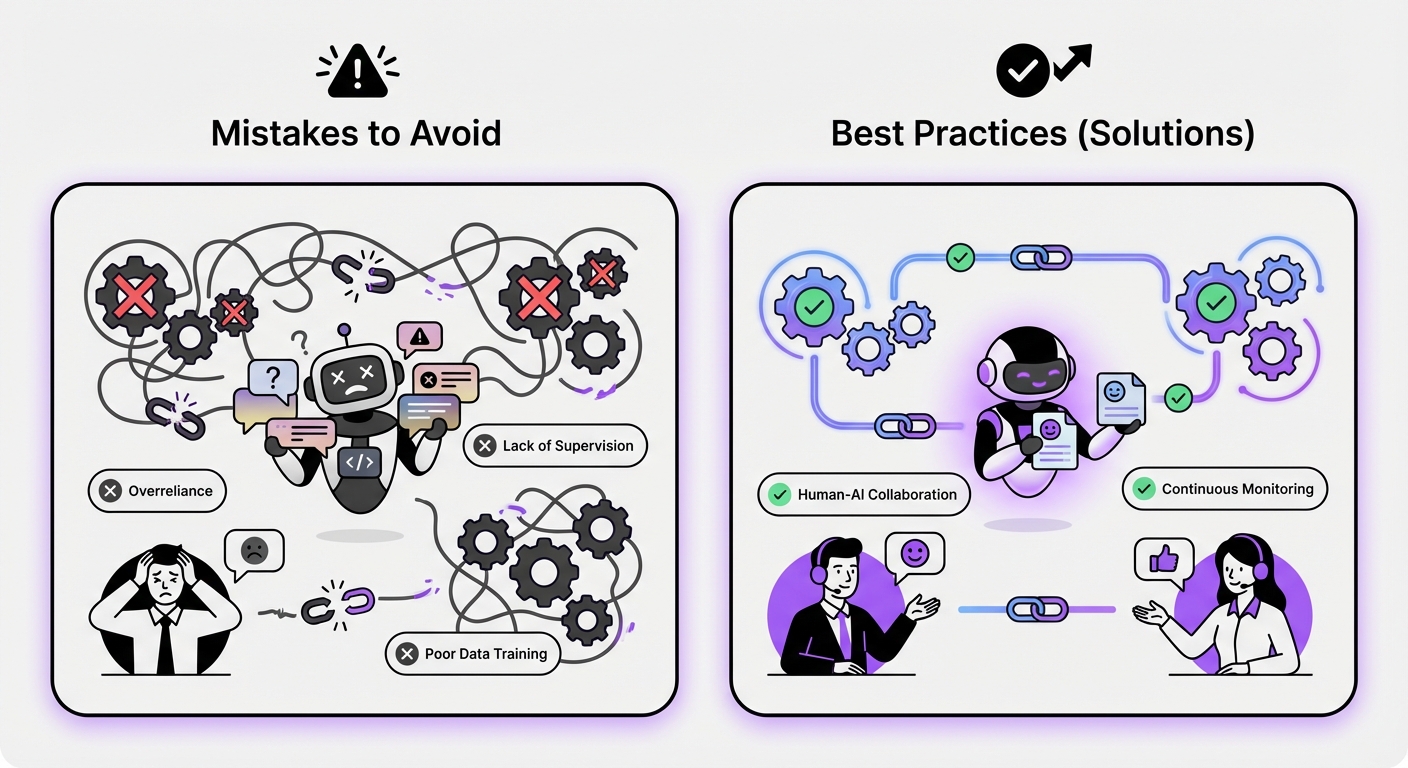
- Hiding the Human Option: Never trap a frustrated customer in a loop with an AI. Always provide a clear and easy way to connect with a human agent.
- Neglecting Your Knowledge Base: The principle of “garbage in, garbage out” applies perfectly here. An outdated or inaccurate knowledge base will result in poor AI performance.
- Ignoring Brand Voice: A generic, robotic AI can feel disconnected from your brand. Customize its responses to reflect your company’s personality.
- Setting It and Forgetting It: AI is not a one-time setup. It requires ongoing monitoring, analysis, and refinement to remain effective.
Expected Results: What to Expect After Implementing AI
When done correctly, integrating AI into your customer service will yield significant positive outcomes. You can expect to see:
- Improved Efficiency: Your team will spend less time on repetitive questions and more time on high-impact customer relationships.
- Enhanced Customer Satisfaction: Customers receive the instant support they crave, leading to higher satisfaction and loyalty.
- Greater Scalability: Your support capabilities can grow with your business without a proportional increase in headcount.
- Valuable Data Insights: You’ll gain a deeper understanding of your customers’ needs, which can inform product development and marketing strategies.
Implementing AI doesn’t have to be a complex, code-heavy project. With solutions like MxChat, WordPress users can deploy a sophisticated AI customer service agent in minutes, leveraging the power of advanced AI without the technical overhead. By following these steps, you can successfully learn how to use AI for customer service and build a support system that delights customers in 2026 and beyond.