AI Chatbot Implementation Guide for 2026
In 2026, the digital landscape is more competitive than ever. Customers expect instant, personalized, and 24/7 support, and businesses that fail to deliver are quickly left behind. Recent studies show that over 85% of customer service interactions are now initiated through automated channels, making AI chatbots an essential tool, not just a novelty. This comprehensive AI chatbot implementation guide provides a clear, step-by-step roadmap to successfully deploy an intelligent agent on your website, enhance user experience, and drive business growth.
Why Implement an AI Chatbot in 2026?
Before diving into the ‘how,’ let’s solidify the ‘why.’ A well-implemented AI chatbot acts as a tireless digital employee, capable of handling thousands of conversations simultaneously. The primary benefits include:- 24/7 Availability: Provide instant support to customers around the clock, regardless of their time zone.
- Increased Efficiency: Automate responses to repetitive questions, freeing up your human support team to handle more complex issues.
- Enhanced Lead Generation: Proactively engage website visitors, qualify leads, and schedule appointments automatically.
- Improved Customer Satisfaction: Reduce wait times and provide immediate, accurate answers, leading to happier customers.
Your Step-by-Step AI Chatbot Implementation Plan
Step 1: Define Clear Goals and Objectives
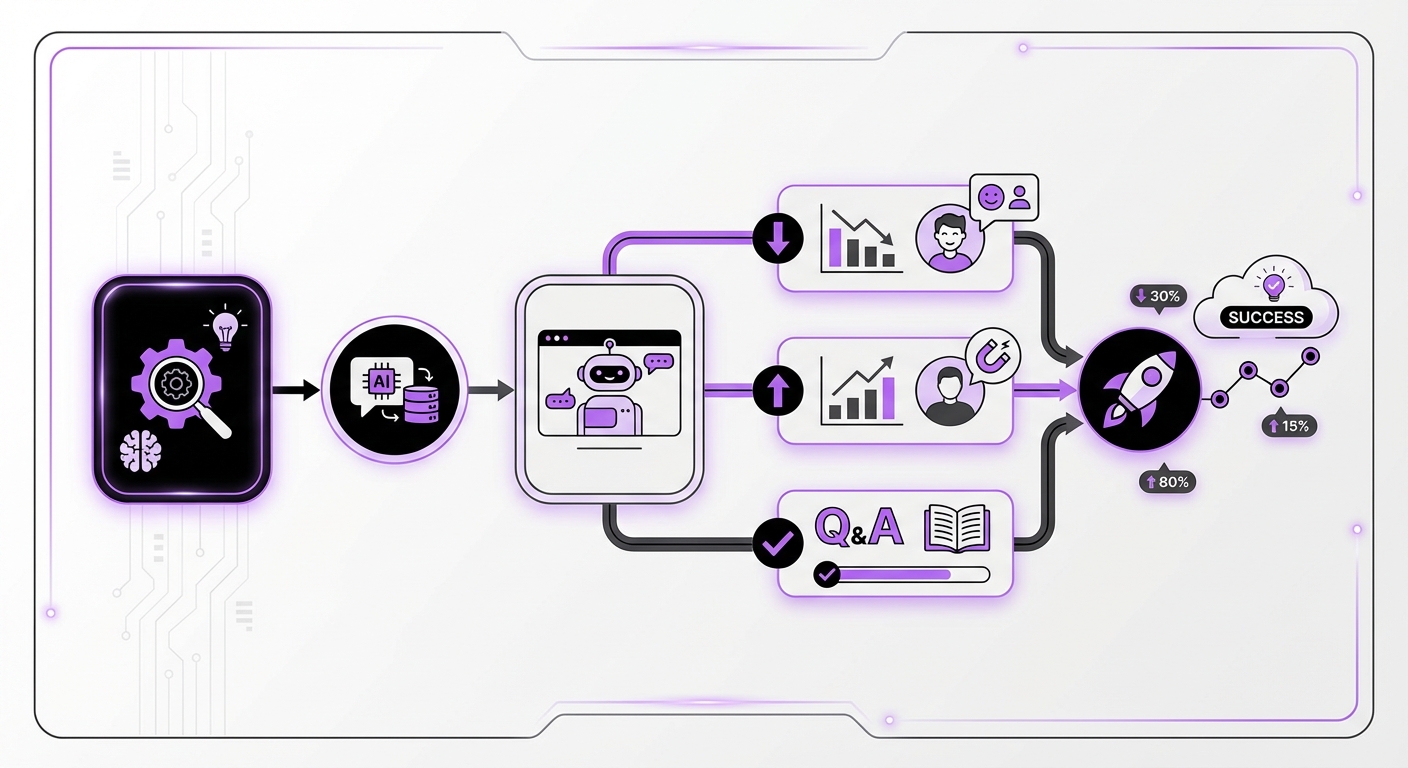
Your journey begins with strategy, not technology. Before you write a single line of dialogue or choose a platform, you must define what you want your chatbot to achieve. Vague goals like “improve customer service” are not enough. Get specific.Actionable goals could include:
- Reduce customer support ticket volume by 30% within six months.
- Increase qualified marketing leads generated through the website by 15%.
- Answer 80% of frequently asked questions without human intervention.
- Decrease the average first-response time to under 30 seconds.
Step 2: Choose the Right AI Chatbot Platform
The market is filled with options, but the right platform depends on your technical resources, budget, and existing ecosystem. For businesses using WordPress, a native, no-code solution is often the most efficient choice.Key criteria for selecting a platform in 2026:
- Integration: How easily does it connect with your website and other business tools? A platform like MxChat is built specifically for WordPress, ensuring seamless integration and adherence to best practices.
- Ease of Use: Do you need a team of developers, or can your marketing or support team manage it? No-code platforms democratize AI, allowing anyone to build and deploy powerful bots.
- AI Model Support: Does the platform support advanced models and technologies like Retrieval-Augmented Generation (RAG)? RAG is crucial for pulling accurate, real-time information from your knowledge base, ensuring your bot’s answers are always current and context-aware.
- Scalability & Pricing: Look for a model that grows with you. Subscription fees can add up, which is why lifetime pricing models, like the one offered by MxChat, are becoming increasingly popular for their long-term cost-effectiveness.
Step 3: Design the Conversation and User Experience (UX)
This is where you give your chatbot a personality and a purpose. A great chatbot conversation feels natural, helpful, and intuitive.Key considerations for conversational design:
- Create a Persona: Is your chatbot formal and professional, or friendly and casual? Its tone should align with your brand’s voice.
- Map Conversation Flows: Use a flowchart or mapping tool to outline the primary conversation paths. What happens when a user asks about pricing? Or technical support? Or your return policy?
- Plan for Handoffs: No AI is perfect. Define a clear and seamless process for escalating a conversation to a human agent when the chatbot is unable to resolve an issue.
- Use Rich Media: Don’t limit your bot to text. Use buttons, carousels, images, and GIFs to make the interaction more engaging and efficient.
Step 4: Gather Data and Train Your AI Model
An AI chatbot is only as smart as the data it’s trained on. High-quality, relevant data is the fuel for accurate and helpful responses.Sources for training data include:
- Your existing knowledge base or help center articles.
- Frequently Asked Questions (FAQs) from your support team.
- Product documentation and user manuals.
- Past customer support chat logs and email transcripts.
Step 5: Integrate, Test, and Deploy
Once your bot is designed and trained, it’s time for deployment. With a no-code solution, this is often the easiest step. For WordPress users, a dedicated plugin can have you up and running in minutes.Your pre-launch checklist:
- Install & Configure: Add the chatbot widget to your website. Customize its appearance (colors, avatar, welcome message) to match your brand.
- Internal Testing: Have your team interact with the chatbot extensively. Try to break it. Ask it difficult or out-of-scope questions to see how it responds and handles escalation.
- Beta Launch (Optional): Deploy the chatbot on a specific, lower-traffic page first or offer it to a select group of users to gather initial feedback.
- Full Launch: Once you’re confident in its performance, deploy it across your entire website.
Step 6: Monitor Performance and Iterate Continuously
Launching your chatbot is the beginning, not the end. Continuous improvement is key to long-term success. Regularly review analytics to understand how users are interacting with your bot.Key metrics to track:
- Interaction Volume: How many conversations is the bot handling?
- Resolution Rate: What percentage of queries are successfully resolved without human intervention?
- Escalation Rate: How often does the bot need to hand off to a human agent?
- User Satisfaction (CSAT): Ask users to rate their experience at the end of a conversation.
Common Mistakes to Avoid
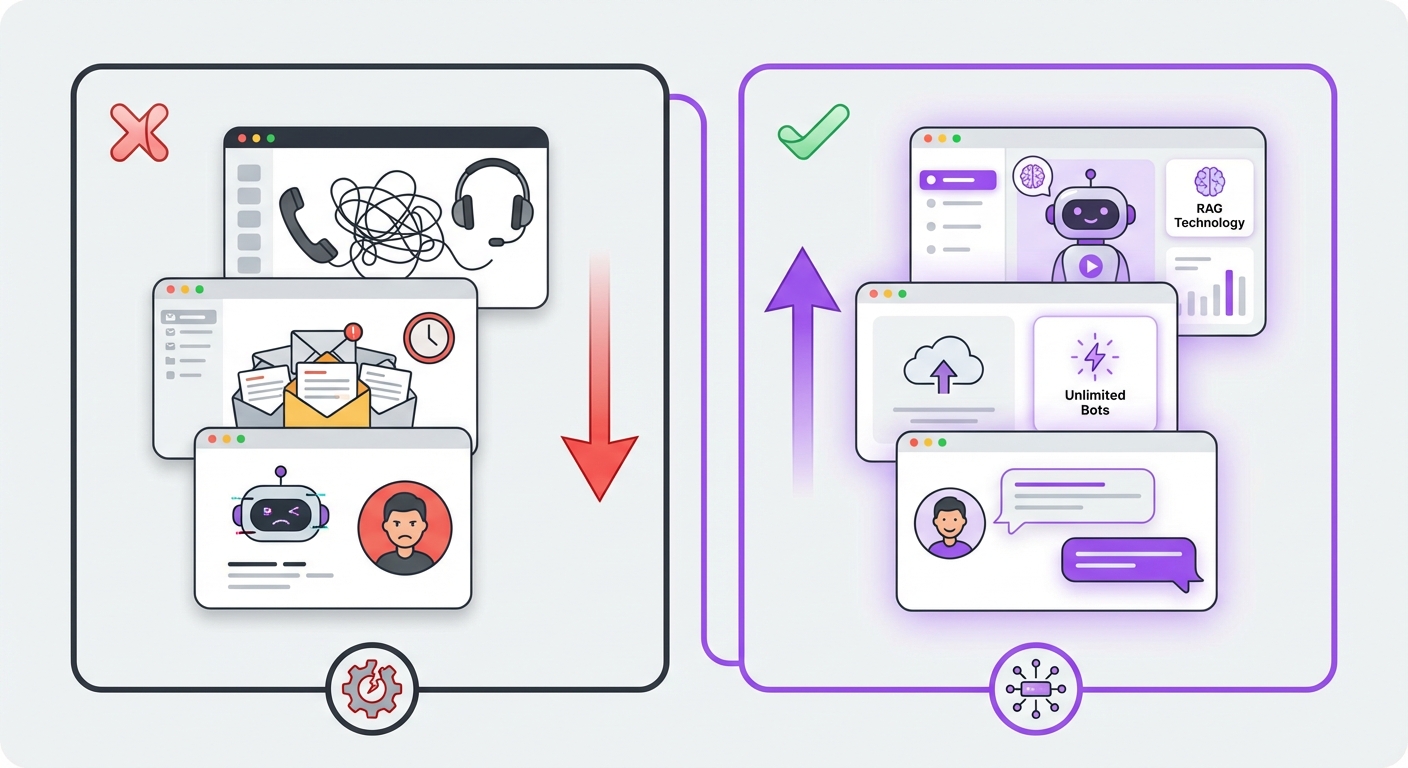
Even with a solid plan, pitfalls exist. Be mindful of these common errors:
- Hiding the Human: Always provide a clear and easy way for users to connect with a person. An AI that traps users in a frustrating loop will damage your brand.
- Setting Unrealistic Expectations: Don’t promise your chatbot can do everything. Be clear about its capabilities with a simple introductory message.
- Forgetting a Persona: A bot with no personality is boring and feels robotic. A little character goes a long way in improving engagement.
- Ignoring Analytics: Failing to monitor and iterate is the fastest way to failure. Your chatbot should evolve based on real user data.
Expected Results and Outcomes
By diligently following this AI chatbot implementation guide, you can expect to see tangible results. A successful deployment translates directly into improved business metrics. You’ll achieve faster response times, leading to higher customer satisfaction scores. Your support team will be freed from repetitive tasks, allowing them to focus on high-value interactions. Finally, you’ll capture more leads and provide a modern, efficient digital experience that sets you apart from the competition in 2026.Ready to transform your customer support on WordPress? A powerful, no-code solution like MxChat provides all the tools you need—from advanced RAG technology to unlimited bot creation—to implement a world-class AI agent with ease. By choosing the right platform, you can simplify every step of this guide and start reaping the benefits of AI-powered automation today.