MxChat Content Features: Transform Your WordPress Content Strategy
Discover how MxChat's AI-powered tools help you create, optimize, and manage content effortlessly—from free core features to advanced paid capabilities.

Creating quality content at scale is one of the biggest challenges WordPress site owners face. Between researching topics, writing drafts, optimizing for SEO, and managing images, content production can consume weeks of work for a single post. That's where MxChat's AI-powered content features come in.
MxChat offers a powerful suite of content creation and optimization tools available in both a free core plugin and an optional paid Advanced Content Editor add-on. Whether you're running a small blog or managing content across multiple WordPress sites, understanding what each tier offers will help you choose the right solution for your needs.
In this comprehensive guide, we'll break down every feature in both the free and paid versions, compare them side by side, and help you determine which plan is best for your content strategy.
MxChat Free Core Plugin: Powerful AI Features at No Cost
The free MxChat core plugin is a feature-rich solution that covers all the essential AI content creation and SEO optimization needs. You get professional-grade tools without paying a dime—perfect for bloggers, small business owners, and anyone getting started with AI-powered content.
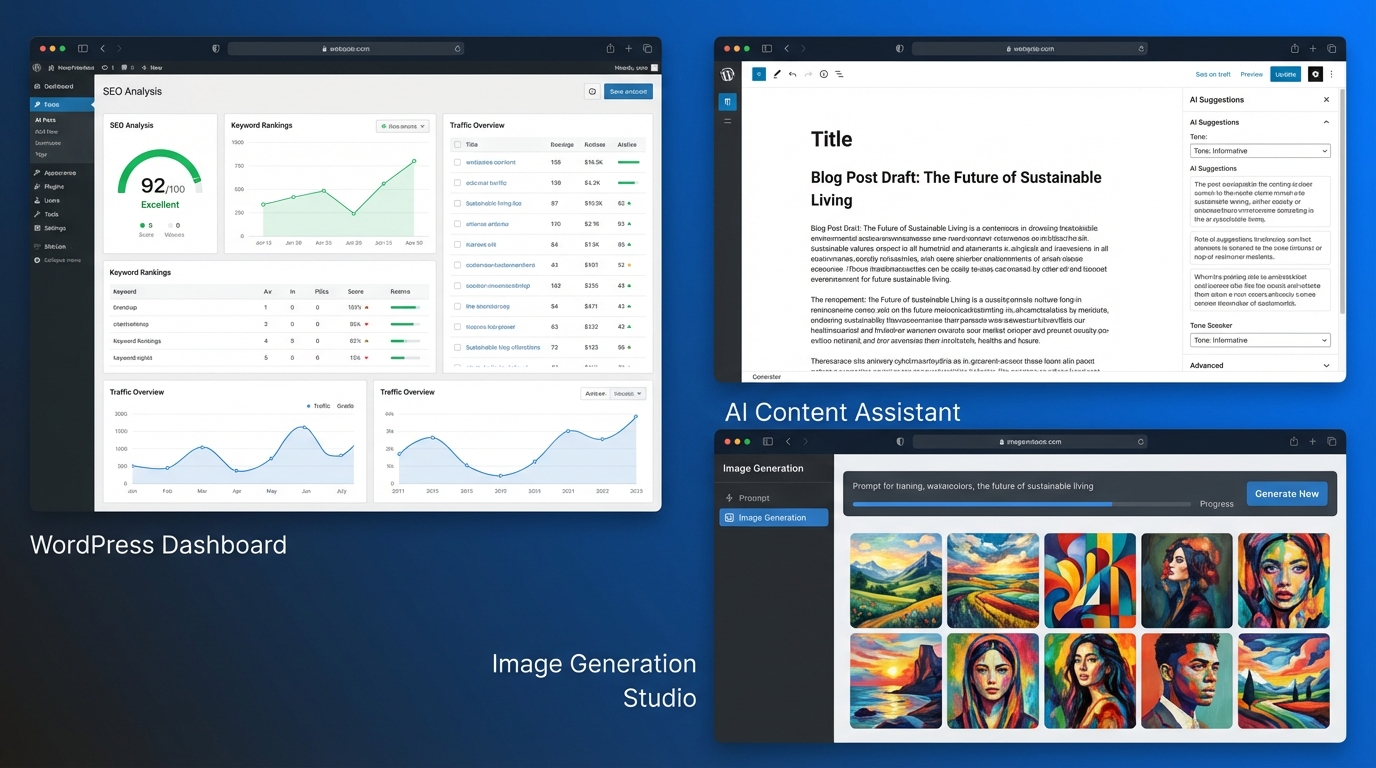
AI Blog Post & Landing Page Generator
The core of MxChat's free offering is its intelligent content generator. Instead of creating a single paragraph or generic content block, MxChat generates multi-section, structured content that reads like it was written by a professional writer.
You provide a topic or keyword, and MxChat automatically:
- Generates a compelling introduction
- Creates multiple detailed sections with relevant subheadings
- Adds a conclusion that ties everything together
- Structures content for readability and SEO
This means you're not starting with a blank page—you're starting with a complete, publication-ready draft that you can refine and customize.
AI Image Generation with Multiple Models
Quality images are essential for modern blog posts, but creating or finding the right visuals takes time. MxChat's free image generation feature leverages multiple AI models:
- OpenAI — Industry-leading image quality and realism
- xAI Grok — Creative and unique visual interpretations
- Google Gemini — Fast generation with diverse styles
You can generate images directly within WordPress, choose your preferred model, and insert them into your posts without ever leaving the dashboard.
Content History Browser
Experimentation is part of the creative process. MxChat's content history feature lets you:
- Browse all past content generations with a single click
- Reload previous versions if you want to try a different approach
- Edit and iterate on past generations without regenerating from scratch
- Keep a record of your creative process
This is invaluable for finding that perfect version of your content or testing different angles on the same topic.
10-Point SEO Analysis
SEO isn't just about keywords—it's about comprehensive optimization across multiple factors. MxChat's free 10-point SEO analysis evaluates:
- Title — Length, keyword inclusion, and clickability
- Meta Description — Optimal length and keyword usage
- Keywords — Proper keyword density and placement
- Headings — Proper H1/H2/H3 structure and hierarchy
- Word Count — Whether content is substantial enough for ranking
- URL Slug — Optimization for readability and keywords
- Readability — Flesch-Kincaid score and sentence structure
- Images — Proper image optimization and ALT text
- Internal Links — Linking to relevant internal content
- Featured Image — Whether a featured image is set and optimized
Each factor is scored, giving you a comprehensive SEO health check for every post.
AI SEO Suggestions
MxChat doesn't just identify SEO issues—it fixes them. The AI SEO suggestions feature automatically generates:
- Meta Descriptions — Compelling 155-160 character descriptions
- SEO Titles — Optimized titles with keywords and proper length
- URL Slugs — Clean, keyword-rich, readable URLs
- Excerpts — Summary text for archives and feeds
You can accept, reject, or tweak these suggestions with a single click.
SEO Dashboard
Managing SEO across multiple posts is easier with MxChat's dashboard. You can:
- View all posts with their SEO scores at a glance
- Filter by score to find posts that need optimization
- Sort by various metrics to prioritize your work
- Quickly scan and identify SEO gaps
SEO Plugin Integration
If you're already using a popular SEO plugin, MxChat plays nicely with it. The plugin automatically detects and integrates with:
- Rank Math — Popular choice for WordPress SEO
- Yoast SEO — Industry standard for on-page optimization
- AIOSEO (All in One SEO) — Lightweight but powerful alternative
This means MxChat works alongside your existing SEO setup without conflicts.
MxChat Paid Add-On: Advanced Content Editor for Professional Content Teams
If you're managing multiple posts, running a content agency, or need advanced optimization capabilities, the Advanced Content Editor add-on unlocks professional-grade tools that save hours of work and improve content performance.
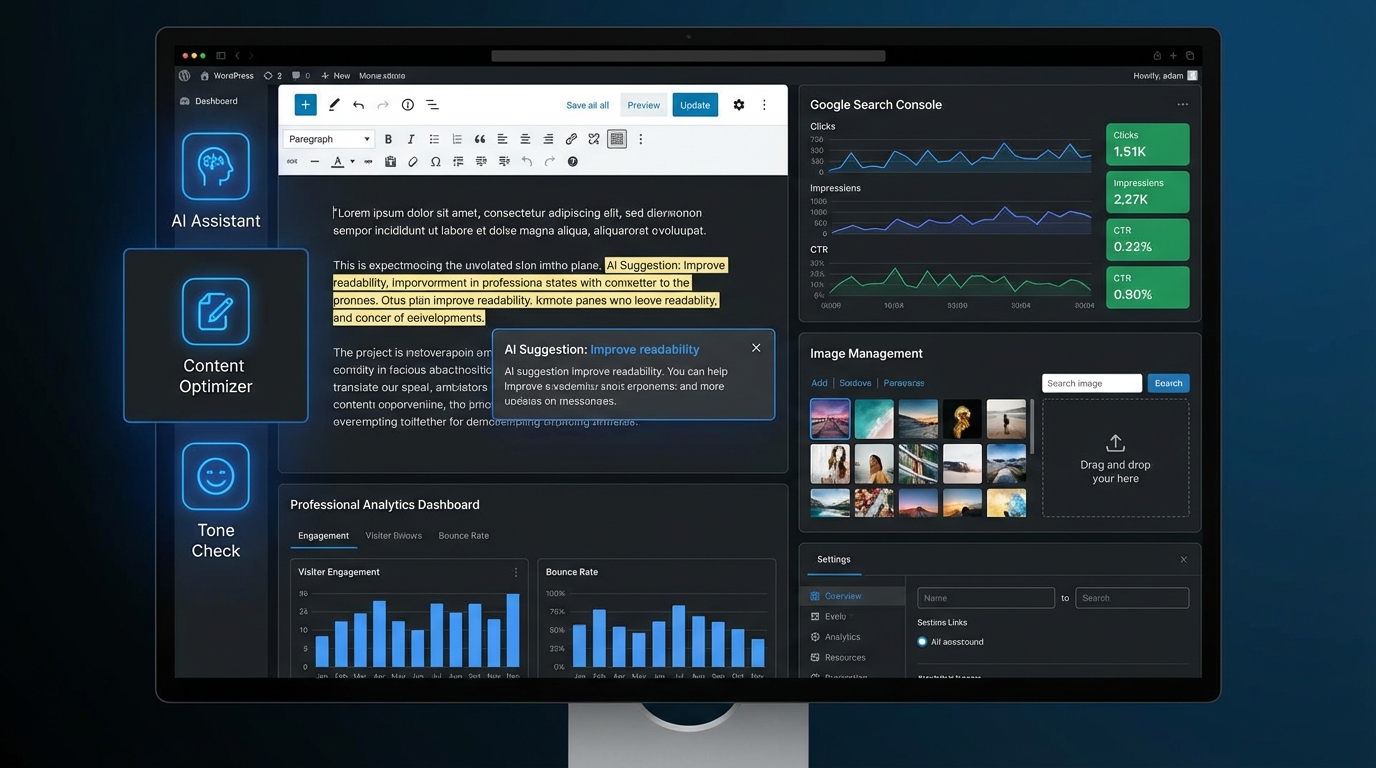
Smart Internal Linking
Internal linking is crucial for SEO, but manually finding and adding relevant links to every post is tedious. MxChat's smart internal linking feature does this automatically:
- AI analyzes your new content and existing posts
- Automatically identifies 3-5 contextually relevant related posts
- Weaves natural internal links into the content during generation
- Improves SEO by building content clusters and topic authority
This feature alone can dramatically improve your site's internal linking structure without manual work.
Tool-Based Editing
Sometimes you need to make surgical edits without rewriting the entire post. The tool-based editing feature uses AI to make precise changes via str_replace technology:
- Target specific sections of your content
- Request AI improvements without full rewrites
- Maintain your voice and structure while refining specific passages
- Save time on iterative editing
Instead of regenerating an entire post because one paragraph needs work, you can pinpoint exactly what needs to change.
Advanced Image Management
The paid add-on gives you complete control over your post's imagery:
- Replace Images — Use the media picker to swap images without regenerating
- Regenerate with Custom Prompts — Create new images with specific descriptions or styles
- Maintain visual consistency across your site
- Optimize image selection for engagement and SEO
Meta Management
Fine-tuning meta fields is critical for SEO and click-through rates. The paid add-on unlocks full control over:
- Title — Edit and optimize with per-field AI suggestions
- Description — Refine meta descriptions for better CTR
- Keywords — Target specific keywords with AI assistance
- Excerpt — Create compelling excerpts for archives and feeds
Each field has its own AI button, so you can improve one element without touching the others.
SEO Optimizer Suite
The SEO Optimizer Suite is a collection of powerful optimization tools designed to improve your existing content:
- AI Readability Rewriting — Improve Flesch-Kincaid scores and sentence structure
- Auto Internal Link Insertion — Add contextual links to existing posts
- Image ALT Text Generation — Create SEO-friendly ALT text for all images
- Featured Image Creation — Generate or select optimal featured images
These tools work on both new and existing content, making it easy to improve your entire content library.
Bulk Optimize
If you have dozens of posts that need optimization, bulk optimize saves you from doing it one at a time. From the SEO dashboard, you can:
- Select multiple posts at once
- Apply optimization to all selected posts in batch
- Automatically improve readability, internal links, and images
- Process your entire content library efficiently
This is invaluable for content agencies and sites with large archives that need retroactive optimization.
Google Search Console Integration
Understanding how your content actually performs in search is critical. The paid add-on connects directly to Google Search Console via OAuth:
- Per-Post Metrics — View clicks, impressions, CTR, and position for each post
- Keyword Rankings — See which keywords your content ranks for
- Sortable Columns — Organize data by performance, CTR, position, and more
- Identify underperforming content that needs optimization
- Track the impact of your SEO improvements over time
This integration closes the loop between content creation and real-world search performance.
Free vs Paid: Which MxChat Plan is Right for You?
Both the free core plugin and paid add-on are powerful, but they serve different needs. Here's how to choose:
Choose Free If You:
- Run a small blog or personal website
- Publish 1-5 posts per month
- Want to try AI content tools before investing
- Need basic SEO analysis and suggestions
- Want AI image generation without extra cost
- Don't need Google Search Console insights
Choose Paid If You:
- Manage 10+ posts per month
- Run a content agency or multiple sites
- Need advanced internal linking strategy
- Want to bulk optimize existing content
- Need real search performance data
- Want surgical editing without full rewrites
The Bottom Line
Start with free. The core plugin is genuinely powerful and covers all essential content creation and SEO needs. Once you find yourself wishing you could bulk optimize, track search performance, or add internal links automatically, that's when the paid add-on makes financial sense.
Key Benefits of MxChat's AI Content Features
Beyond the individual features, MxChat delivers real-world benefits that impact your WordPress site's success:
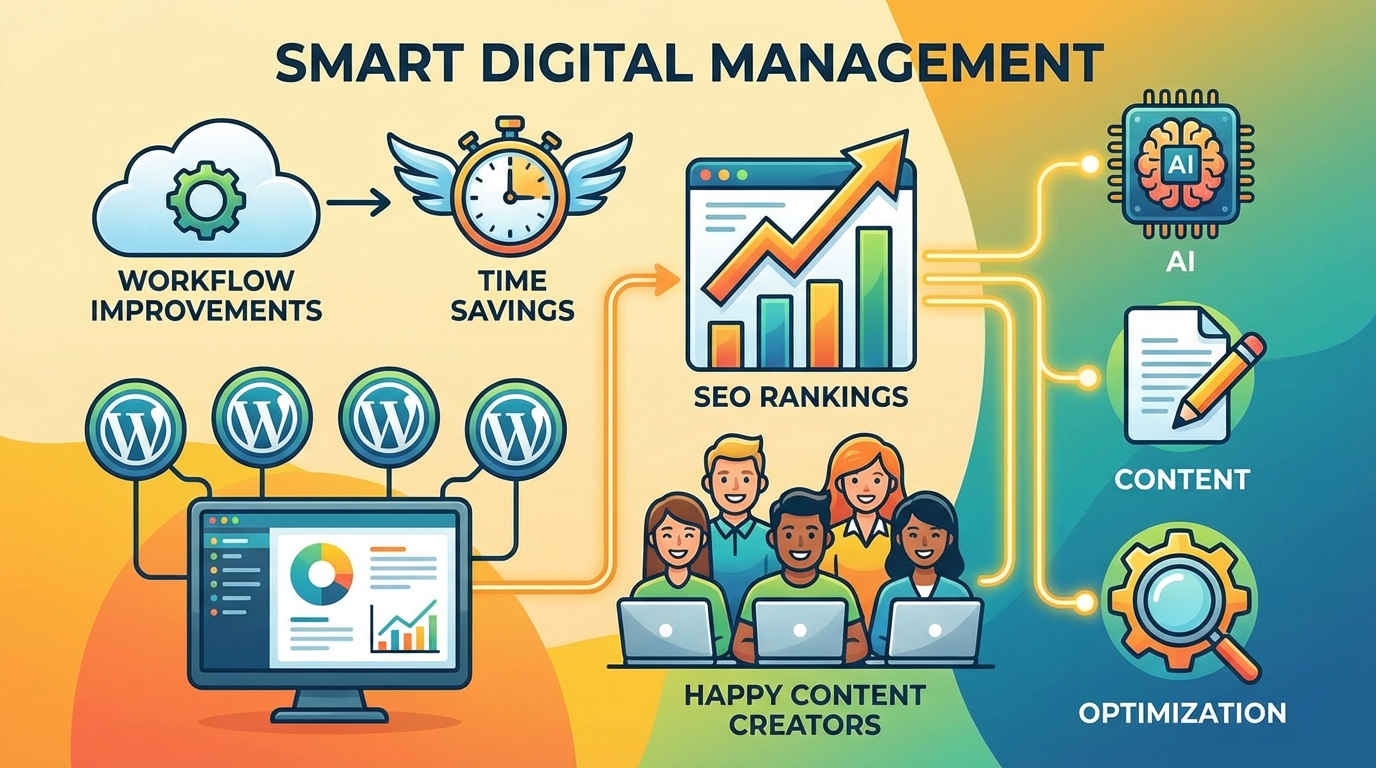
Save Hours on Content Creation
Creating a quality blog post from scratch typically takes 3-5 hours: research, writing, editing, formatting, and SEO optimization. With MxChat, you get a publication-ready draft in minutes. Instead of spending a full day on one post, you can publish multiple posts per week.
Improve SEO Rankings Systematically
The 10-point SEO analysis and AI suggestions ensure every post follows SEO best practices. Over time, this systematic approach leads to better rankings, more organic traffic, and improved visibility in search results.
Maintain Content Consistency
AI-generated content maintains a consistent tone, structure, and quality across all your posts. No more worrying about inconsistent voice or formatting between posts written at different times.
Streamline Your Workflow
Whether you're a solo blogger or managing a content team, MxChat integrates directly into WordPress. No jumping between tools, no copy-pasting content, no manual optimization. Everything happens in one place.
Track Real Performance Data
With the paid add-on's Google Search Console integration, you can see exactly how your content performs in search. This data-driven approach helps you understand what works and optimize accordingly.
Scale Content Production
Whether you're launching a new content initiative or managing multiple WordPress sites, MxChat's bulk optimization and batch processing features let you scale without proportionally increasing your workload.
Ready to Transform Your Content Strategy?
MxChat's AI content features represent a fundamental shift in how WordPress sites can approach content creation and optimization. The free core plugin delivers professional-grade tools that rival paid content platforms. The optional paid add-on takes things further with advanced optimization, bulk processing, and search performance insights.
The best part? You can start for free and upgrade only when you need the advanced features. There's no risk in trying MxChat's content generation, SEO analysis, and image creation tools on your WordPress site today.
Whether you're a blogger looking to publish more frequently, a small business trying to improve your online visibility, or an agency managing content across multiple client sites, MxChat has the tools to help you succeed.
Ready to Supercharge Your Content Strategy?
Start with MxChat's free core plugin today and upgrade to the Advanced Content Editor when you're ready to unlock advanced SEO optimization and Google Search Console integration.
Get Started Free Learn More About Paid Add-On