Customer Support Automation: How Business Owners Reclaim Time to Grow (with MxChat for WordPress)
Automate repetitive questions, respond instantly 24/7, and free up your schedule to focus on sales, marketing, and product improvements—without sacrificing customer experience.

Support doesn’t have to interrupt growth work. The right automation can handle repeat questions while you stay focused on high-impact tasks.
Key idea
Customer support automation isn’t about replacing human help—it’s about removing low-value repetition so you can deliver faster answers and reserve human attention for complex, revenue-critical conversations.
For many business owners, support starts as a competitive advantage. You answer quickly, you know your customers by name, and every conversation gives you insight. But as traffic grows, the same success creates a new problem: your support channels become a constant stream of interruptions—email threads, live chat pings, social DMs, contact forms, and “quick questions” that aren’t quick.
That’s where automation becomes a growth lever. When you strategically automate the repeatable parts of customer support, you can reclaim hours every week, protect your time for deep work, and still improve customer experience through instant, consistent responses.
This guide breaks down what to automate first, the business outcomes you can expect, and why a WordPress AI chatbot—like MxChat—is often the most practical place to start.
Why Customer Support Becomes a Growth Bottleneck (and What It Costs You)
Support becomes a bottleneck gradually, then suddenly. At first, it’s manageable—10 minutes here, 15 minutes there. But those interruptions compound. They break your concentration, delay project work, and create a feeling that you’re always “on,” even when you’re trying to do the work that actually grows the business.
1) Support interrupts deep work (and deep work drives growth)
Deep work—focused time spent on tasks like building offers, refining your funnel, improving onboarding, or shipping product updates—requires uninterrupted attention. Support channels do the opposite. They pull you into reactive mode.
Even if each message takes only a minute, the real cost includes context switching: you re-orient, re-open tools, re-load the mental model of the task you were doing. That “hidden tax” can turn a 15-minute distraction into 45 minutes of lost momentum.
2) Slow responses reduce conversions
When prospects have a question—about pricing, shipping timelines, compatibility, scheduling, or refund policy—there’s usually intent behind it. They’re close to taking action. If they can’t get an answer quickly, the easiest path is to abandon the cart, bounce from the page, or choose a competitor with clearer information.
Conversion reality: “I’ll email support and wait” is rarely the path of least resistance for a customer. If the answer isn’t available in the moment, they often move on.
3) Hiring isn’t always the first answer
Hiring help can be the right move, but it’s not always the first move. Before you hire, you need clarity: what questions appear most, which ones are easy to standardize, what policies are defined, what tools your team uses, and what “good support” looks like in your context.
If you add headcount without standardizing answers and workflows, you risk inconsistency: different agents giving different policies, missed details, or longer resolution times because information is scattered.
4) Your inbox hides patterns—and those patterns are product clues
Repeated questions aren’t just “support”—they’re feedback. If customers constantly ask about sizing, it might be a product page issue. If they ask about returns, your policy might be unclear or buried. If they ask “What’s included?” your offer framing may need work.
A common symptom
You answer the same 10 questions all week, and still feel behind.
What it usually means
Your site and workflows haven’t absorbed those answers yet—so your time pays the cost.
Takeaway
If support is constantly interrupting you, it’s not a sign you need to “work harder.” It’s a sign you need systems—starting with automating what’s repetitive and predictable.
What to Automate First: The Highest-ROI Support Tasks
The fastest wins come from automating questions that are (1) frequent, (2) easy to answer, and (3) low-risk if answered consistently. You don’t start by automating edge cases. You start by removing the repetition that drains your day.
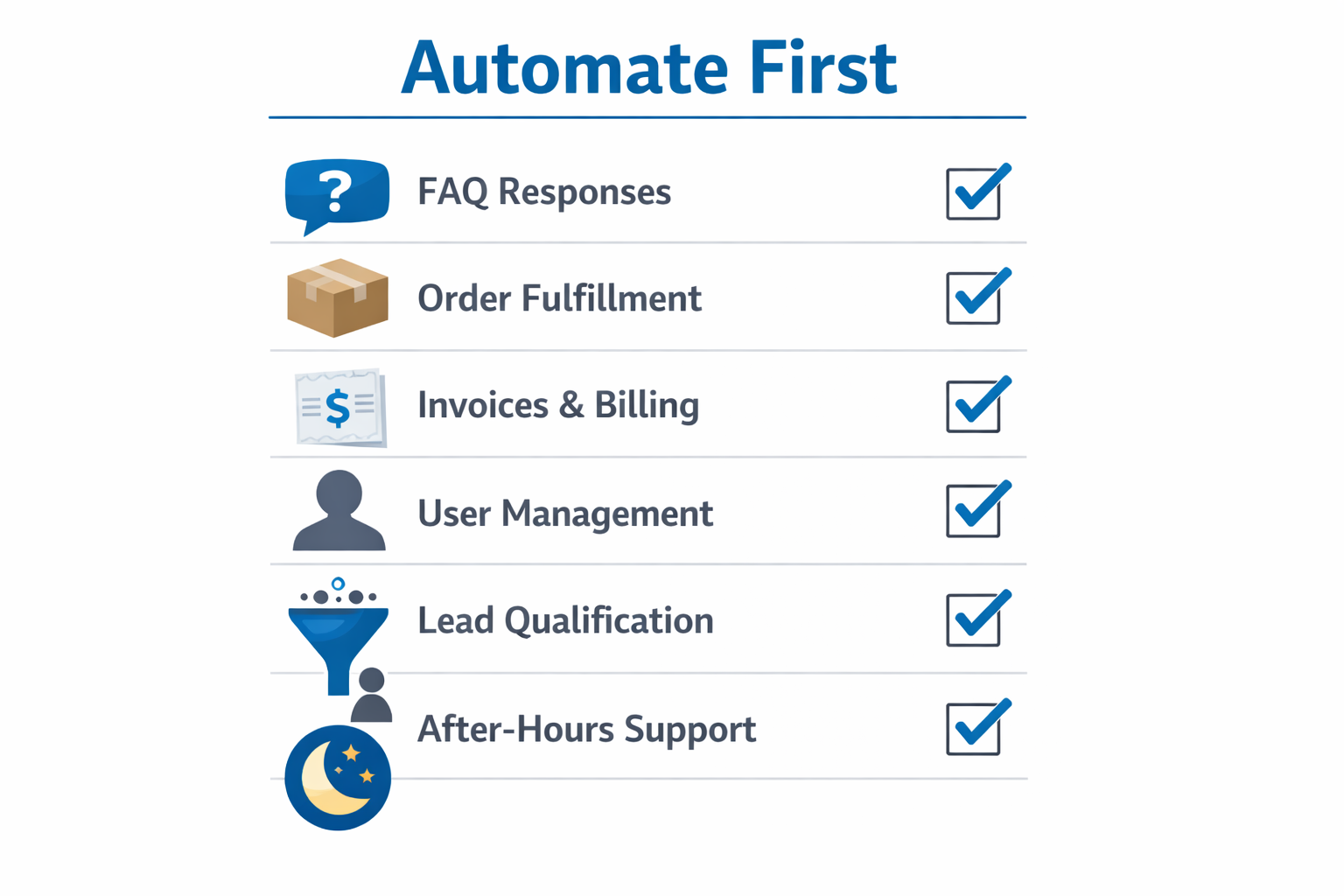
Prioritize automation by frequency and simplicity: FAQs and basic guidance first, then routing and after-hours coverage.
Automate category #1: Frequently asked questions
FAQs are the classic automation starter because they’re easy to standardize. They often include:
- Shipping: costs, carriers, delivery windows, international options
- Returns and refunds: eligibility, time windows, steps, and exceptions
- Order changes: cancellations, address updates, item swaps
- Product details: sizing, materials, compatibility, “what’s included”
- Service info: business hours, service areas, turnaround time
These questions should be answered with consistent language so customers don’t get conflicting guidance. Automation shines here because it’s the same answer every time—no fatigue, no missed detail.
Automate category #2: Order and account guidance
Many customers don’t need a human—they need direction. “Where’s my order?” questions, account access issues, invoice requests, and subscription adjustments are often best handled through:
- Clear instructions and links to the right page
- Step-by-step troubleshooting (“Try resetting your password…”)
- Defined next steps (“If you don’t see the email within 10 minutes, contact support with…”)
Where integrations allow, you can go further. But even without deep integrations, guiding customers to the right self-serve path can reduce tickets substantially.
Automate category #3: Lead qualification and routing
Not all chat is support. Some of your best sales conversations begin as “quick questions.” A chatbot can:
- Ask what the visitor is trying to achieve
- Identify fit (“Are you looking for X or Y?”)
- Route them to the right product, service page, or pricing option
- Collect budget, timeline, or requirements before handing off
That means fewer dead-end conversations and more visitors landing on the page that matches their intent.
Automate category #4: After-hours coverage
After-hours support is where automation produces immediate quality-of-life improvements. Instead of waking up to a backlog, you wake up to problems already solved—or at least categorized with context.
Even simple automations help here: answering common questions instantly and capturing the details you’d otherwise have to ask for later.
A practical rule
If a question is asked multiple times per week and the answer is stable, it belongs in automation. Your goal is to remove repeatable work so you can spend human effort where it matters.
How Support Automation Frees Time for Growth (Real Business Outcomes)
Automation works best when it’s treated as an operating system improvement—not a “support hack.” The outcomes compound: fewer tickets, faster answers, better conversions, and clearer insight into what customers actually need.
Outcome #1: Fewer tickets and faster resolution
When routine questions are handled instantly, your incoming volume drops and your remaining tickets become higher quality. That alone reduces the feeling of constant pressure.
Even when automation doesn’t fully “solve” a request, it can gather the right context (order number, product name, desired outcome) so you can respond faster. The result is shorter time-to-resolution and fewer back-and-forth messages.
Outcome #2: More sales with instant answers
Customers often need one small clarification before buying. If they get that clarification immediately, you remove friction at the exact moment it matters.
Think of it as a “micro-sales assistant” that:
- Explains differences between options
- Reinforces guarantees and policies
- Directs visitors to the right next step (pricing, booking, checkout, demo)
Fast answers don’t just reduce support workload—they can directly influence revenue by preventing drop-off.
Outcome #3: Stronger customer experience at scale
Consistency is underrated. Customers lose trust when they receive different answers from different people. Automation can provide a reliable baseline: policy-aligned, brand-aligned responses that don’t depend on who is available at that moment.
Customer experience isn’t only friendliness—it’s predictability. Automation helps you deliver consistent answers, especially around policies and processes.
Outcome #4: Operational insight you can actually use
Support conversations are data. Once you can see the top questions and objections clearly, you can improve the business upstream:
- Update product pages to reduce confusion
- Add an FAQ section that addresses actual concerns (not assumed ones)
- Improve onboarding emails and post-purchase instructions
- Refine pricing page messaging to preempt objections
What “good” looks like
Aim for fewer repetitive tickets, faster first response, and more conversions on high-intent pages. When those move, you’ll feel the time return—and see the business grow.
Why a WordPress AI Chatbot Is a Practical Starting Point (Meet MxChat)
If your business runs on WordPress, your website is already where customers make decisions: they browse services, compare plans, read policies, and decide whether to contact you or purchase. Putting automation directly on those pages is often the simplest way to improve response speed without rebuilding your whole support stack.
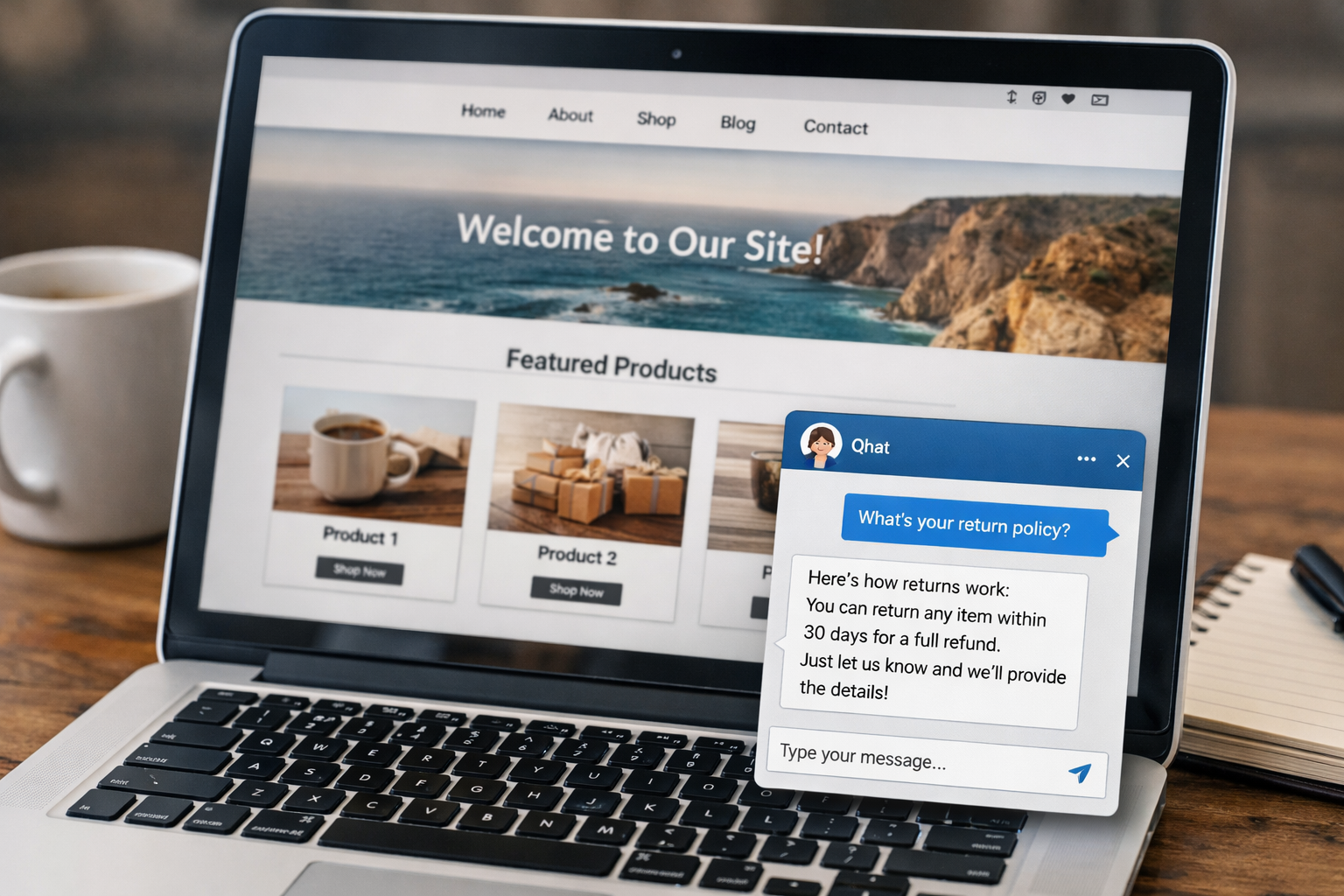
A WordPress chatbot meets customers where they are—on the page where they’re deciding what to do next.
Fast deployment on your existing site
A practical automation tool should reduce friction, not create a new project. A WordPress chatbot allows you to add customer help directly to the site your visitors already use—so customers get answers without switching channels or waiting for email replies.
MxChat is designed for that workflow: support and guidance inside WordPress, in the moments where questions appear.
Always-on support that protects your focus
Even if you love helping customers, your calendar can’t be a permanent open door. With always-on chat, routine questions can be handled 24/7—so your work blocks stay intact and customers aren’t stuck waiting.
Guided journeys that convert
Many chats aren’t problems—they’re hesitation. Visitors are trying to confirm they’re making the right decision. Chat can guide them toward the right outcome:
- Route new visitors to the right product or service
- Send people to pricing, FAQs, or booking pages
- Help prospects understand who a plan is for
- Point customers to self-serve answers before they file a ticket
Brand-aligned responses (so it still sounds like you)
Automation only works if it maintains trust. That means your chatbot’s answers should match your business: your tone, your policies, your boundaries, and your definitions. When the content is aligned, the experience feels cohesive—like your business is simply more responsive, not more “robotic.”
Best use case
If your WordPress site gets repeated questions about policies, product fit, shipping, scheduling, or next steps, adding an on-site chatbot is often the quickest way to reduce interrupts and increase response speed.
Implementation Checklist: Set Up Automation Without Losing the Human Touch
The goal isn’t to automate everything. The goal is to automate what’s predictable, escalate what’s sensitive, and maintain a customer experience that feels helpful—not blocked.
Step 1: Start with your top 20 questions
Don’t brainstorm from scratch—use real data. Pull from:
- Your last 30–90 days of support emails
- Chat transcripts and DMs
- On-site search queries
- Comments on product pages or checkout issues
Group questions into themes (shipping, returns, access, pricing, troubleshooting). These themes become your first automation coverage.
Step 2: Write escalation rules (the “human handoff” plan)
Automation builds trust when it knows its limits. Define when a chatbot should hand off to a human. Common handoff triggers include:
- Billing and account security (payments, chargebacks, login security)
- Complex troubleshooting (multi-step technical issues)
- High-value or VIP customers (enterprise plans, long-term clients)
- Emotional moments (complaints, damaged orders, urgent dissatisfaction)
When escalation is clear, customers feel supported rather than deflected.
Step 3: Keep answers current (maintenance beats “set and forget”)
Automation can only be as accurate as the information behind it. Build a lightweight review rhythm:
- Update shipping timelines seasonally or during fulfillment changes
- Review return policies after pricing or product changes
- Refresh product specs when you revise inventory or packaging
Think of it like your website copy: small, regular updates prevent big customer confusion later.
Step 4: Measure and iterate
To make automation a growth lever, you need feedback loops. Track a few metrics consistently:
Efficiency metrics
Deflection rate (how many chats resolve without a ticket) and time-to-first-answer (how quickly customers get help).
Business metrics
Conversions influenced by chat on high-intent pages and support-driven signals like repeat contact rate.
Then improve one thing at a time: expand coverage for the next 10 questions, clarify confusing answers, or refine routing prompts.
Step 5: Add proactive prompts carefully (helpful, not intrusive)
Proactive chat can be powerful when it appears at the right moment—like on pricing pages, checkout pages, or booking flows. The rule is to offer assistance based on intent, not interrupt randomly.
Examples of helpful prompts:
- Pricing page: “Want help choosing the right plan?”
- Checkout: “Questions about shipping or returns before you place the order?”
- Service pages: “Tell me what you’re looking for and I’ll point you to the right option.”
Human touch isn’t a channel—it’s a feeling. Clear escalation, accurate answers, and respectful prompts are how automation stays human.
Implementation shortcut
Start narrow (top questions + clear handoff), then expand. Your first goal is not perfection—it’s immediate relief from the repetition that steals your time.
Conclusion: Reclaim Your Time Without Compromising Support
Customer support doesn’t have to be the thing that slows your business down. When you automate the repetitive, predictable questions, you get back the one resource you can’t buy more of: focused time.
To recap:
- Support becomes a bottleneck when it fragments your day and delays high-impact work.
- The highest ROI automation starts with FAQs, order/account guidance, lead routing, and after-hours coverage.
- The business outcomes are tangible: fewer repetitive tickets, faster answers, better conversions, and clearer insight into customer objections—all among the key benefits of using chatbots in business.
- A WordPress AI chatbot is a practical starting point because it helps customers on the page where they’re making decisions.
- Automation stays “human” when you define handoff rules, keep information current, and measure what’s working.
Spend Less Time in Support—Spend More Time Growing
If your WordPress site is your storefront, MxChat is a simple way to automate customer support, answer questions instantly, and reclaim hours every week. Add MxChat and start with your most common FAQs today.
Next step suggestion: list your top 20 repeated questions, write the “ideal answer” for each, then roll them into your on-site chatbot so customers get instant help—day or night.