how to build chat bot on WordPress: A practical guide
Building a chatbot for your WordPress site is more than just flipping a switch on a new plugin. It’s about creating an intelligent, automated assistant that works tirelessly for you, 24/7. The whole process really comes down to three key things: planning what you want it to do, hooking it up to a powerful AI model, and then teaching it everything it needs to know about your business. With a tool like MxChat, you can get this done without ever having to write a single line of code.
Why A Smart Chatbot Is A Must-Have Asset

Before we jump into the "how-to," let’s get clear on the "why." A modern AI chatbot isn't just a gimmick that pops up in the corner of your screen. It's a genuine business tool that can fundamentally improve how you operate. Think of it as your most dedicated employee—always ready to help customers, capture new leads, and handle routine tasks, no matter the time of day.
This isn't about getting rid of your human team. It's about freeing them up. Imagine your support staff no longer having to answer the same five questions over and over again. They could finally focus on the tricky, high-value problems where their expertise truly matters.
Transforming User Experience and Efficiency
The real magic happens when your chatbot delivers instant, helpful answers. A well-trained bot can walk a customer through your product options, give them an update on their order status, or book a consultation on the spot. That kind of immediate, real-time engagement is often the difference between someone leaving your site and becoming a long-term customer.
By automating routine questions and offering instant support, a chatbot doesn't just make you more efficient. It elevates the entire customer experience, making your business feel incredibly accessible and responsive.
This round-the-clock availability has a direct impact on your bottom line. If you run an eCommerce store, it might mean catching a user right before they abandon their cart to offer a helpful tip or a small discount. For a service-based business, it's about qualifying a hot lead at 10 PM on a Saturday. We break down more practical examples in our guide on the best chatbot for customer service.
Driving Tangible Business Growth
It’s clear this isn't just a passing trend. The numbers tell a compelling story. The global chatbot market was valued at USD 7.76 billion in 2024 and is on track to explode to USD 27.29 billion by 2030. That kind of growth only happens when businesses see a clear, undeniable return on their investment.
Here’s how a chatbot becomes a core asset for growth:
- More Leads: It can proactively engage visitors on high-intent pages, like your pricing or services pages, to capture their contact info.
- Higher Sales: It acts as a virtual sales associate, instantly answering product questions and guiding people toward the checkout.
- Lower Costs: It can handle a massive volume of common inquiries, automating up to 70% of the routine work that typically bogs down a support team.
At the end of the day, learning how to build a chatbot is an investment in a scalable solution that helps your business grow smarter, not just bigger.
First Things First: Strategizing Your WordPress Chatbot
Before you even think about installing a plugin, let's talk strategy. The absolute most important part of building a great chatbot happens away from the keyboard, probably with a whiteboard or a fresh notebook. A truly effective bot isn't about fancy code; it’s about having a crystal-clear purpose.
Without a solid plan, you risk building a frustrating digital assistant that just gets in the way. So, let’s start with the big question: what is this chatbot’s one main job?
What’s Your Chatbot's Core Mission?
Trying to make a chatbot a jack-of-all-trades is a classic mistake. It ends up doing a lot of things poorly instead of one thing exceptionally well. Pick a single, high-value goal for your bot to own.
Overwhelmed by support tickets? Then your bot is a customer support specialist. It needs to be the go-to expert on your return policy, shipping timelines, and how to fix common problems.
Want to sell more on your WooCommerce site? Its role becomes a smart sales assistant. It should be a pro at recommending products, answering questions that block a sale, and gently guiding people toward checkout.
Need more qualified leads? For a service business, your bot is a lead generation machine. Its entire purpose is to chat with visitors, figure out what they need, and get their contact info so your sales team can work their magic.
The most critical decision you'll make is zeroing in on a single, primary objective. This choice dictates everything that comes next—what your bot needs to know, the personality it projects, and the metrics you'll use to see if it's actually working.
Once you know its job, you can start sketching out the most likely conversations. For that support bot, a common path is a customer asking, "Where's my order?" The bot's workflow should be ready: ask for the order number, look up the status, and give a clear, helpful update.
Building Your Chatbot's Brain
With its purpose defined, it's time to build your chatbot's "brain"—its knowledge base. This is all the information it will draw from to answer questions accurately. Make no mistake: the quality of your bot is a direct reflection of the quality of the information you feed it.
Start gathering your essential business documents. This goes way beyond just copying and pasting your FAQ page. You're creating the ultimate source of truth for your bot.
Think about collecting documents like:
- FAQs: A clean, well-organized document with answers to your most common questions.
- Product/Service Guides: Detailed specs, user manuals, sizing charts, material info—anything a customer might ask about.
- Key Policies: Your shipping policy, return rules, and terms of service are non-negotiable for handling transactional queries.
- Company Info: Business hours, locations, and direct contact details should be easy for the bot to find.
The MxChat plugin makes managing these sources straightforward right inside WordPress. You can upload files or even sync content directly from your site’s pages.
How you structure this information matters immensely. Use clear headings, short paragraphs, and straightforward language. While AI models are smart, they perform best when the source material is well-organized.
Think of it like you're writing a super-clear employee handbook for a new hire who just happens to be a machine. A little effort upfront to create a clean, curated knowledge base will pay off big time, ensuring your chatbot is genuinely helpful from day one.
Bringing Your AI Chatbot to Life in WordPress
Alright, with your strategy mapped out, it's time to roll up your sleeves and get this chatbot built. This is where the planning meets the pavement. Thankfully, modern tools have made this part far less technical than it used to be, so you can focus on the chatbot's brain, not just the code.
Getting the MxChat plugin onto your site is no different than adding any other plugin. Just head to your WordPress dashboard, go to Plugins > Add New, and search for "MxChat." A couple of clicks to install and activate, and you've got the foundation in place.
Plugging in the Brain: Connecting Your AI Model
With the plugin active, your very first job is to give your chatbot its intelligence by connecting it to an AI model. This is done with an API key—a unique code that acts as a secure handshake between your website and the AI provider.
You’ll find a spot for this key in the MxChat settings. It's a simple copy-and-paste job, but it's the single most important connection you'll make.
MxChat gives you a lot of flexibility here. You can hook it up to:
- OpenAI Models: This is the most common route, giving you access to giants like GPT-4 and the nimble GPT-3.5-Turbo.
- Other Big Players: You're not locked into one ecosystem. The plugin also works with models from Anthropic (Claude), Google (Gemini), and others.
- Local Models: This is a more advanced option, but if you have privacy concerns or want to run a model on your own server, you can do that too.
Getting this connection right is what turns an empty chat window into a smart conversationalist. For a full rundown of what the plugin can do, check out the official WordPress chatbot plugin page.
Choosing the Right Engine for the Job
Picking an AI model is a classic balancing act between power, speed, and cost. There isn’t a one-size-fits-all answer; the "best" model is the one that best serves your chatbot's main purpose.
For instance, a model like GPT-4 is a powerhouse. It’s brilliant at understanding complex questions with lots of nuance. If you need a chatbot to walk a customer through a tricky technical problem or serve as a detailed sales consultant, the brainpower of GPT-4 is probably worth the slightly higher cost and slower response time.
On the other hand, GPT-3.5-Turbo is an absolute workhorse. It’s incredibly fast and much cheaper to run, which makes it perfect for chatbots that handle a high volume of simpler queries, like answering FAQs or qualifying new leads. The speed is key here—it creates a snappy, responsive experience that keeps users from getting frustrated and bouncing.
I tell my clients to think of it like picking a vehicle. GPT-4 is a heavy-duty truck you bring in for the toughest, most complex jobs. GPT-3.5-Turbo is more like a fleet of nimble delivery vans, perfect for getting a high volume of everyday tasks done quickly and efficiently.
My advice? Start with a cost-effective model like GPT-3.5-Turbo. You can always monitor your chat logs and upgrade to something more powerful if you find users are asking questions that need a bit more thinking power.
Making It Look Like It Belongs
Finally, let's talk aesthetics. A chatbot that looks out of place can feel untrustworthy or cheapen your brand. MxChat has straightforward appearance settings so you can make the widget look like a natural part of your website, no custom CSS required.
You can quickly dial in the visual details to match your brand:
- Colors: Tweak the header, background, and message bubble colors to match your site’s color scheme.
- Icons: Ditch the default icon and upload your company logo or a custom avatar to the chat launcher.
- Positioning: Choose whether you want the widget to live on the bottom-right or bottom-left of the screen.
- Welcome Message: Write a custom greeting that pops up when a user first clicks the chat icon.
This isn’t just about making things pretty. It’s about creating a cohesive user experience. When the chatbot feels like an integrated part of your site, users are far more likely to trust it and use it. If you're looking for more general pointers, there are great guides out there on creating your own ChatGPT-like chatbot that cover these foundational steps. With these initial settings in place, you've built a tool that's smart on the inside and sharp on the outside.
Building Your Chatbot’s Brain with a Knowledge Base
So, you've installed the plugin and connected it to an AI model. You've basically built the engine. Now, it's time to add the fuel—your specific business knowledge. This is where you stop having a generic AI and start creating a true expert on your company.
This isn't about writing a bunch of canned responses. We're giving the AI a curated library of your company’s information to draw from, allowing it to generate smart, relevant answers on the fly. This whole process is called Retrieval-Augmented Generation (RAG), and it's the magic that makes your chatbot genuinely helpful.
What Is Retrieval-Augmented Generation, Really?
Think of a powerful AI like GPT-4 as someone who has read the entire internet but knows absolutely nothing about your business. RAG is like handing that person a binder with your company’s manuals, policies, and product sheets and telling them, "Before you answer anything, read this."
When a user asks a question, the system first finds the most relevant bits of information from your documents. It then "augments" the AI's prompt with these facts. This keeps the model grounded in your reality, stopping it from making things up and ensuring every answer is accurate and specific to you. If you want to build a truly intelligent 'brain' for your chatbot, you’ll want to lean on techniques like Retrieval Augmented Generation (RAG).
This is the general workflow we're following.
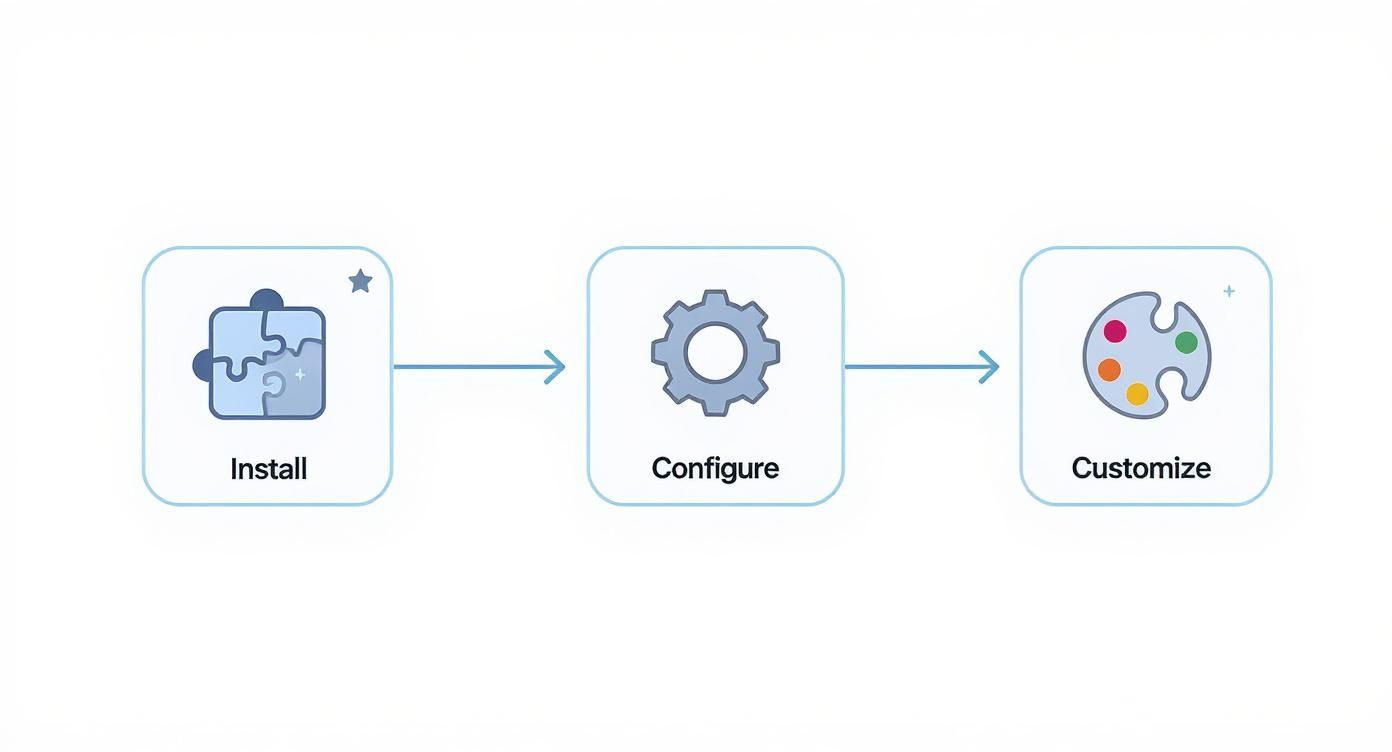
As you can see, building this knowledge base is what comes after the initial setup, and it’s the foundation for everything else.
How to Feed Information to Your Chatbot in MxChat
Inside your WordPress dashboard, the MxChat plugin gives you a few different ways to build this custom brain. In my experience, a mix-and-match approach works best.
You have a few solid options for creating your knowledge base:
- Direct Text: Just copy and paste. This is perfect for dropping in your top 10 FAQs or a quick company overview.
- File Uploads: This is the real powerhouse. Have user manuals, product catalogs, or detailed policy docs? Just upload the PDFs.
- Website Sync: MxChat can automatically crawl and index your existing WordPress pages and posts, keeping the bot in sync with your public content.
Using a combination of these methods creates a rich, layered pool of information. For a deeper technical dive, you can learn more about how this works by reading what Retrieval-Augmented Generation is.
Best Practices for a High-Quality Knowledge Base
Let's be clear: your chatbot is only as smart as the information you give it. A messy, outdated, or contradictory knowledge base will only create a confused and unhelpful bot.
Remember the old saying, "garbage in, garbage out." The time you spend curating clean, accurate source documents is the single most important factor for success. This isn't a one-and-done task; it's an ongoing commitment.
Here are a few tips from the trenches for keeping your chatbot’s brain sharp:
- Keep It Simple: Write your source documents in plain English. Ditch the jargon and overly complicated sentences. If it's easy for a human to read, it's easy for the AI to interpret.
- Structure is Key: Break big documents into smaller, logical chunks with clear headings. Use bullet points and short paragraphs. Well-structured content is much easier for the RAG system to scan and pull relevant snippets from.
- Stay Current: Your business changes, and your chatbot needs to keep up. Set a reminder to review everything quarterly. You'll want to remove old info and add new things, like details about a new product line or an updated return policy.
The results are worth it. Companies that get this right have reported annual cost savings over $300,000 and seen ROI improvements jump by as much as 200%.
By thoughtfully building and maintaining this knowledge base, you’re not just programming a bot. You're mentoring a digital expert that’s ready to help your customers 24/7. This "brain" is the foundation you'll use to build out the bot's personality and define its specific workflows.
Defining Your Chatbot’s Personality and Behavior
Once your chatbot has knowledge, it's time to give it a soul. This is where you go beyond raw data and start sculpting the user experience. A chatbot with the right personality isn't just helpful—it's memorable. It's what makes customers feel like they're interacting with your brand, not just a robot.
Think of your chatbot’s personality as a strategic choice. A playful, emoji-loving bot might be a hit for a trendy clothing store but would feel completely wrong for a serious financial advisory firm. The whole point is to make the bot feel like a natural, genuine extension of your brand’s voice.
Crafting the Core Persona with System Prompts
Your primary tool for this is the system prompt inside MxChat. This is the core instruction set you give the AI model, and it follows these rules for every single conversation. It's essentially the bot's constitution, defining its tone, its boundaries, and its entire demeanor.
A vague instruction like "be friendly" won't cut it. You need to be specific and clear to get consistent results. Think of it like giving directions to a new employee.
Here’s what a solid system prompt should cover:
- Its Role: Tell it exactly what it is. For example, "You are a helpful and knowledgeable support agent for a pet supply store."
- Tone of Voice: Describe how it should sound. "Your tone is always warm, patient, and encouraging."
- Clear Rules: Set non-negotiable boundaries. "Never give medical advice for pets; always direct users to a licensed veterinarian."
- Language Style: Get granular with the language. "Use clear, simple language and avoid technical jargon. You can use pet-related puns, but only sparingly."
This level of detail is what separates a good bot from a great one. If you're looking for inspiration, digging into some proven customer support scripts can provide fantastic ideas for phrasing things in different scenarios.
Chatbot Persona Prompt Examples
To really see this in action, let's look at how the system prompt creates completely different personalities for different business needs. The table below shows a few examples of how you can tailor your bot's core instructions.
| Persona Type | Example System Prompt | Best For |
|---|---|---|
| Friendly E-commerce Assistant | "You are 'StyleBot,' an upbeat fashion assistant for our clothing store. Help customers find products they'll love. Use positive language and emojis. Suggest complementary items and always link to products." | Online retail, DTC brands, and any business where a conversational, sales-focused approach works best. |
| Professional B2B Support | "You are a technical support specialist for our SaaS product. Your tone is professional, precise, and calm. Provide solutions in clear, numbered steps. Do not use slang or emojis. If you can't resolve an issue, provide a link to our support ticket system." | B2B services, software companies, and industries where accuracy and clarity are paramount. |
| Casual Local Business Helper | "You are a friendly helper for 'The Corner Cafe.' Answer questions about our menu, hours, and location. Your tone is casual and welcoming, like a neighborhood barista. You can use exclamation points but keep it professional." | Restaurants, cafes, local service providers, and small businesses aiming for a personal touch. |
These examples show just how much control you have. The prompt is your script, and the chatbot is your actor—direct it well, and you'll get a stellar performance every time.
A chatbot's persona isn't just about being friendly; it's about aligning its behavior with the user's expectations for that specific context. The right persona builds trust and makes the entire interaction feel more natural and effective.
Moving from Passive to Proactive Engagement
A truly effective chatbot doesn't just sit around waiting for someone to ask a question. With MxChat, you can configure it to be proactive by setting up triggers based on what a user is doing on your site. This simple shift turns your bot from a passive Q&A tool into an active part of the customer journey.
For instance, you could set a trigger for the bot to pop up if a visitor spends more than 30 seconds on your pricing page. A simple, "Hey there! Have any questions about our plans? I'm happy to help," can be the gentle nudge that turns a hesitant visitor into a paying customer.
This is more than just a neat feature; it's where the market is headed. With major models like OpenAI's ChatGPT holding around 81.35% of the market, businesses are rapidly adopting AI for customer engagement. In fact, projections show that 95% of these interactions will be powered by AI by 2025. By making your chatbot proactive, you're not just improving user experience—you're aligning with a powerful trend to actively guide and support your website visitors.
Testing and Optimizing Your Chatbot
https://www.youtube.com/embed/mzxntlSMPw0
Getting your chatbot live is just the beginning. The real work—and the real magic—happens next. A truly effective bot isn't something you just set and forget; it's a dynamic tool that needs to learn and grow with your business. This cycle of testing, analyzing, and refining is what separates a decent chatbot from a genuinely valuable one.
Kicking the Tires Before Launch
Before you let your chatbot loose on actual visitors, you need to be its first and most critical user. Start with the basics. Ask it the simple, common questions you expect it to know and make sure it’s pulling the correct information from your knowledge base.
Then, it's time to try and trip it up.
Throw it some curveballs. Ask weird, off-topic questions. Use slang, misspell words, and see how it responds when a query is vague. The point here isn't just to confirm it works, but to actively find its breaking points. Catching these rough edges now will save you from making a bad first impression on real customers.
Mining for Insights in the Conversation Logs
Once your chatbot is live and interacting with users, your new best friend is the conversation logs section in MxChat. This is ground zero for understanding what your visitors actually want. You get a raw, unfiltered look at the questions they’re asking, the exact language they use, and where your bot is either nailing it or falling short.
I can't stress this enough: make it a habit to review these logs weekly.
As you read through them, keep an eye out for a few key patterns:
- Unanswered Questions: If you see the same question popping up that the bot can't handle, that's your cue. It's a clear gap in your knowledge base that needs to be filled.
- Incorrect Answers: When the bot confidently gives the wrong information, it’s a red flag. This usually means a source document is either unclear, outdated, or the information is missing entirely.
- Conversation Dead Ends: Pay attention to where conversations just stop. If users frequently abandon the chat after a certain response, it’s a good sign that the bot's answer was confusing, unhelpful, or not what they were looking for.
This isn't just data; it's a direct roadmap for what to improve next.
Your chatbot's conversation logs are more than just a historical record. They are a live stream of customer feedback. Prioritizing their review is the single most important thing you can do to build an AI assistant that gets better with every single interaction.
Building a Continuous Improvement Loop
This cycle of reviewing logs and making adjustments creates a powerful feedback loop. You spot a weakness in the logs, and you take direct action to fix it.
Maybe you realize dozens of people are asking about a return policy detail that isn't documented. You can create a new document, upload it to the knowledge base, and solve that problem for every future visitor.
Or perhaps you notice the bot's tone feels a bit too formal when handling complaints. You can jump back into the personality settings, tweak the system prompt with a new instruction, and refine its voice. Each of these small, targeted updates makes your chatbot smarter and more helpful, turning it into a real asset over time. Learning how to build a chat bot is an ongoing process, and this is where you'll unlock its true potential.
Got Questions? We've Got Answers
Getting started with a new tool always brings up a few questions. Here are some of the most common things people ask when they're building their first WordPress chatbot.
Do I Need to Know How to Code?
Not at all. That's the whole point of using a tool like MxChat. Everything from installing the plugin to hooking up your AI models and feeding it your business information is done right from your WordPress dashboard. You can build an incredibly powerful bot without ever looking at a line of code.
What's the Real Cost of Running an AI Chatbot?
The main cost you'll see is for using the AI model's API, which comes from a provider like OpenAI. This isn't a fixed fee; it changes based on a couple of key things:
- Which model you use: A more advanced model like GPT-4 will cost more for each interaction than a highly efficient one like GPT-3.5-Turbo.
- How busy it is: The more conversations your chatbot has, the more you'll use the API.
But for most small to medium-sized businesses, the cost is surprisingly low. We're talking pennies per conversation.
I see a lot of people worry that running an AI bot will break the bank. The reality is, a smartly configured chatbot, especially on a cost-effective model, often costs less than a daily cup of coffee while saving you countless hours of repetitive support work.
How Can I Trust My Chatbot to Give the Right Answers?
The accuracy of your chatbot boils down to one thing: the quality of its knowledge base. Think of it this way—your bot can only be as smart as the information you give it.
The secret to a trustworthy bot is feeding it clear, well-organized, and current information about your business. Make it a habit to check the conversation logs. These are a goldmine for spotting where customers are asking questions your bot can't answer. Use that insight to patch the gaps, and you'll build a truly reliable resource for your visitors.
Ready to build an intelligent assistant that works 24/7 for your business? Get started with MxChat today and launch a powerful, no-code chatbot on your WordPress site in minutes.