Design a Chatbot That People Actually Like Using
To build a chatbot that actually adds value, you first need a solid plan. It's tempting to jump straight into the software, but a little strategy upfront is what separates a genuinely helpful assistant from just another frustrating website gadget. This initial blueprint is where you define what success looks like, ensuring every part of your chatbot—from its personality to its conversation flows—serves a clear purpose.
Building Your Chatbot Blueprint Before You Code
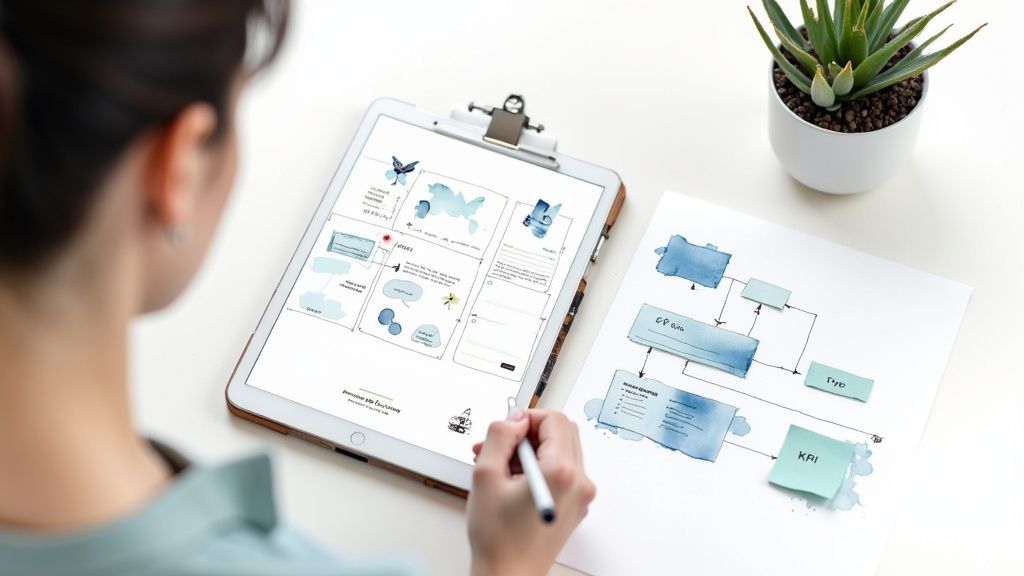
I've seen it happen time and again: someone installs a chatbot plugin without a clear plan, and it ends up creating a terrible user experience. An effective chatbot starts with strategy, not software. This is where you decide exactly what you want the bot to accomplish and how you'll know if it's working. Is its main job to capture leads after hours, cut down your support ticket volume, or guide shoppers to the perfect product?
Without a goal, you're just adding a feature for the sake of it. The global market for chatbot solutions is projected to hit $46.64 billion by 2029, which tells you businesses are treating them as strategic assets, not just tech toys.
Defining Your Core Business Objectives
Before you write a single line of dialogue, you need to answer one simple question: "What problem is this chatbot solving?" Your answer becomes the North Star for the entire project.
Your objective has to be specific and tied directly to a business outcome. Vague goals like "improve customer service" are impossible to measure. You need tangible targets that make a real difference to your operations or revenue.
Here are a few practical examples I've seen work well:
- Reduce support agent workload: The chatbot should handle at least 30% of routine questions like "Where's my order?" or "What are your business hours?"
- Increase lead generation: The bot will qualify website visitors by asking a few key questions and book demos for at least 15 qualified leads per month.
- Boost eCommerce sales: For an online store, the bot's goal could be to help with product discovery, leading to a 5% increase in cart conversion rates.
A well-defined objective is your best defense against scope creep. It keeps the project focused and ensures that every feature you build, from the conversation flow to the knowledge base, is actually contributing to a meaningful business result.
Setting Measurable KPIs
Once your goal is crystal clear, it's time to define your Key Performance Indicators (KPIs). These are the specific metrics you’ll track to see if the chatbot is hitting its targets. KPIs turn your abstract goals into cold, hard data.
If you’re thinking about bringing in outside help, it’s worth checking out how the pros do it. Looking at the work of UX agencies specialized in creating chatbot platforms can give you a great sense of how experts approach this kind of strategic planning.
To tie it all together, you need to match your business goals to specific KPIs. Here’s a quick table to show you what I mean.
Matching Chatbot Goals to Business KPIs
This table breaks down common business objectives for a chatbot and the specific metrics used to measure its performance and impact.
| Business Goal | Chatbot Objective | Primary KPI | Secondary KPI |
|---|---|---|---|
| Reduce Support Costs | Deflect common queries from live agents | First-Contact Resolution Rate | Containment Rate |
| Increase Lead Generation | Qualify visitors and book meetings | Lead Qualification Rate | Conversation-to-Lead Ratio |
| Boost eCommerce Sales | Assist with product discovery and checkout | Conversion Rate from Chat | Average Order Value (AOV) |
| Improve User Onboarding | Guide new users through key features | Task Completion Rate | User Engagement Score |
Tracking these metrics gives you undeniable proof of whether your chatbot is an asset or just a distraction. It takes the guesswork out of the equation and helps you make data-driven decisions to improve its performance over time.
This planning phase is absolutely critical. For a deeper dive into the technical and strategic steps involved, check out our comprehensive guide on how to build a chatbot from scratch. This prep work is what turns your bot into an indispensable tool instead of a costly experiment.
Giving Your Chatbot a Distinct Personality
A chatbot without a persona is just a cold, robotic form on your website. Honestly, it’s a missed opportunity. Giving your bot a distinct personality is your chance to create a digital ambassador that actually reflects your brand and connects with your audience. This isn't just about picking a name; it’s about defining a consistent voice that makes every single interaction feel genuine.
When you’re building a chatbot, think of it as hiring a new member of your team. This digital employee should embody your company's values. And this isn't just a "nice-to-have" detail—a recent study found that 40% of consumers are worried about how reliable chatbots are. A consistent, trustworthy personality goes a long way in easing those concerns by making the bot feel more human and approachable.
So, take a moment to think about your brand. Are you the helpful professional? Or more of the clever, witty type? The personality you land on should be a natural extension of how you want customers to see your business.
Defining Your Bot's Core Traits
The first thing to do is nail down the bot's fundamental characteristics. I find it helpful to think of the chatbot as a person. What are their primary traits? This simple exercise keeps you from accidentally creating a bot with a split personality—where it’s cheerful one minute and strictly formal the next.
To get the ball rolling, consider a few common archetypes:
- The Expert Guide: This persona is knowledgeable, professional, and reassuring. It's a perfect fit for industries like finance or healthcare where trust and accuracy are everything. For instance, a banking bot might say, "I can certainly help with that. To get started, could you please confirm the last four digits of your account number for security?"
- The Friendly Helper: This bot is warm, approachable, and always seems eager to assist. It’s a fantastic choice for e-commerce or hospitality sites. A retail bot with this persona might greet someone with, "Hey there! Looking for something special today? I'd love to help you find the perfect gift."
- The Witty Sidekick: This personality uses a bit of humor and clever language to stand out and engage users. It works really well for creative brands or tech startups looking to make an impression. A witty bot might open with, "Beep boop… just kidding. I'm ready to help. What's on your mind?"
The absolute key here is consistency. A user should feel like they're talking to the same 'person' every time. That consistency is what builds trust and makes the whole experience feel less like interacting with a clunky script.
Building a Simple Persona Guide
Once you've settled on the core traits, get them down on paper in a simple persona guide. This doesn't need to be some massive, complex document. A one-page reference is usually all it takes to keep your bot’s language consistent, especially if you have multiple people writing its responses. For a deeper dive, our guide on how to build engaging AI chatbots covers more advanced techniques.
Your guide should be a quick-glance document covering:
- Name and Avatar: Give your bot a name and a simple visual. It just makes the persona feel more real.
- Core Personality Traits: List 3-5 key adjectives (e.g., "Helpful," "Patient," "Efficient").
- Tone of Voice: Describe how the bot should sound (e.g., "Professional yet friendly," "Upbeat and informal").
- Vocabulary Rules: Quickly outline words to use and words to avoid. For example, you might decide to use contractions like "you're" and "it's" to sound more conversational, but maybe you'll want to avoid industry slang.
- Example Phrases: Provide a few clear examples of greetings, error messages, and common replies that really capture the persona.
This little guide becomes your blueprint for every message the bot sends. When you design a chatbot with a clear personality from the get-go, every interaction reinforces your brand identity and makes users feel understood. It’s this thoughtful approach that turns a simple tool into a genuinely engaging experience.
Mapping Out Natural Conversation Paths
Now that your chatbot has a personality, it’s time to teach it how to talk. This is where we get into designing the chatbot’s conversation paths—the logical flows that guide a user from their initial question all the way to a satisfying answer.
A great conversation feels intuitive and genuinely helpful, not like a rigid, unforgiving script. It's the difference between a bot that gets what you need and one that just keeps repeating, "I'm sorry, I don't understand."
The best place to start is by anticipating what your users are going to ask. Get together with your team and brainstorm the top 5-10 questions your customer support agents handle every single day. These common queries are your low-hanging fruit and the perfect foundation for building your first simple, effective conversation flows.
Understanding Intents and Entities
To build these flows, you'll need to get comfortable with two core concepts: intents and entities. They might sound technical, but the idea is actually pretty simple. Think of them as the fundamental building blocks of any chatbot conversation.
An intent is just what the user wants to do. It’s the goal or purpose behind their message. For example, if a user types, "I want to check my order status," the intent is CheckOrderStatus. If they ask, "What are your weekend hours?" the intent is GetBusinessHours. Easy enough.
An entity is the specific piece of information that gives the intent context. It's the key detail the chatbot needs to actually fulfill the request.
- In the phrase "I want to check my order status for order #12345," the intent is
CheckOrderStatusand the entity is the order number:12345. - If a user asks, "How do I return the blue t-shirt I bought yesterday?" the intent is
InitiateReturn, and the entities are the item (blue t-shirt) and the purchase date (yesterday).
Nailing this down is what allows your chatbot to provide a personalized, relevant answer instead of just spitting out a generic one.
Building Your First Conversation Flow
Let's start by mapping out a simple decision tree for a really common question: tracking an order.
- Greeting & Intent Recognition: The user pops open the chat. The bot instantly recognizes the
CheckOrderStatusintent from phrases like "track my package" or "where is my order?" - Gathering Entities: The bot knows it can't proceed without an order number. It immediately asks, "I can help with that! What is your order number?"
- User Provides Entity: The user types in their order number.
- Action & Resolution: The bot takes that number, looks up the status in your backend system (like WooCommerce), and presents the tracking information right in the chat.
This kind of linear path works perfectly for straightforward requests. Once you've got a few of these under your belt, you can start building more dynamic flows that branch out based on user responses, offering different options and solutions as you go.
This diagram illustrates a similar branching logic, guiding a choice based on a desired brand voice.
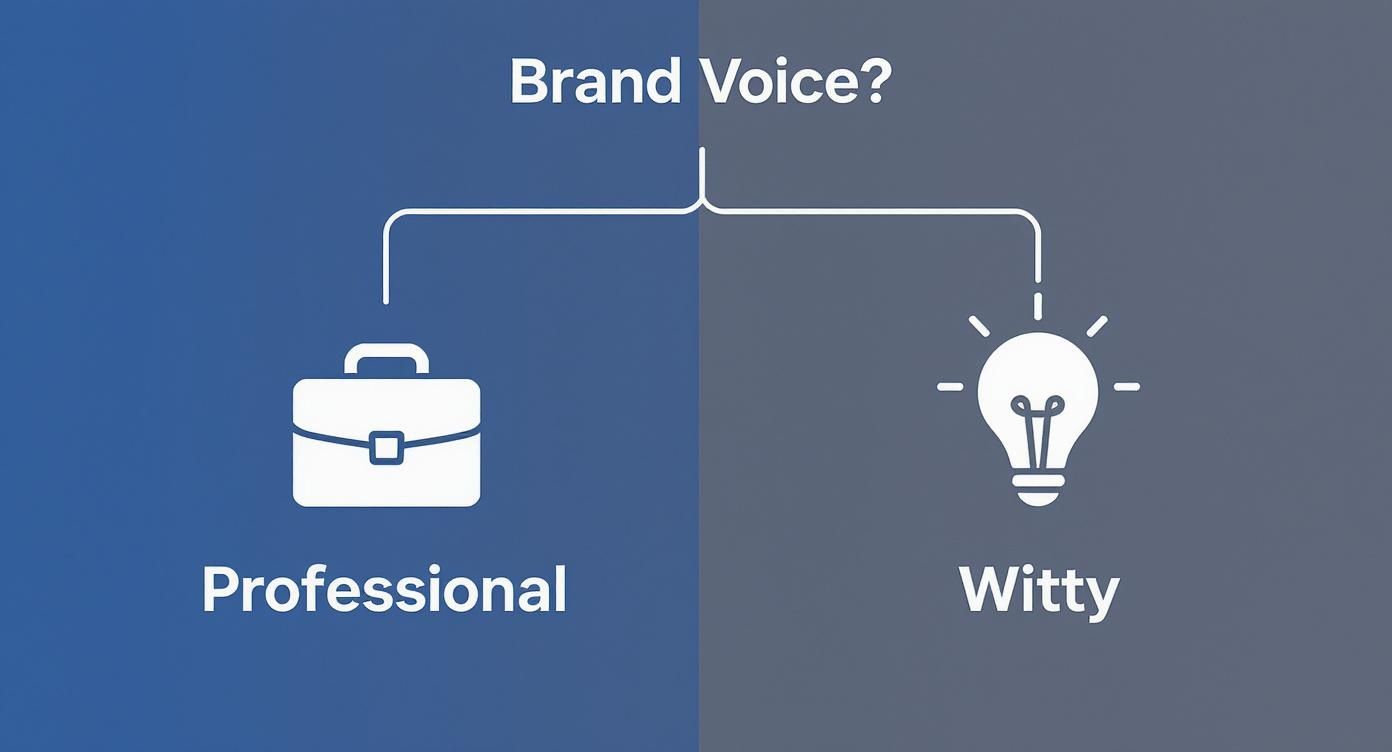
Just as the diagram branches based on whether the goal is a professional or witty tone, your conversation flows should branch based on user inputs and specific needs.
Writing Bot Messages That Actually Guide People
How your bot communicates is every bit as important as what it communicates. It's a sobering fact that users are already frustrated 48% of the time when a chatbot can't solve their problem. Clear, guiding language is your best defense against that frustration.
The best bot messages are concise and action-oriented. They confirm what the bot understood and clearly state what it needs next, leaving no room for confusion.
Avoid long, clunky paragraphs at all costs. Stick to short sentences and use quick-reply buttons whenever you can.
Instead of this:
"To proceed with your request, I will need some additional information from you. Please provide your full order number, which you can find in the confirmation email that was sent to you after you completed your purchase on our website."
Try this:
"I can look that up for you. What's your order number?"
[Quick Reply: Find my order number]
Quick-reply buttons are your secret weapon. They prevent typos, eliminate guesswork for the user, and keep the conversation moving forward without hitting a dead end. By suggesting the next logical step, you make the whole interaction feel effortless.
Crafting effective bot dialogue is a skill. For anyone looking to level up, reviewing well-written customer support scripts can be a fantastic source of inspiration for clear and empathetic communication. Your goal is always to make it as easy as possible for the user to give you what you need, ensuring a smooth path to resolution.
Knowing When Your Bot Needs Human Help
Look, even the smartest AI has its limits. A truly effective chatbot isn't just about what it can do—it's about knowing when to get out of the way. Building a seamless safety net for your users isn't just a nice-to-have feature; it's fundamental to building trust.
Nothing kills user goodwill faster than a bot that traps them in an endless loop of "Sorry, I don't understand that." The whole point is to create a graceful, almost invisible handoff from bot to human, so the user never feels frustrated or stuck. This process actually starts long before a user hits a dead end. It begins with a rock-solid knowledge base.
Your existing FAQs, support articles, and product manuals are absolute gold. By getting this content organized properly, you give your chatbot the raw material it needs to pull out accurate answers instantly. Think of it as your first line of defense—it deflects the easy questions, saving your human team for the problems that genuinely need them.
Prepping Your Knowledge Base for Your Bot
An effective knowledge base isn't just a folder full of PDFs. It needs to be a well-structured library that a machine can actually understand. Modern chatbots, especially ones that use Retrieval-Augmented Generation (RAG) like MxChat, lean heavily on this content to sound smart and be helpful.
I like to think of the knowledge base as the bot's brain. The better you organize it, the smarter your bot becomes.
Here’s how I recommend preparing your content:
- Chop Up Long Docs: Take those massive guides and policy documents and break them down into smaller, single-topic chunks. It's far easier for an AI to find a specific answer in a short paragraph than to hunt through a 20-page PDF.
- Use Clear Headings: Structure your content with descriptive headings (H2s, H3s). This creates a logical map that the AI can follow to find what it needs, fast.
- Think in Q&A: For the most common issues, just frame the information as a direct question and answer. Instead of a generic section on "Return Policy," create a specific entry for "How do I return an item?"
Getting this structure right dramatically boosts your bot's ability to find and deliver the correct information.
A well-organized knowledge base does more than just answer questions. It builds trust by showing users your bot is competent, which makes them more willing to use it for simple tasks instead of immediately asking for a person.
Designing the All-Important Human Handoff
No matter how much you fine-tune your bot and its knowledge base, some conversations will always need a human touch. The real art is in identifying that exact moment to escalate to a live agent without making things awkward or clunky.
This handoff should never feel like a failure. It should feel like a natural, reassuring step that tells the user, "We're committed to solving your problem, one way or another."
Setting the Right Triggers for Escalation
Your chatbot needs a clear set of rules that tell it when to stop guessing and call for backup. Getting these triggers right is critical for stopping user frustration before it boils over. In fact, research shows that 48% of users are already annoyed by the time a bot fails to solve their issue, so a quick handoff is essential.
Here are a few non-negotiable triggers I always build into a chatbot’s logic:
- Direct Requests: This one's a no-brainer. When a user types "talk to an agent" or "I need a human," the bot needs to comply immediately.
- Repeated Failures: If the bot misunderstands the user two or three times in a row, it should automatically offer to connect them to a person. Don't let it become a frustrating loop.
- Sentiment Analysis: Many modern platforms can detect frustration, anger, or confusion in the user's tone. A high negative sentiment score should be an instant trigger for escalation.
- Complex Keywords: Some words are a dead giveaway that a bot is out of its depth. Terms like "legal," "complaint," or "damaged product" should immediately flag the conversation for a human.
How to Manage the Handoff Gracefully
Once a trigger is pulled, the handoff itself needs to be smooth. The absolute last thing a customer wants is to have to repeat their entire story to a live agent.
Here’s a simple checklist for a seamless transition:
- Set Clear Expectations: Tell the user what’s happening. A simple message like, "It looks like this is a bit too complex for me. Let me find a specialist who can help you with this," is both transparent and reassuring.
- Provide Wait Times: If you can, give an estimated wait time for a live agent. Just knowing how long they have to wait can significantly reduce a user's impatience.
- Transfer the Conversation History: This is absolutely critical. The full chat transcript must be passed to the live agent so they have the complete context. Making a user repeat themselves is one of the cardinal sins of customer service.
By thoughtfully designing these escalation paths, you're not just fixing a bot's limitations—you're turning a potential point of failure into a powerful demonstration of your commitment to great support.
Getting Your WordPress Chatbot Ready for Launch

You wouldn't publish a book without proofreading it, right? The same logic applies here. Launching a chatbot without putting it through its paces is a recipe for a bad first impression. This is where you catch the awkward phrasing, broken logic, and dead ends that will absolutely frustrate your users and make them question your brand.
Think of this stage as a full dress rehearsal. Your job is to simulate real-world conversations and, frankly, try to break things. By stress-testing the bot now, you ensure that when actual customers start asking questions, their experience is smooth, helpful, and perfectly in line with the persona you worked so hard to create.
Your Pre-Launch Testing Checklist
Before you even think about going live, you need a solid plan to check every single component. A simple checklist will keep you organized and make sure nothing slips through the cracks. The goal is to validate everything—from the core functions to the conversation flows—from a user's perspective.
I always break my testing down into a few critical areas:
- Conversation Path Logic: Click through every single conversation flow you’ve built. Does each branch lead to a logical conclusion? Test every quick-reply button and potential user input to make sure they trigger the right response and don't trap users in a frustrating loop.
- Persona Consistency: This might sound silly, but read the bot's dialogue out loud. Does it actually sound like the personality you defined? Be on the lookout for any responses that feel out of character, too robotic, or stiff, especially if you were aiming for a friendly, casual tone.
- Knowledge Base Accuracy: Fire off questions that should pull answers directly from your knowledge base or RAG sources. Are the answers correct and genuinely helpful? This is also the perfect time to see how it handles questions it doesn't know the answer to. Does it fail gracefully or just give up?
The single most important part of testing is trying to break your bot on purpose. Ask it ridiculous questions, use slang, make typos, and do your best to confuse it. How the bot recovers from these curveballs is just as important as how it handles a perfectly phrased query.
This level of detail is non-negotiable now that AI is becoming standard. By 2025, it's expected that 95% of customer interactions will be powered by AI. And the businesses that get it right see a massive payoff—leading AI chatbot projects often achieve an ROI between 148-200%. For more on the numbers, Fullview.io has some great insights on the financial impact.
Deploying the Bot on Your WordPress Site
Once your chatbot has survived your internal QA process, it's time to get it live on your WordPress site. With a dedicated plugin like MxChat, this part is usually pretty straightforward. It typically just involves installing the plugin, connecting your account, and tweaking a few display settings.
For most WordPress plugins, you'll follow these simple steps:
- From your WordPress dashboard, head to Plugins > Add New.
- Search for your chatbot plugin, click Install Now, and then Activate.
- Follow the setup wizard, which will usually ask for an API key to connect your account.
- Configure where the chatbot widget should appear. You can often choose to show it on all pages, specific posts, or maybe only for logged-in users.
While this covers the technical setup, if you need a refresher on the bot-building process itself, our guide on making a bot with MxChat can walk you through it.
Why a Phased Rollout is a Smart Move
Instead of a big, flashy launch, I always recommend a "soft launch." A phased rollout simply means you release the chatbot to a small, controlled group of users first. This could be a handful of loyal customers, your internal team, or a select group from your email newsletter.
The idea here is to get real-world feedback in a low-risk setting. These first users will interact with your bot in ways you never thought of, uncovering blind spots and giving you priceless feedback. Use their insights to make those final few tweaks before you open the floodgates. It ensures a much smoother, more successful launch for everyone.
A Few Common Questions About Chatbot Design
Jumping into the world of chatbots can feel like you're learning a whole new language. You know what you want your bot to accomplish, but the path from idea to a working chatbot is often full of questions. Let's tackle some of the most common ones we hear from people just starting out.
What's This Going to Cost Me?
This is usually the first thing on everyone's mind, and the honest answer is: it really depends. If you were to hire a team to custom-code an enterprise-level chatbot with complex integrations, you could easily be looking at a bill ranging from $50,000 to over $500,000. That price tag is driven by developer salaries, sophisticated AI models, and the need for ongoing maintenance.
Thankfully, that's not the reality for most WordPress site owners. With a no-code platform like MxChat, you sidestep the need for that expensive, time-consuming development. Instead of a massive upfront investment, you're looking at a straightforward license fee for a plugin that gives you all the tools to build, train, and launch your bot yourself. It completely changes the financial picture.
How Long Does It Take to Design a Chatbot?
Just like cost, the timeline really hinges on complexity. If all you need is a simple FAQ bot with a dozen pre-set answers, you could have it designed and live on your site in a single afternoon. Seriously, if your knowledge base is already good to go, you can be up and running in a few hours.
For a more ambitious bot—one that integrates with WooCommerce to check order statuses, captures leads through forms, and navigates complex conversation paths—you'll need more time. A realistic timeframe for a project like that is probably one to two weeks. This gives you enough breathing room for:
- Pinpointing your goals and KPIs
- Developing the bot's persona
- Mapping out conversation flows
- Prepping all the knowledge base documents
- Testing every interaction until it's perfect
The biggest variable affecting your timeline isn't the tool itself—it's the clarity of your strategy. A solid plan before you start building is the fastest way to get to the finish line, saving you from a lot of backtracking and wasted effort.
Should I Go with a Rule-Based or an AI Chatbot?
This is a fundamental choice you'll make early on. They work very differently, so let's quickly break it down.
Rule-based chatbots follow a strict script, like a flowchart. They're fantastic for simple, predictable tasks where you can map out every possible question and provide a direct answer. They are dependable and straightforward to build, but they break the second a user asks something "off-script." They can feel very robotic and limited.
AI chatbots, on the other hand, are powered by Large Language Models (LLMs) and are much more dynamic. They understand conversational language, figure out what the user actually wants, and create surprisingly human-like responses. An AI bot can answer questions you never even thought to program, simply by pulling information from its knowledge base. They take a bit more work to set up initially, but their ability to handle a huge range of queries makes them far more powerful for almost any business.
Ready to build an intelligent assistant that actually understands your customers and helps your business grow? With MxChat, you can design a powerful, no-code AI chatbot for your WordPress site without the eye-watering costs or lengthy timelines.