A Guide to Effective Chat Bot Design
At its core, chatbot design is all about mapping out the conversation between a person and a bot. It’s the art and science of creating a persona, building a logical flow for the chat, and making sure the bot actually helps people get things done. Get it right, and you have a genuinely useful tool; get it wrong, and it’s just a frustrating roadblock.
The Journey of Conversational AI
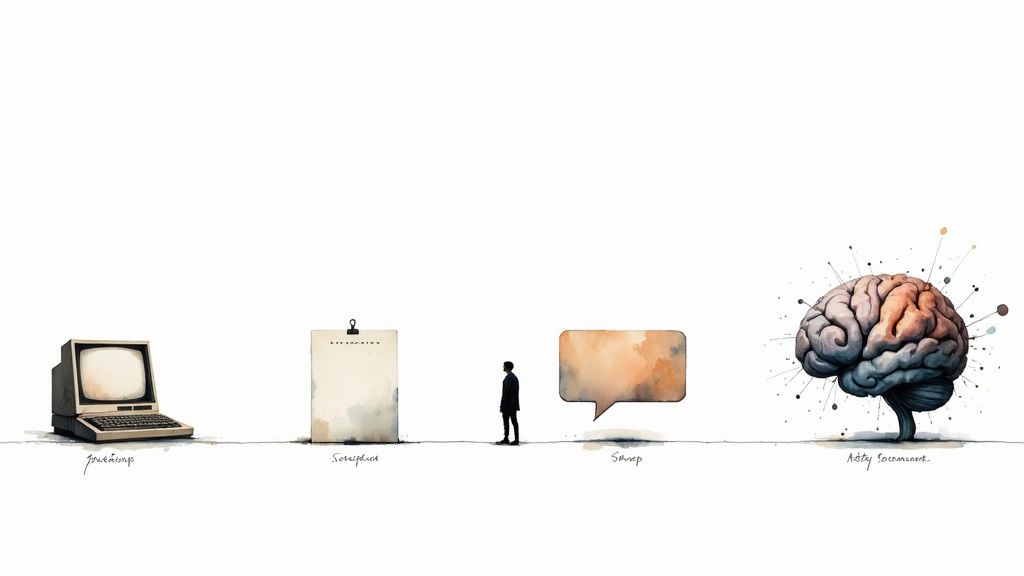
To really get a handle on modern chatbot design, it helps to look back at where it all started. The idea of talking to a machine isn't new, and its history gives us crucial context for the sophisticated tools we have today. This journey shows a massive shift from rigid, scripted replies to the smart, flexible conversations we now expect.
The story kicks off way before the internet was a common thing. We can trace the roots of conversational AI back to the 1960s, specifically to 1966 when MIT's Joseph Weizenbaum created ELIZA. This early bot used simple pattern matching to simulate a conversation, famously acting like a psychotherapist. It was basic, sure, but it was a groundbreaking moment that proved a machine could mimic human dialogue.
From Pattern Matching to Understanding Intent
Those early bots like ELIZA were clever tricks. They didn't actually understand what you were saying; they just spotted keywords and fired back with a pre-programmed line. Think of it as a simple "if this, then that" flowchart. If you typed "sad," the bot would reply, "I'm sorry to hear you are sad." This approach was incredibly fragile and easy to confuse.
The game changed with the arrival of Natural Language Processing (NLP) and Natural Language Understanding (NLU). These technologies gave bots the power to go beyond just matching words and start figuring out what a user actually wanted.
- Keyword Matching: A simple bot sees the word "order" and spits out a generic link to the orders page. That’s it.
- Intent Recognition: An NLU-powered bot gets that "Where is my order?" and "track my package" are the same question. It understands the goal is an order status update.
This was a huge leap. Instead of making people learn specific commands, bots could finally start speaking our language, which made chatting with them feel much more natural.
The Rise of Generative AI
The latest and most dramatic change has been the emergence of large language models (LLMs) and generative AI. This technology took chatbots from simply understanding and responding to creating entirely new, relevant text on the spot. It's the difference between an actor reading lines from a script and an improv artist having a real conversation.
For a deeper dive into how AI is being woven into business operations, this piece on AI in Business Automation is a great read.
By understanding this evolution—from simple scripts to intent recognition and now to generative conversations—we can appreciate why thoughtful chat bot design is more important than ever. It's no longer just about programming responses; it's about architecting an entire user experience.
Core Principles of Chat Bot Design
Alright, let's move from the "what is it" to the "how to do it." Building a chatbot that people actually want to use isn't just a tech problem—it’s a design challenge. Think of it like bringing a new team member on board. You wouldn't just sit them at a desk with no job description; you’d define their role, show them how to communicate, and map out exactly what they're responsible for.
Without that same strategic thinking, even the most powerful AI will feel clunky and useless. These core principles are your blueprint for creating a bot that feels like a natural extension of your brand and genuinely helps your customers, rather than frustrating them.
Define a Clear Purpose
First things first: what is this bot actually for? This is, without a doubt, the most critical question you'll answer. A chatbot that tries to be a jack-of-all-trades will end up being a master of none. A bot with a single, clear mission, however, can be incredibly effective.
Is its primary job to slash support tickets by answering common questions? Is it there to qualify leads for your sales team? Or is it meant to help shoppers find the perfect product?
Nailing this down dictates everything that follows. For instance, a bot designed to handle order status inquiries needs a direct line to your shipping data and a no-nonsense, get-it-done conversational flow. A lead generation bot, on the other hand, needs to be a bit more charismatic, skilled at asking the right questions, and wired directly into your CRM.
A chatbot without a clear purpose is like a ship without a rudder. It might float, but it won’t get anywhere meaningful. Defining a specific, measurable goal is the first and most critical step toward success.
This focus stops the project from spiraling out of control and ensures you're solving a real problem. It’s no surprise that a recent study found 60% of consumers just want bots for quick, simple support—they appreciate when a tool does one thing and does it well.
Craft an Authentic Persona and Tone
Once you know what your bot does, you need to decide who it is. Your chatbot’s persona is its personality. It's the unique blend of its voice, tone, and overall communication style that makes it feel distinct. Let's be clear: the goal isn't to fool anyone into thinking they're talking to a person. It's about creating a consistent, predictable, and on-brand experience.
The right persona is all about context. A chatbot for a financial institution should probably sound professional, reassuring, and straight to the point. But a bot for a concert ticket website? It can be energetic, use emojis, and maybe even crack a joke.
To start shaping your bot's personality, think about these key elements:
- Voice: Is it formal or casual? Does it speak in simple terms or use more technical language?
- Tone: Is the vibe helpful and empathetic, witty and fun, or all-business?
- Vocabulary: What words does it use? Does it stick to plain English, or is it okay to use some industry slang or even emojis?
Whatever you decide, document it. This persona needs to show up consistently in every single interaction, from the "hello" to the "sorry, I didn't get that." Authenticity is everything—if your brand is serious and professional, a wisecracking bot will just feel weird.
Map the User Journey
With a clear purpose and a distinct persona, the final foundational piece is mapping the user's journey. This is all about thinking through the conversations before they happen. You need to anticipate the different paths a user might take and design a logical, intuitive flow for each one.
Start by brainstorming the most common things people will ask for—these are their "intents." For each one, sketch out the ideal back-and-forth. What does the bot say first? What will the user likely say back? Where does the conversation need to branch off based on their answers?
Great journey mapping also plans for when things go wrong. Because they will. What happens when a user asks something completely out of left field? A well-designed bot doesn't just throw up its digital hands and say "I don't understand." It has a plan, offering helpful suggestions or providing a smooth handoff to a human agent. This kind of proactive planning is what separates a helpful tool from a dead end.
To tie this all together, think about how these principles work in tandem. A clear purpose gives the bot direction, the persona gives it character, and the journey map gives it a playbook to follow.
Key Design Principles and Their Impact
| Design Principle | Positive Impact (When Done Right) | Negative Impact (When Done Poorly) |
|---|---|---|
| Clear Purpose | The bot solves a specific, measurable problem, delivering real value to both the user and the business. | The bot feels unfocused and unhelpful, leading to user frustration and a poor return on investment. |
| Authentic Persona | Interactions feel consistent and on-brand, building trust and creating a more engaging user experience. | The bot's tone feels jarring or inappropriate, confusing users and potentially damaging brand perception. |
| Mapped User Journey | Conversations are logical and efficient, guiding users to their goals without hitting frustrating dead ends. | Users get stuck in conversational loops, receive irrelevant answers, and ultimately abandon the chat. |
Ultimately, getting these foundational elements right is what separates a truly effective chatbot from one that just creates more problems than it solves.
3. Architecting Your Chatbot’s Brain
A chatbot is really only as smart as the information it has access to. So, building its "brain"—its knowledge base—is one of the most critical steps you'll take. This architecture is what dictates how your bot finds and delivers answers, and it directly impacts whether the bot is accurate, reliable, and genuinely helpful.
Think of it like onboarding a new employee. You wouldn't just dump a massive, disorganized pile of documents on their desk and expect them to become an expert. You’d give them a structured library—product manuals here, company policies there, procedural guides over on that shelf. How you organize this information determines if your new hire (or chatbot) becomes a trusted resource or a source of constant confusion.
When it comes to building this informational core, there are really two main philosophies, plus a powerful hybrid approach that combines the best of both.
The Structured Path: Flow-Based Systems
First up is the classic flow-based model, which is essentially a decision tree. This is the most traditional and controlled way to design a chatbot. Picture a detailed flowchart where every possible user question leads down a specific, pre-written path to a single, correct answer. You, the designer, are the architect, mapping out every single twist and turn of the conversation.
This method gives you maximum control and predictability, which makes it perfect for simple, task-oriented jobs where the outcomes are limited.
- Appointment Booking: The bot asks for a date, then a time, then a service, walking the user through a fixed sequence.
- Simple Troubleshooting: "Is the device plugged in? Yes/No." Each answer simply takes the user to the next logical step.
- Basic FAQs: A user clicks "Shipping Policy," and the bot serves up one pre-approved block of text.
The big win here is reliability. Because every response is scripted, there's absolutely zero risk of the bot going off-script or making things up. The flip side, of course, is that it's incredibly rigid. If a user asks something you didn't plan for, the bot hits a dead end and can only say, "Sorry, I don't understand."
The Flexible Mind: Generative Models
On the complete opposite end of the spectrum, you have generative models, the technology behind tools like ChatGPT. Instead of following a rigid script, these bots create new, human-like responses on the fly, drawing from the massive datasets they were trained on. This gives them incredible conversational flexibility. They can handle unexpected questions, understand nuance, and keep a dialogue feeling natural.
The power of a generative model is its ability to improvise. It can summarize complex ideas, rephrase information, and avoid sounding robotic. The catch? A pure generative model, left to its own devices, can sometimes "hallucinate"—confidently stating incorrect information because it doesn't have a direct line to your specific, factual business data. This makes it a powerful but potentially risky tool if you don't put some guardrails in place.
The Best of Both Worlds: Retrieval-Augmented Generation (RAG)
So, how do you get the conversational smarts of a generative model without sacrificing factual accuracy? This is where Retrieval-Augmented Generation (RAG) comes in. It’s a hybrid approach that has quickly become the gold standard for modern chatbot design.
Think of RAG like this: You have a brilliant, creative student (the generative AI) who can write beautifully about anything. But before they write an essay about your company, you hand them a curated binder of your official documents—product specs, support articles, and internal policies. The student must base their essay only on the information found in that binder.
This is exactly how RAG works.
The system first "retrieves" relevant information from your private, verified knowledge base—like your WordPress pages, product data, or uploaded PDFs. Then, the generative model uses that specific info to "augment" its response, crafting a helpful, conversational answer that is 100% grounded in fact.
This two-step process ensures your chatbot is both intelligent and trustworthy. It can handle a huge variety of user questions with conversational flair while pulling its answers directly from your controlled data sources. For any business building an AI assistant today, understanding what Retrieval-Augmented Generation is and how it works is the key. With RAG, you prevent misinformation and build a bot that users can actually rely on for accurate, helpful support every single time.
4. Designing a Seamless User Conversation
A great chatbot feels less like using a machine and more like talking to a genuinely helpful assistant. The whole point is to create a smooth, intuitive conversation that gets people what they need without making them jump through hoops. This is the real craft of conversational UX—nailing the little details that make users trust the bot instead of getting frustrated by it.
Those first few seconds are everything. A solid onboarding message immediately sets expectations. Instead of a vague "How can I help?" a well-designed bot introduces itself and clearly states what it can do. Think: "Hi, I'm the support bot for Acme Inc. I can help you track orders, process returns, or check product availability. What's on your mind?" Right away, you’ve stopped users from asking questions you know the bot can't answer.
To keep the conversation on track, you'll want to lean on quick replies and buttons. These are like guardrails for the conversation, offering users the most common options and steering them toward a successful outcome. It saves them from typing and dramatically cuts down on the chances of the bot misunderstanding a free-form question.
This is where the bot's underlying architecture comes into play, as different models handle conversations in different ways.
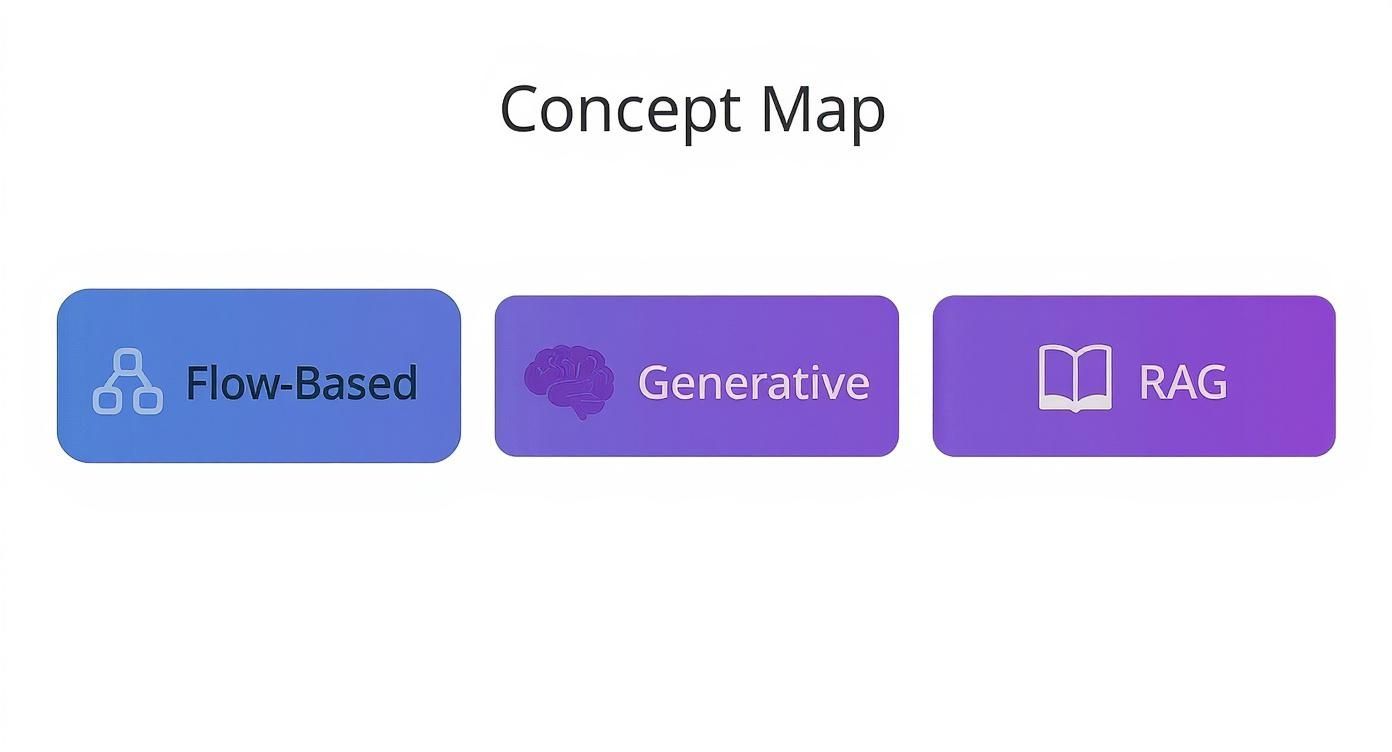
As you can see, flow-based systems give you structure, generative AI provides that free-flowing conversational feel, and RAG is the hybrid that aims for the best of both worlds—accurate answers delivered naturally.
Planning for When Things Go Wrong
Let's be realistic: no matter how perfectly you map out a conversation, someone will eventually ask a question your bot just doesn't get. This is where your error-handling strategy becomes make-or-break. A bot that just spits out "I don't understand" over and over is a dead end waiting to happen.
Instead, you need to design helpful, proactive failure states. When the bot gets stuck, it should try to guide the user back on track.
- Ask for a rephrase: "I'm not quite following. Could you try asking that a different way?"
- Offer known options: "I didn't quite get that, but I can help with order tracking, returns, or pricing. Do any of those sound right?"
- Acknowledge its limits: "That's a bit beyond what I can do right now, but I'm always learning!"
This approach keeps the conversation from stalling out. It shows the user the bot is still trying to solve their problem, even when it hits a snag. Considering that as of 2023, an estimated 1.4 billion people—roughly 18% of the global population—have used a chatbot, getting this right is more important than ever.
Creating a Graceful Escalation Path
The most important part of handling errors is knowing when to call for backup. A smart chatbot is designed to recognize its own limits and has a clear, frictionless plan for handing the conversation over to a human agent. This is your escalation path.
A seamless handoff to a human isn't a sign of failure; it’s a feature of excellent chatbot design. It respects the user's time and ensures their problem gets solved, which is the ultimate goal.
Don't wait for the user to get angry after three failed attempts. You can be proactive and offer a human connection at critical moments, like when a user expresses frustration or asks about a complex, high-stakes issue like closing an account.
When it's time to escalate, the bot should pass the entire chat transcript to the agent so the customer doesn't have to repeat everything. If you're looking to polish this handoff, reviewing different customer support scripts can give you great templates for both your bot and your human team. It’s this kind of thoughtful design that ensures the customer feels supported, even when the bot itself doesn't have the answer.
Applying Your Design in E-Commerce
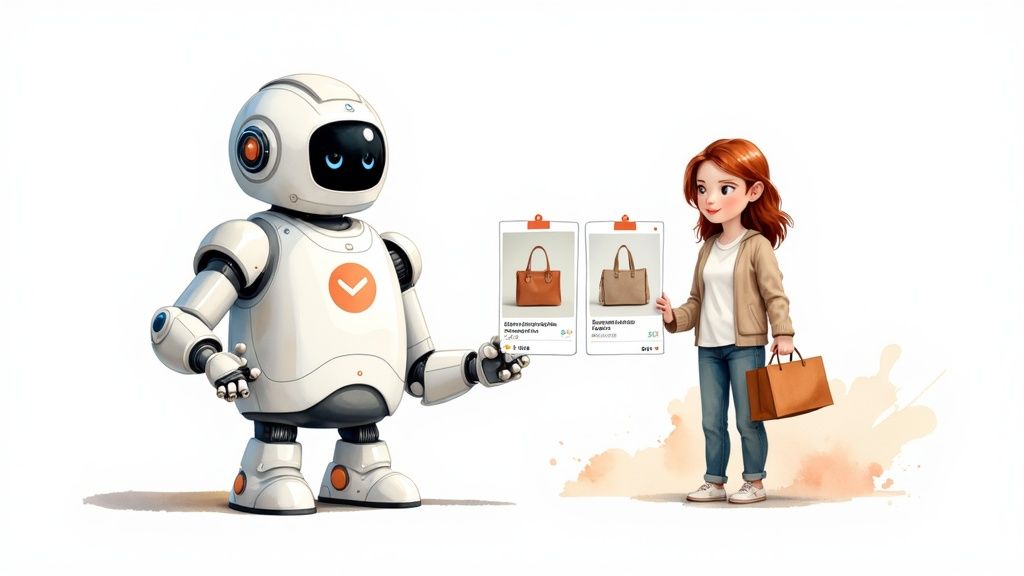
Alright, we've walked through the core principles of conversational UX. Now, let's put that theory into practice where it can make a huge impact: e-commerce. This is where thoughtful chatbot design doesn't just improve the user experience—it directly translates into more sales, lower support costs, and genuinely happier customers.
A great e-commerce bot is so much more than a simple Q&A machine. Think of it as a proactive shopping assistant, one that guides users, untangles confusing processes, and elevates the entire journey from discovery to delivery.
Let's dive into three high-impact ways a well-designed chatbot can deliver serious business value.
Proactive Product Recommendations
Imagine having a personal shopper on call 24/7 for every single visitor on your site. That's exactly what a chatbot built for product recommendations can do. Instead of leaving customers to get lost in endless product grids, the bot can jump in and start a helpful conversation.
This is a classic example of guiding the user journey. The bot asks smart, targeted questions to narrow the field, just like a great salesperson would in a brick-and-mortar store.
- Bot: "Hi there! Looking for the perfect pair of running shoes? To help me find the right fit, could you tell me what kind of terrain you'll be running on?"
- User Clicks Button: [Road] [Trail] [Treadmill]
- Bot: "Great! And are you looking for a shoe for daily training or for race day?"
This simple back-and-forth makes finding the right product feel personal and incredibly efficient. With just a few questions, the bot can whittle down a massive catalog to a few perfect options, making a purchase feel like a no-brainer.
A well-designed product recommendation bot does more than just sell; it builds confidence. By guiding a user to the right product, it reduces purchase anxiety and demonstrates that your brand understands their specific needs.
24/7 Order Status and Tracking
One of the most frequent questions any support team gets is, "Where's my order?" This is the perfect job for a chatbot. It’s repetitive, high-volume, and can be completely automated. The design principle here is all about seamless data integration.
For this to work, your bot needs a direct connection to your e-commerce platform's order database. A customer should be able to pop in their order number or email and get an instant, real-time update. No waiting, no human agent needed.
This simple function frees up your support team for more complex problems and gives customers the immediate answers they've come to expect. If your store runs on WordPress, a dedicated chatbot for WooCommerce can make this integration a breeze.
Guided Returns and Exchanges
Let's be honest: returns can be a real headache. A clunky process can frustrate customers and poison their perception of your brand. A chatbot, however, can flip this potential negative into a smooth, even positive, experience.
Instead of forcing users to hunt for a returns policy page and wrestle with a confusing form, the bot can walk them through it, step-by-step.
- Start the Process: The bot pulls up the order and asks the customer to confirm which items they want to return.
- Explain the Options: It clearly lays out the choices—a refund, store credit, or an exchange for a different size or color.
- Generate the Label: Once a choice is made, the bot can instantly generate a pre-paid shipping label and email it right over.
By automating this workflow, you make life easier for the customer while ensuring all the necessary info is collected correctly on your end. It’s a prime example of how thoughtful design can turn a common pain point into a chance to build trust and keep customers coming back.
Bringing Your Chatbot to Life
You’ve laid the groundwork, defined the design, and architected the bot's knowledge. Now comes the exciting part: actually bringing your chatbot to life. This is where your strategy moves off the whiteboard and becomes a real, interactive assistant on your website.
But launching your chatbot is just the starting line. The real magic happens in the continuous cycle of learning, measuring, and improving that comes next.
This process begins with picking the right platform and plugging in your data sources. For anyone using WordPress, tools like MxChat make this surprisingly simple, letting you get a powerful AI up and running without touching a line of code. If you want a full step-by-step guide, our tutorial on how to build a chatbot will walk you through it.
Once your bot is live, your job shifts from builder to listener.
Measuring What Matters Most
To make your chatbot better, you need to know how it’s performing right now. Solid metrics tell you exactly what’s working, what’s falling flat, and where your users are getting frustrated. The key is to ignore the vanity metrics and zero in on the data that truly reflects user success and bot efficiency.
Here are the key performance indicators (KPIs) you should have on your dashboard:
- Resolution Rate: What percentage of chats does the bot handle successfully on its own? This is the ultimate test of your chatbot's effectiveness.
- User Satisfaction (CSAT): Are people actually happy with the help they're getting? A simple "Was this helpful? 👍/👎" prompt at the end of a chat gives you priceless, direct feedback.
- Escalation Rate: How often does the bot have to give up and pass the conversation to a human? If this number is high, it’s a big red flag that you have gaps in your knowledge base or conversational flows.
A chatbot isn't a "set it and forget it" project. It's a dynamic tool that evolves with your business and your customers' needs. Consistent analysis and iteration are what separate a good bot from a great one.
The Optimization Loop
Looking at these metrics gives you the "what," but the real insights come from digging into the conversation logs to understand the "why." This is where you see firsthand how people really talk to your bot. You'll uncover common questions you missed, spot awkward phrasing in your bot's replies, and find opportunities for improvement you never would have guessed.
This analysis is the fuel for your optimization loop. You spot a weakness, tweak the bot’s knowledge or a conversation flow, and measure the impact. It's this rinse-and-repeat process that turns a static tool into an intelligent system that genuinely gets smarter with every conversation it has.
Frequently Asked Questions About Chatbot Design
Even with a solid plan, you're bound to run into some common questions as you start designing your chatbot. Let's tackle some of the most frequent hurdles head-on so you can build with confidence.
What Is the Biggest Mistake to Avoid in Chatbot Design?
The single biggest mistake? Building a chatbot without a specific, laser-focused purpose.
A bot designed to simply "handle customer questions" is a recipe for failure. It's too vague and will almost certainly frustrate users. A bot built without a clear problem to solve is just a piece of tech looking for a purpose.
Before you map out a single conversation, you have to answer this: "What is the primary, measurable goal for this bot?" Maybe it's deflecting support tickets by 20%, or perhaps it's tracking orders or qualifying sales leads. Whatever the mission, it has to be clear. A bot that does one or two things exceptionally well will always outperform one that tries to do everything and ends up doing it all poorly.
The most effective chatbots are specialists, not generalists. Defining a narrow scope ensures your bot delivers real value and avoids becoming a frustrating, jack-of-all-trades digital assistant.
How Much Personality Should My Chatbot Have?
This really comes down to your brand and your audience. The goal isn't to be clever for the sake of it; it's to be authentic.
Think about it this way: a banking chatbot should probably sound professional, reliable, and reassuring. On the other hand, a bot for a gaming company can get away with being witty, informal, and full of energy.
Start with your established brand voice and build a chatbot persona that feels like a natural extension of it. The key here is consistency, not trying to fool anyone. Avoid making your bot so "human" that it misleads users. A helpful assistant that is clearly an AI is always better than one that tries too hard to be human and fails—that just erodes trust.
How Do I Choose Between Flow-Based and Generative AI?
This choice is all about a trade-off between control and flexibility. Each approach shines in different situations, and knowing when to use which is a cornerstone of good chatbot design.
- Use a flow-based chatbot for predictable, guided tasks where you need to manage every step of the conversation. Think about things like booking an appointment or running a simple diagnostic quiz. This approach gives you absolute control over the user's journey.
- Use a generative AI chatbot when you need to answer a wide and unpredictable range of questions in a natural, conversational way. This is perfect for knowledge-base bots that have to field all sorts of open-ended inquiries.
For most businesses, the sweet spot is actually a hybrid approach using Retrieval-Augmented Generation (RAG). It marries the conversational freedom of generative AI with the factual accuracy of a controlled knowledge base, giving you the best of both worlds.
Ready to build a smart, reliable AI assistant for your WordPress site? MxChat provides all the tools you need to design and deploy a powerful chatbot without writing any code. Learn more about MxChat