A Guide to the Best Live Chat Software Comparison for WordPress
Choosing the right live chat software for your WordPress site isn't just about adding a chat bubble to the corner of your page. It's about finding a tool that genuinely works for you, balancing powerful AI automation, deep WordPress integration, and a pricing model that makes sense for your budget. The right choice can be a game-changer for your customer engagement, sales, and support efficiency.
How To Choose The Right WordPress Live Chat Software
Picking a live chat solution is a big decision. You're not just buying software; you're investing in a core part of your customer experience. This is a fast-moving space, with the market expected to nearly double from USD 1.15 billion in 2024 to USD 2.17 billion by 2033. That tells you just how critical real-time support has become.
This guide goes beyond the usual feature-dump comparisons. We'll get into the nitty-gritty of what actually matters when you're making a choice, whether you're running a small blog or a bustling WooCommerce store.
Core Evaluation Criteria
To really understand what separates one tool from another, we need to look at a few key areas:
- AI and Automation: How smart is the chatbot, really? We'll examine how well it taps into your knowledge base to provide accurate answers, pre-qualify leads, and genuinely lighten the load for your human agents.
- WordPress Integration: Is it just a generic plugin, or does it truly feel like a part of your WordPress ecosystem? We're looking for deep connections with essentials like WooCommerce that allow for things like real-time order lookups and smart product suggestions.
- Ease of Use: Can you get it set up and customized on your own, or will you need to call in a developer? The best tools are intuitive for everyday users but still offer power under the hood for those who need it.
- Pricing and Value: The sticker price is only half the story. We'll dig into the different pricing models—per-agent, per-conversation, and lifetime deals—to figure out which one offers the best long-term value for your specific needs.
Getting a handle on the basics of how to add live chat to your website can give you a good foundation before we start comparing platforms. And to make sure you're asking the right questions, our chatbot evaluation checklist provides a helpful framework to keep in mind.
High-Level Live Chat Software Feature Overview
Before we dive deep, here's a quick look at the main players and what they bring to the table. Think of this as a cheat sheet to get you oriented.
| Software | Ideal for | Standout AI Feature | Pricing Structure |
|---|---|---|---|
| MxChat | WordPress & WooCommerce users seeking advanced AI | RAG with multiple AI models & knowledge bases | Lifetime Deal (LTD) |
| Tidio | Small businesses needing an all-in-one solution | Visual chatbot builder with simple automation | Freemium, Monthly per Seat |
| Intercom | Enterprises focused on conversational marketing | Proactive engagement bots and detailed user data | Custom, Monthly (Premium) |
| Zendesk | Businesses with existing Zendesk support suites | Ticketing integration and unified agent workspace | Monthly per Agent |
This table gives you a starting point. Now, let's explore how these tools stack up in real-world scenarios.
A Detailed Comparison of Leading Live Chat Features
When you're comparing live chat software, it's easy to get lost in feature checklists. But the real test isn't about if a platform has a feature, but how well it actually works in the real world. Two tools might both claim "AI integration," but the difference in their performance can be night and day, impacting everything from customer happiness to your bottom line.
Let's cut through the marketing fluff and look at the critical features that really define a modern live chat tool. We'll compare how the top solutions, including MxChat, stack up when it comes to automation, integration, and overall user experience.
Choosing the right platform comes down to getting the details right on three key pillars: AI, Integration, and Pricing.
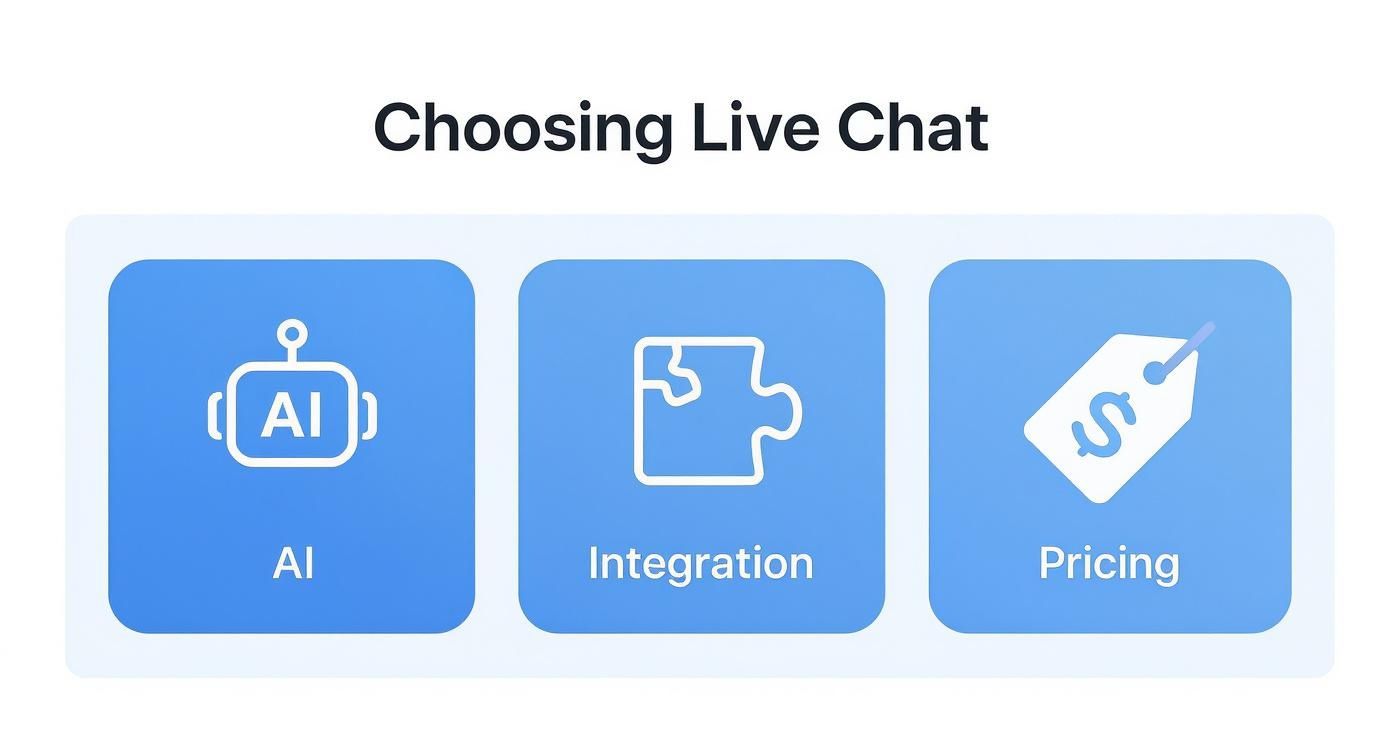
Think of these as the foundation. Get one wrong, and the whole structure feels shaky.
H3: AI Model Support And RAG Implementation
The brain behind any AI chatbot is its Large Language Model (LLM). This is where you see the first major split in the market. Some platforms lock you into their own proprietary model, which can be restrictive and costly. Others, like MxChat, give you the freedom to choose, integrating with top-tier models from OpenAI (GPT-4), Anthropic (Claude 3), Google, and more.
This flexibility is a huge advantage. It means you can pick the right tool for the job—maybe a highly creative model for marketing chats and a more precise, analytical one for technical support. You aren't stuck with a one-size-fits-all AI that’s just "good enough."
Another critical piece of the puzzle is how the AI uses your own data to answer questions. This is where Retrieval-Augmented Generation (RAG) comes into play. In simple terms, RAG lets the AI dig into your knowledge base—your blog, product docs, or even your WooCommerce store—to find accurate, up-to-date answers.
- Basic RAG: Some tools offer a very simple version that just scans a few FAQs. Ask it a complex question, and it will likely fall back on generic responses.
- Advanced RAG (MxChat): MxChat's approach is far more sophisticated. You can connect different chatbots to different knowledge bases. For instance, your sales bot can pull from product pages and marketing copy, while your support bot sticks to technical manuals. This prevents crossed wires and makes sure every answer is genuinely helpful.
H3: Chatbot Limits And Custom Personalities
Always read the fine print on chatbot usage. It's one of the biggest "gotchas" when comparing live chat software. Many services impose strict limits on how many chatbots you can build or how many AI-powered conversations you can have each month.
A plan might look cheap at first glance, but if it only includes 1,000 AI chats, you could be facing hefty overage fees as your site grows. This turns a predictable cost into a wildcard. In contrast, platforms like MxChat offer unlimited chatbots and conversations, which gives you predictable pricing and lets you scale without fear.
Beyond the numbers, the chatbot's personality is what makes or breaks the user experience. A generic, robotic tone just doesn't cut it anymore. The ability to define a custom personality—from its tone of voice to its core instructions—is crucial for keeping your brand consistent.
- Basic Customization: Most tools let you give your bot a name and a simple welcome message. That’s about it.
- Deep Customization (MxChat): MxChat gives you full control. You can write detailed personality prompts and system instructions, telling the bot to be witty for a lifestyle brand or strictly professional for a B2B site. It becomes a true extension of your team, not just a generic script.
H3: WordPress And WooCommerce Integrations
If your business runs on WordPress, a deep, native integration isn't just a nice-to-have; it's a must. Slapping a generic chat script onto your site isn't enough. You need a tool that actually talks to your WordPress setup. For a look at what a truly WordPress-centric tool can offer, check out Mustang WPO's Feature Set.
This is especially critical for e-commerce stores. A powerful chat tool should plug directly into WooCommerce to become a sales and support engine.
Key WooCommerce Integrations:
- Real-Time Order Status: A customer should be able to ask, "Where's my order?" and get an instant, correct answer without ever needing a human agent.
- AI Product Recommendations: The chatbot can analyze what a user is looking for and suggest products right from your catalog, complete with pictures and links.
- In-Chat Cart Management: Let users add items to their cart or get help with checkout right inside the chat widget. This reduces friction and cuts down on abandoned carts.
While many platforms claim to have integrations, their depth varies wildly. For a more detailed look, our guide comparing Intercom versus MxChat highlights the difference between a general tool and one built for the WordPress world. MxChat’s dedicated WooCommerce extension handles all of this natively, turning a simple chat widget into an intelligent sales assistant.
WordPress Live Chat Software Feature Matrix
To make sense of it all, here's a side-by-side breakdown of how these features stack up across different platforms. This isn't just about checkmarks; it’s about the quality and depth of the implementation.
| Feature | MxChat | Competitor A | Competitor B | Competitor C |
|---|---|---|---|---|
| AI Model Support | Multi-model (OpenAI, Claude, etc.) | Proprietary Only | OpenAI Only (GPT-3.5) | Limited Selection |
| RAG/Knowledge Bases | Multiple, per-bot knowledge bases | Single, site-wide KB | Basic URL/FAQ scraping | Add-on feature, extra cost |
| Chatbot Limits | Unlimited | 1-3 per plan | Capped at 5 | 1 chatbot included |
| Conversation Limits | Unlimited | Starts at 1,000/mo | Tiered, with overages | Starts at 500/mo |
| Custom Personality | Deep prompt & system instructions | Basic welcome/away messages | Pre-set tones only | Name & avatar only |
| WooCommerce Integration | Native plugin, order lookup, recs | Basic via Zapier | No direct integration | Limited API access |
| Agent Handoff | Seamless, with full chat history | Manual ticket creation | Email notification only | Basic agent alert |
| Pricing Model | Monthly or Lifetime | Monthly Subscription | Monthly Subscription | Per-agent monthly fee |
As you can see, the differences are in the details. A platform like MxChat that offers unlimited bots, multi-model AI, and deep WooCommerce integration is built for growth and flexibility, while others can quickly become limiting as your needs evolve.
Understanding AI and Automation in Modern Live Chat
Let's be honest: live chat has come a long way from the clunky, pre-scripted bots that could barely handle a "yes" or "no." Today's top-tier solutions are driven by real artificial intelligence, turning what used to be a simple chat widget into a smart digital assistant. These tools can now grasp context, solve tricky problems, and make every interaction feel personal.
This isn't just a minor upgrade; it's a completely new standard for engaging with customers online. When you're doing any serious live chat software comparison, advanced AI is the new table stakes. It's the engine that lets a chatbot move beyond a rigid script to actually help people. It can intelligently sort customer requests, pull key details, and hand off a conversation to a human with a full transcript, making everyone's life easier.

The Power of RAG in Chatbots
One of the most important technologies behind this shift is Retrieval-Augmented Generation (RAG). It might sound complicated, but the idea is actually simple. RAG lets a chatbot "look up" answers from your own trusted content—your knowledge base, your blog, your product pages—before it responds.
Think of it as giving your bot an open-book test. Instead of just guessing based on its general internet training, the AI consults your specific material to find the most accurate and current information. This is what stops a bot from giving wrong or outdated answers, a huge pain point with older tech.
For instance, a customer asks, "Is the new Blue Widget compatible with my XYZ device?" A basic bot might give a vague, unhelpful answer. But a RAG-powered bot, like those you can build with MxChat, will scan your product specs and confidently reply with the exact compatibility details.
RAG bridges the gap between a chatbot’s conversational ability and your company’s specific knowledge. It ensures that every AI-driven answer is not only fluent but also factually grounded in your own content, building customer trust with every interaction.
This single capability makes AI a truly reliable first line of support.
From Simple Scripts to Intelligent Automation
The gulf between basic automation and genuine AI-powered help is massive. Old systems were stuck on rigid, keyword-based rules. If a user didn't type the magic word, the bot would get stuck. Modern AI, on the other hand, understands intent.
Here's how this smarter automation actually works for you:
- Intelligent Triage: The AI reads the user's first message, figures out how complex or urgent it is, and routes it to the right place—Sales, Support, or Billing. Or, it decides it can solve the problem on its own.
- Proactive Information Gathering: Before a human ever joins the chat, the AI is already collecting key info like an order number, account email, or a description of the problem. This means your agent has all the context they need from the get-go.
- Seamless Agent Handoff: When a human touch is needed, the transfer is smooth. The AI hands over the entire conversation history, so the customer never has to repeat themselves.
This level of automation takes a huge load off your support team, freeing them up to handle the high-stakes, complex issues that really need their attention. Exploring different ways on how to automate customer service shows just how much time and money you can save.
The industry is moving fast. Some studies suggest that by 2025, nearly 85% of customer interactions could be handled by AI, and as a recent BoldDesk industry analysis points out, the AI chatbot market is projected to hit USD 455 million by 2027. This isn't a future trend; it's happening right now.
Comparing Setup Workflows for Different User Needs
A live chat tool’s real value isn't just in its feature list. It’s in how quickly and easily you can get it working for you. The best solutions have to serve two completely different types of users: the business owner who just needs it to work, and the developer who wants to tinker with everything. If the setup is too complex, you’ll lose the business owner. If it’s too locked down, developers will feel handcuffed.
This is a make-or-break point when comparing chat software. A platform can boast all the AI power in the world, but if you need a specialist to get it running, its practical value plummets. The sweet spot is a system that offers a simple, no-code path for everyday setup while also providing the APIs and webhooks needed for custom jobs.
The Non-Technical User Workflow
For most people running a WordPress site, adding a chat widget should feel as easy as installing any other plugin. They’re looking for a guided process that gets them from zero to a live chatbot in minutes.
A great non-technical workflow usually looks something like this:
- One-Click Plugin Installation: You find it in the WordPress plugin directory, click install, and activate. No messing with FTP or server files.
- Intuitive Dashboard: The settings panel makes sense. You can easily change colors, tweak the welcome message, and set up agent profiles without a manual.
- No-Code Chatbot Building: There’s a visual builder that lets you create conversation flows, hook up a knowledge base, and give the bot a personality, all without seeing a single line of code.
This is where platforms like MxChat get it right. They follow WordPress conventions, so the whole experience feels familiar and intuitive. A business owner can plug in their OpenAI or Anthropic API key, point the bot to their knowledge base, and design the entire experience from a dashboard that feels like a natural part of WordPress.
The gold standard for a non-technical setup is simple: empowerment. A user should be able to go from installation to a fully functional, on-brand AI chatbot without ever needing to open a support ticket.
The Developer and Agency Workflow
Developers and agencies have a completely different set of needs. They aren't just using the tool; they're building on top of it. They need power, flexibility, and the freedom to create custom solutions that go way beyond a standard chat widget. For them, a closed-off system is a non-starter.
Here’s what a developer-friendly workflow demands:
- Well-Documented APIs: Clean, comprehensive APIs are a must for sending messages, managing user data, or triggering chat events from other systems.
- Webhooks for Automation: The platform has to be able to push real-time notifications to other apps when something happens—like a new chat starting or a user submitting their email.
- Extensibility: The plugin should be built with hooks and filters, allowing developers to extend its core functions to fit a client’s unique requirements.
This is another spot where a flexible tool like MxChat stands out. While its no-code interface is perfect for business users, its architecture is designed to be extended. Developers can tap into its systems to build connections to custom CRMs, orchestrate complex automations, or even create entirely new front-end chat interfaces. This dual approach means the platform works just as well for a beginner as it does for a seasoned expert.
To really see what's possible, exploring how to build a chatbot from a more technical angle shows what a truly developer-friendly platform can do.
Analyzing Pricing Models and True Cost of Ownership
The sticker price on live chat software rarely tells the whole story. To make a smart decision, you have to look past the monthly fee and figure out the true cost of ownership. The pricing model a company uses can completely change your total spend as your business grows.
A plan that seems cheap upfront can quickly nickel-and-dime you with hidden fees for extra agent seats, conversation overages, or features you thought were included. The goal is to find a structure that actually fits how you do business, not one that punishes you for being successful. Let's break down the common pricing strategies and what they really mean for your bottom line.

Per-Agent Versus Per-Conversation Models
Most live chat tools fall into two camps: per-agent or per-conversation pricing. Each one has its pros and cons, and the right choice really depends on your team's size and your website traffic.
The per-agent model, which you’ll find with platforms like Zendesk and Tidio, is straightforward: you pay for each person who needs to log in. This keeps your budget predictable, which is great for businesses with a stable support team. But it can get expensive fast if you want people from sales, marketing, and support to have access.
On the other hand, the conversation-based model charges you for the number of chats you handle, often with a specific limit for AI chats. This can be a great deal if you have a large team but don't get a ton of chat volume. The big catch here is unpredictability. A successful marketing campaign could cause a traffic spike that blows past your limits, landing you with steep overage fees and turning a good month into a financial headache.
The Lifetime Deal: A Strategic Investment
There’s another option gaining a lot of traction: the Lifetime Deal (LTD), which is the model we champion at MxChat. With an LTD, you pay once, upfront, for permanent access to the software and all its future updates. This flips the entire financial script.
A lifetime deal eliminates recurring subscription costs, transforming a variable operational expense into a fixed, one-time capital investment. This provides unparalleled long-term value and budget predictability, especially for growing businesses where monthly costs can quickly spiral.
Sure, the initial investment is higher than one month's subscription. But you often hit the break-even point in just a year or two. For any business that plans on being around for the long haul, an LTD almost always delivers a far better return. It gets you off the hamster wheel of rising subscription fees and protects your budget from future price hikes.
Uncovering Hidden Costs and Overage Fees
Beyond the main pricing model, you absolutely have to dig into the fine print to spot the hidden costs that can quietly inflate your bill. These sneaky fees often pop up where you least expect them.
Common Hidden Costs to Watch For:
- Feature Gating: Are crucial tools like advanced reporting, CRM integrations, or chatbot customization locked away in more expensive plans or sold as add-ons?
- Conversation Limits: Many plans put a hard cap on monthly AI-powered chats. Go over, and you could be hit with automatic—and often pricey—overage charges.
- Branding Removal: Some of the cheaper plans will force you to display their logo on your chat widget. Getting rid of it usually means paying for an upgrade.
- API Access: Need to build custom integrations? Developer tools and API access are frequently reserved for the priciest enterprise-level plans.
By taking the time to vet these details, you can calculate the real cost of ownership and make a choice that will keep your finances healthy for years. Platforms with transparent, all-in-one pricing, like MxChat's LTD model, give you a clear path to value without the nasty surprise of hidden fees.
Finding the Right Fit: Real-World Scenarios
It's one thing to compare feature lists, but it’s another to see how these tools actually perform when the rubber meets the road. The "best" live chat software isn't about having the longest list of features; it's about finding the right tool for your specific situation.
Let's walk through a couple of common scenarios. This will help you see past the marketing noise and connect the dots between a platform's capabilities and what you're trying to achieve.
The Solopreneur or Small Business on a Budget
When you're running the show yourself or have a small team, your two biggest concerns are usually simplicity and budget. You can't afford to waste time on a tool with a steep learning curve, and you definitely don't want another recurring monthly bill eating into your profits.
- Primary Need: An affordable, all-in-one solution that’s easy to manage.
- Recommendation: This is where a Lifetime Deal (LTD), like the one offered by MxChat, becomes a game-changer. You pay once and it's yours forever. This simple, one-time investment completely eliminates the stress of another monthly subscription, which is a huge relief when you're managing a tight budget. Plus, with a no-code setup and unlimited chatbots, it’s a tool that can grow with you without any surprise costs down the line.
The Growing E-Commerce Store on WooCommerce
If you're running an online store with WooCommerce, your live chat widget needs to do more than just answer questions—it needs to sell. It has to tie directly into your product catalog, orders, and inventory to be truly useful. The mission is to answer product questions, smooth out the checkout process, and even rescue abandoned carts, all automatically.
For an e-commerce site, the real test of a chat tool is its direct impact on revenue. It should act less like a support form and more like a smart shopping assistant, guiding customers all the way from browsing to buying.
A generic chat plugin just won't cut it here. You need something that was built from the ground up to understand how WordPress and WooCommerce work together.
- Primary Need: Deep, native WooCommerce integration for sales and support automation.
- Recommendation: MxChat really shines in this situation because of its dedicated WooCommerce extension. It can instantly pull up order statuses, offer AI-powered product recommendations straight from your catalog, and even help customers with their shopping cart. This level of integration turns your chat widget into a 24/7 sales associate that genuinely helps boost conversions.
Got Questions About Live Chat? We’ve Got Answers.
When you're thinking about adding a new tool to your website, a few technical questions always pop up. It's not just about cool features; you need to know how it will play with your existing setup. Let's tackle some of the most common worries WordPress owners have about live chat.
Is This Going to Slow Down My WordPress Site?
This is probably the number one question, and for a good reason. Nobody wants to sacrifice speed. Thankfully, most modern live chat solutions are built to be incredibly lightweight. The secret sauce is something called asynchronous loading.
This just means the chat widget’s script loads independently of your core site content. Your pages—all your text, images, and important stuff—load first, so visitors aren't left waiting. A well-built chat tool will have a tiny impact on your Core Web Vitals, keeping your site zippy for both users and Google.
How Safe Is My Customers' Data With These Tools?
Security is everything. You're handling customer conversations, and that information has to be protected. Any serious live chat provider will make data protection a cornerstone of their platform.
When you're comparing options, look for a few non-negotiables:
- End-to-end encryption for all messages.
- Compliance with privacy laws like GDPR.
- A clear, easy-to-understand policy on how and where they store data.
Always dig into a provider's security page. Making sure your customers' sensitive information is handled properly isn't just about avoiding legal trouble; it’s about building trust.
A secure live chat tool doesn’t just protect your customers; it protects your brand’s reputation. Prioritizing platforms with transparent and robust security measures is a critical step in your evaluation process.
Can I Connect Live Chat to the Other Tools I Use?
Yes, and you absolutely should. A live chat widget really comes alive when it’s connected to the rest of your business software. The best platforms are designed to be team players, offering plenty of ways to integrate with your existing workflow.
Look for direct integrations with the big names you already rely on, like HubSpot, Salesforce, or Mailchimp. If you have a more custom setup, check for a solid API or support for connectors like Zapier or Make. These connections let you do things like automatically create a new CRM lead from a chat or add a subscriber to your newsletter, turning a simple chat bubble into a powerful business hub.
Want a head-to-head LiveChat breakdown? Read the LiveChat vs MxChat comparison for pricing, AI features, and the WordPress fit.
Ready to deploy a powerful, secure, and endlessly customizable AI chat solution on your WordPress site? MxChat offers a lifetime deal that eliminates monthly fees while providing deep WooCommerce integration, multi-model AI support, and unlimited chatbots.
Discover how MxChat can transform your customer engagement today!