Best AI Chatbot for Website: Find Yours Today
Picking the best AI chatbot for your website isn’t a one-size-fits-all deal. It's really about finding the right tool for the job you need done. A platform like Intercom might be a powerhouse for handling complex customer support, but a fully custom-built bot could be the only way to get deep integration with your proprietary software. What works for you comes down entirely to your business needs.
How to Choose the Right AI Chatbot for Your Website
So, where do you start? The very first step is to ask yourself a simple question: what do I actually want this chatbot to do? Are you trying to cut down on repetitive support tickets, snag more sales leads, or just help visitors find what they’re looking for faster?
Think of it like hiring someone for your team. You wouldn't bring on a top-tier accountant and then ask them to run your social media. The same logic applies here. You need a clear "job description" for your bot before you even start looking. Will it be a support agent, a sales assistant, or a friendly guide?
Once you’ve nailed down its primary role, you can start zeroing in on the features that actually matter. This simple step saves you from getting wowed by flashy bells and whistles that you’ll never use, and it ensures the tool you pick will genuinely help your bottom line.
There's no denying these tools are becoming mainstream. The global AI chatbot market is projected to hit a staggering $15.57 billion in 2025, jumping from just $2.47 billion in 2021. That explosive growth tells you one thing: businesses everywhere are seeing real value in adding an AI assistant to their websites. You can dig into more chatbot statistics on ExplodingTopics.com.
Matching Your Business Goals to Chatbot Features
Let's make this practical. To help you connect your goals to the right technology, here’s a quick-reference table that aligns common business objectives with the chatbot features that will get you there.
| If Your Primary Goal Is… | Prioritize These Chatbot Features | Real-World Example |
|---|---|---|
| Lead Generation | Proactive chat triggers, in-chat forms, and calendar integrations (like Calendly). | A SaaS company's chatbot pops up on the pricing page to offer a demo, capturing the visitor's email and booking a meeting on the spot. |
| Customer Support Automation | Deep knowledge base integration (using RAG), smooth human agent handoff, and connections to helpdesks (like Zendesk). | An e-commerce bot instantly answers "Where is my order?" by pulling tracking info from the backend system, saving an agent's time. |
| Boosting User Engagement | Personalized greetings, content/product recommendations, and a customizable brand voice. | A media site's chatbot suggests articles based on a visitor's browsing history, keeping them on the site longer. |
This table should give you a solid starting point for evaluating different platforms. By focusing on what you need to achieve, you can cut through the marketing hype and find a tool that delivers real results.
A well-chosen AI chatbot does more than just answer questions—it becomes an active part of your growth strategy. It works 24/7 to support customers, qualify leads, and create a better user experience, freeing up your human team to focus on more complex, high-value tasks.
Starting with a clear "why" turns the overwhelming task of finding the best AI chatbot for your website into a straightforward, strategic decision.
Understanding What Makes an AI Chatbot Smart
To pick the right AI chatbot for your website, you need to peek under the hood. It’s the only way to tell the difference between a simple, script-based bot and a genuinely intelligent assistant. This isn't magic—it's just a stack of powerful technologies working in sync.
The core of any modern chatbot is its Large Language Model (LLM). Think of the LLM as the chatbot's brain. It's a massive digital mind trained on an incredible amount of text from across the internet, which gives it a deep understanding of language, context, and all the little nuances of how people talk. This brain is what lets the bot craft human-like responses instead of just spitting out pre-canned answers.
The Foundation of Understanding Language
So, how does that brain actually figure out what your customers are asking? That's where Natural Language Processing (NLP) steps in. NLP is a set of tools that lets the LLM break down human language into something it can work with. It's like a universal translator for meaning and intent.
When a user types, "Hey, do you have any blue running shoes in a size 10?" NLP helps the chatbot pull out the important bits:
- Intent: The user is looking for a product.
- Entities: "running shoes" (the item), "blue" (the color), and "size 10" (the size).
Without solid NLP, the chatbot would be completely lost. This ability to parse and understand what a user really wants is the first sign of a smart chatbot. The quality of its responses matters, too. For some great examples of clear communication, check out these automated reply message templates.
This infographic shows how setting goals, picking features, and tracking results are all connected when you're choosing a chatbot.
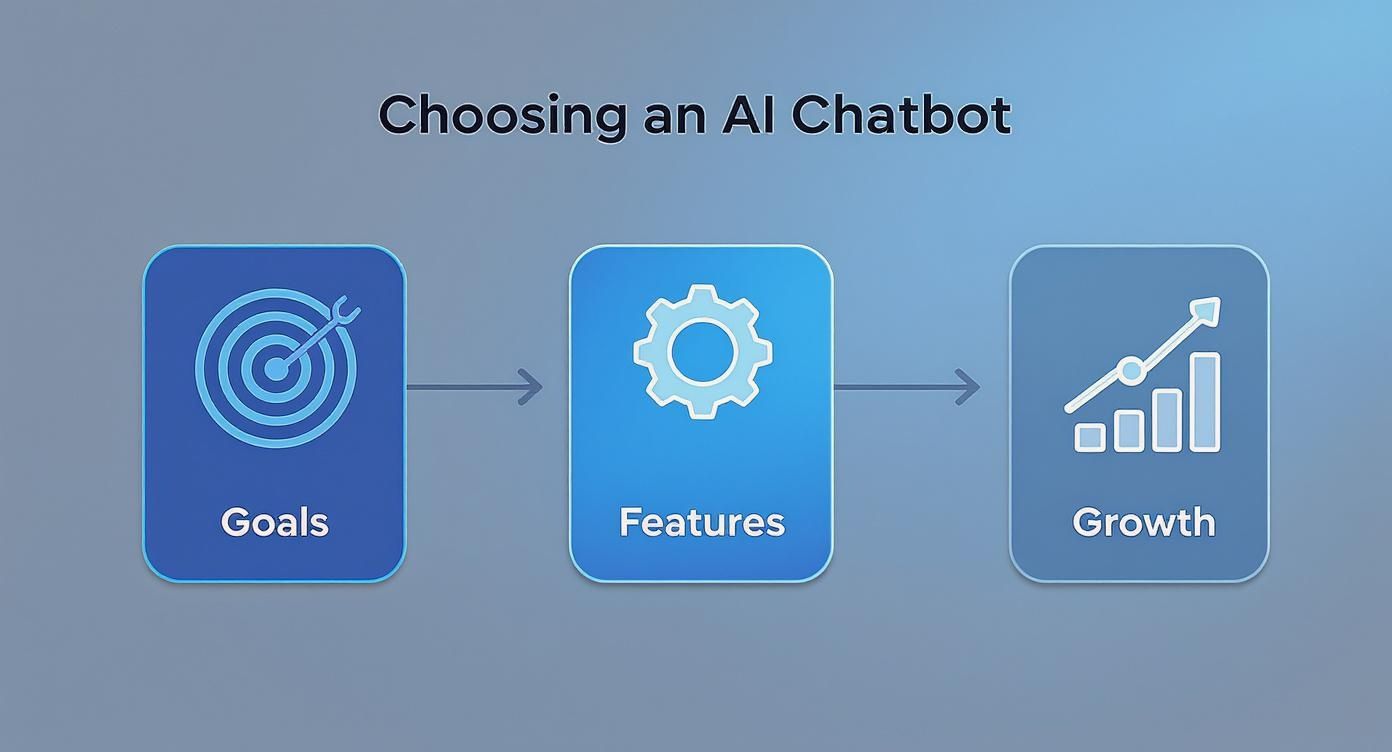
The visual makes it clear: a successful chatbot starts with clear business goals, which in turn help you decide which features you need to drive real growth.
Giving Your Chatbot a Library Card
An LLM knows a lot about the world in general, but it knows absolutely nothing about your business—your products, your shipping policies, or your specific customer issues. This is where a game-changing technology comes into play: Retrieval-Augmented Generation (RAG).
Think of it like this: you're giving your chatbot a library card with exclusive access to your company's private library. This library is filled with all your website content, product manuals, help docs, and FAQs.
RAG is the bridge that connects the chatbot’s powerful language brain (the LLM) to your specific, up-to-the-minute business knowledge. It finds the right document from your knowledge base before it even starts to write an answer.
This simple step transforms a chatbot from a generic conversationalist into a true expert on your business. When a customer asks about your return policy, a RAG-powered chatbot doesn’t just guess based on what it learned from the internet. It pulls up your actual return policy document and uses that to give a precise, accurate answer.
This is what makes an AI chatbot a tool you can actually rely on. If you want to get into the nitty-gritty, you can learn more about what Retrieval-Augmented Generation is and how it works in our detailed guide.
When you combine a powerful LLM, sharp NLP, and the business-specific context from RAG, you get something much more than an automated script. You get a smart, capable assistant that understands your customers and delivers information they can trust. This technological trio is the engine that drives the best AI chatbots on the market today.
Your Framework for Evaluating AI Chatbot Platforms
Knowing the tech is one thing, but actually picking the right platform for your website is a whole different ballgame. You need a solid framework to cut through the marketing fluff and see what each option truly offers.
This isn't about finding some mythical "perfect" tool. It's about creating a scorecard to see how different solutions stack up against what you actually need. This way, you end up with a partner that solves today's problems and can grow with you tomorrow.
The Quality of the AI Model Underneath
First things first: what’s powering the chatbot? The AI model is its brain, and it's the single most important factor. A platform built on a top-tier model from a major player like OpenAI, Anthropic, or Google has a massive head start in understanding what people are asking and giving helpful, natural-sounding answers. A weaker model will just sound robotic and get tripped up by anything more complex than a basic question.
When you're talking to vendors, ask them straight up which models they use. But don't just take their word for it—put it to the test. Throw some tricky, multi-part questions at it. Use your industry's specific jargon. See if it can handle the nuance or if it just gets confused.
The sheer amount of interaction with the big models gives you a clue about how robust they are. For instance, recent data shows ChatGPT saw roughly 46.59 billion visits over 12 months. That’s nearly half of all traffic to the top 10 AI chatbots combined. You can dig into more of this AI chatbot data on onelittleweb.com. This kind of real-world usage refines these models at a dizzying pace.
Customization and Brand Voice
Your chatbot is an extension of your brand, and it absolutely needs to sound like it. Nothing feels more jarring to a visitor than a generic, one-size-fits-all bot personality when they're used to your company's unique voice.
The best platforms give you real control over this. Look for features that let you:
- Define a personality: Can you tell the bot to be professional and direct? Or maybe a bit more witty and empathetic?
- Set communication rules: Are you able to provide specific guidelines, like topics to avoid or key phrases to use?
- Control the look and feel: Does the chat widget's design, color scheme, and branding actually match your website?
The goal is to create a seamless experience where the chatbot feels like a natural part of your team, not some clunky third-party add-on. That consistency is what builds trust and reinforces your brand with every single chat.
Ease of Training and Knowledge Management
A chatbot is only as smart as the information you feed it. This is where a technology called Retrieval-Augmented Generation (RAG) comes in, and it's a game-changer. You need a platform that makes it dead simple to upload and manage your knowledge base—all the documents, website pages, and FAQs the chatbot will use to find answers.
When you’re looking at how a platform handles training, ask yourself:
- What can I upload? Does it handle PDFs, text files, and Word docs? Even better, can it crawl and index your website content automatically?
- How easy is it to update? If you have to jump through hoops to remove outdated information, your bot will quickly become a liability.
- Can I see its work? Does the chatbot show you which source document it used to come up with an answer? This is crucial for troubleshooting and making sure it's accurate.
The easier it is to keep your bot's brain stocked with good, current information, the more helpful it will be. For a lot of businesses, the end goal is automating support, and a well-trained bot is the first—and most important—step. Our guide on the https://mxchat.ai/best-chatbot-for-customer-service/ dives deeper into this specific use case.
Integrations with Your Existing Tools
No business tool lives on an island. Your chatbot has to play nice with the software you already depend on every single day. Honestly, this might be one of the most critical factors, because the right integrations can turn a simple Q&A bot into a powerhouse of automation.
Before you commit, map out your must-have connections. Do you need your chatbot to:
- Create new leads in your CRM like Salesforce or HubSpot?
- Log support tickets in your helpdesk system like Zendesk or Freshdesk?
- Book demos on your sales team's calendar via a tool like Calendly?
- Sync up with your marketing automation platform to nurture new leads?
A platform with a library of pre-built, "no-code" integrations is a lifesaver, letting you connect your systems in just a few clicks. If key integrations are missing, you’ll just end up creating more manual work for your team, which completely defeats the point.
Feature Comparison of Leading Chatbot Platforms
To give you a clearer picture, let's see how some popular solutions stack up against these criteria. This table gives you a quick, at-a-glance comparison of a few different approaches to building an AI chatbot.
| Evaluation Criteria | Custom GPT Solution | Intercom | Tidio |
|---|---|---|---|
| Underlying AI Model | High (Direct access to latest models like GPT-4) | High (Uses proprietary models + GPT) | Medium (Uses a mix of proprietary and third-party models) |
| Customization & Brand Voice | Very High (Complete control over persona & rules) | High (Good personality and branding options) | Medium (Basic customization, more template-driven) |
| Training & RAG | High (Supports multiple file types and web crawling) | High (Mature knowledge base and content syncing) | Medium (Simple URL and text-based training) |
| Integrations | Medium (Relies on APIs like Zapier; requires some setup) | Very High (Extensive library of native integrations) | High (Good selection of popular app integrations) |
As you can see, there are trade-offs. A custom solution offers unparalleled control over the AI and voice, while platforms like Intercom and Tidio prioritize a massive library of ready-to-go integrations. Your best choice depends entirely on what you value most.
Putting Your AI Chatbot to Work in the Real World
Knowing the tech is one thing, but seeing how it actually solves problems is where the rubber meets the road. The best AI chatbot for your website isn't just a fancy tool; it's a tireless team member pulling shifts around the clock. Let's dig into how businesses are putting these bots to work and getting real results.
From taking routine tasks off your plate to actively driving sales, the applications are as practical as they are powerful. In every case, there's a clear return on investment, whether you're measuring it in time saved, new leads, or closed deals.
Automated Customer Support Around the Clock
One of the biggest and most immediate wins you'll see from an AI chatbot is 24/7 customer support. Your customers’ questions don’t stop when you clock out for the day. A chatbot acts as your first line of defense, ready to give instant answers to common questions.
Picture this: it's 11 PM on a Friday and a customer wants to track their order. Instead of them firing off an email and waiting until Monday morning for a reply, they can just ask the bot. The chatbot pulls the shipping status directly from your system and gives them an instant update. That kind of immediate fix makes for a great customer experience and slashes the number of support tickets your team has to wade through.
This frees up your support staff to handle the tricky, high-value problems that really do need a human touch. The bot handles the repetitive stuff, so your team can focus on building relationships.
Proactive Lead Generation That Never Sleeps
A static website just sits there, waiting for a visitor to make a move. An AI chatbot, on the other hand, can turn your site into an active lead-gen machine. By setting up proactive chat triggers, the bot can jump in and engage visitors at just the right moment.
For instance, if someone is spending more than a minute on your pricing page, they're probably interested. A chatbot can pop up with a friendly, "Have any questions about our plans? I can help you find the right fit or even book a quick demo for you."
The chatbot can then ask a few qualifying questions, grab their contact info with an in-chat form, and even sync with a calendar to book a meeting with your sales team. All of this happens automatically. It’s a game-changer that turns passive browsing into active sales opportunities.
Personal Shopping Assistant for E-commerce
In the e-commerce world, a chatbot can be a super-knowledgeable personal shopper. It walks customers through their buying journey, helping to boost both your conversion rate and the average amount they spend.
When a customer lands on a product page, the chatbot can offer to help, suggest other items that go well with it, or answer specific questions about materials and sizing. It's also great for handling those common logistical questions that often cause people to abandon their carts.
Here’s a quick look at how an e-commerce chatbot adds real value:
- Answering Shipping Questions: "How long does shipping to California take?" The bot can give an accurate answer on the spot based on your shipping rules.
- Finding Products: A customer might type, "I'm looking for waterproof hiking boots," and the chatbot can immediately show them the best options from your catalog.
- Clarifying Return Policies: It can quickly explain your return process, which builds trust and removes a major roadblock to making a purchase.
By giving helpful answers in a snap, the chatbot keeps customers moving smoothly toward the checkout. These are just a few examples, and you can find a more extensive breakdown of different chatbot use cases that might be a good fit for your business. When you get the implementation right, your website becomes a much more interactive and profitable channel.
Putting Your Chatbot to Work: A Step-by-Step Guide
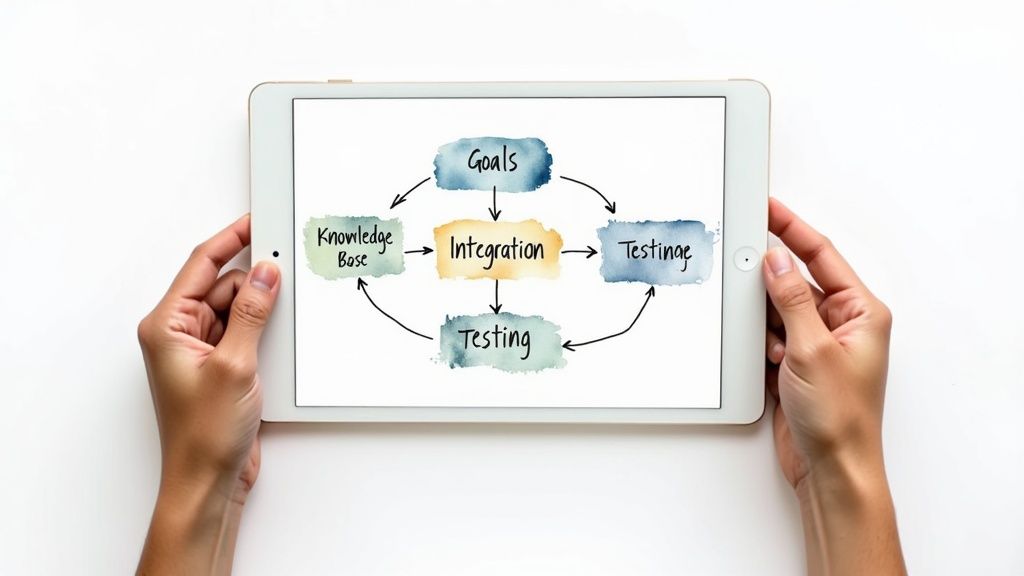
You’ve picked the perfect platform—great! But the real magic happens during implementation. Getting the best AI chatbot live on your site isn't just about flipping a switch. It’s a thoughtful process that ensures your new digital team member actually delivers.
Think of it like adding a new room to your house. You don't just start hammering boards together without a solid plan. You need a blueprint, the right materials, and a clear vision for how you'll use the space. The same idea applies here.
Start with Clear, Measurable Goals
Before you touch any settings or upload a single document, you need to define what success actually looks like. A fuzzy goal like "improve customer service" is a recipe for disappointment because you can't measure it. Instead, get specific with quantifiable targets that link directly to business results.
Make your goals concrete. For instance:
- Cut down on support tickets about shipping by 40% in the next three months.
- Boost qualified leads from the website by 25% this quarter.
- Get to an 85% first-contact resolution rate for common questions.
These sharp, specific goals become your North Star. They guide every decision you make during setup and give you a clear way to measure the chatbot's ROI down the road.
Get Your Knowledge Base in Order
Your chatbot is only as smart as the information you feed it. This step is all about building its "brain" with a rock-solid knowledge base. Don't just throw a bunch of random files at it and cross your fingers. An organized, high-quality knowledge base is the secret to an accurate and truly helpful bot.
Start by gathering all your existing resources—FAQs, help center articles, product manuals, even internal training guides. Sort everything into logical categories and, most importantly, make sure it’s all current and accurate.
The quality of your chatbot's answers is a direct reflection of your source material. Clean, precise, and well-structured content is non-negotiable if you want a bot that customers will actually trust.
Connect Your Chatbot to Your Workflow
Now for the technical part, which is usually easier than you’d think. Most platforms give you a small snippet of code to paste into your website’s header, and just like that, the chat widget appears.
The real power, however, is unleashed when you connect the chatbot to the other tools you use every day. By integrating it with your CRM, it can create new leads automatically. Hook it up to your helpdesk, and it can log complex support issues for your human team. Connect it to your e-commerce platform, and it can look up order statuses in real-time. This is what turns a simple Q&A bot into an automated workhorse. If you're new to this, our guide on how to build a chatbot is a fantastic starting point.
Test, Tweak, and Test Again
The final step is also the most critical, and it never really ends: training and testing. Kick things off by asking your bot the most common questions you get from customers. Scrutinize its answers. Are they accurate? Is the tone right? Are they genuinely helpful?
Dive into the platform's analytics to see where the bot is fumbling. If it’s giving weak answers about your return policy, you know exactly which document in your knowledge base needs a refresh. Get your whole team involved in this. Have your sales, support, and marketing folks pepper it with questions. They know your customers better than anyone and will spot gaps or awkward phrasing in a heartbeat.
The 6 Best AI Chatbots for Websites in 2026 (Ranked)
Frameworks help you decide. But sometimes you just want a shortlist of tools that actually work — with the trade-offs spelled out. Here’s a ranked rundown of six AI chatbots that hold up under real website conditions in 2026. We’ve used or evaluated every tool below; the ordering reflects fit for the broadest set of website owners, not raw enterprise scale.
If you're specifically after human-staffed live chat rather than AI automation, our roundup of the 11 best live chat plugins for WordPress covers that category separately.
1. MxChat — Best for WordPress Site Owners on a One-Time Budget
MxChat is a WordPress-native AI chatbot plugin that runs entirely from your wp-admin. You point it at your pages, documentation, or PDF library; it trains a custom assistant that answers visitor questions in your brand voice. The differentiator isn’t the AI — most modern chatbots use comparable LLMs — it’s the licensing. You pay once and own the plugin; there is no per-conversation or per-seat meter.
- Best for: WordPress site owners who want a self-hosted AI chatbot without a SaaS subscription.
- Strengths: Lifetime license ($69.97 one-time), unlimited bots and conversations, full data ownership, supports OpenAI/Anthropic/local LLMs.
- Limitations: WordPress-only, no native mobile-app SDK, smaller ecosystem of third-party integrations vs. Intercom.
- Pricing: $69.97 one-time. See plans.
2. Intercom Fin — Best for Enterprise Support Teams
Intercom’s Fin is the most mature AI agent in the customer-support category. It plugs into a deep, expensive product suite — help center, ticketing, in-app messaging — and resolves a meaningful share of support volume autonomously. If you’re already running Intercom, Fin is the obvious upgrade. If you’re not, the price of entry is steep.
- Best for: Mid-market and enterprise teams with established support workflows.
- Strengths: Best-in-class help-center ingestion, mature ticket routing, granular reporting.
- Limitations: Per-resolution pricing climbs fast; full value requires the broader Intercom suite.
- Pricing: $0.99 per Fin resolution on top of an Intercom seat plan (from ~$39/seat/mo).
3. Tidio — Best for Small E-commerce Stores
Tidio bundles live chat, email, and an AI chatbot into one polished widget aimed at Shopify and WooCommerce stores. The Lyro AI agent handles a usable share of pre-purchase questions out of the box. For a sub-50-employee retailer who needs “good enough” automation without configuring much, it’s a solid starter.
- Best for: Small e-commerce stores that want chat + AI in one tool.
- Strengths: Quick setup, generous free tier, native Shopify integration.
- Limitations: Lyro conversation cap on lower tiers, AI quality dips on technical or long-tail questions.
- Pricing: Free tier; Lyro AI starts at ~$29/mo.
4. Drift — Best for B2B Sales and Conversational Marketing
Drift is built around conversational marketing — qualifying inbound leads, routing them to the right rep, and booking meetings inside the chat. The AI is a means to that funnel, not a generalist Q&A bot. For B2B SaaS sites where the chatbot’s job is “convert traffic into pipeline,” Drift is still the category-defining tool.
- Best for: B2B SaaS and high-ticket service businesses focused on lead conversion.
- Strengths: Strong Salesforce/HubSpot integration, meeting-booking workflows, ABM playbooks.
- Limitations: Overkill (and overpriced) for support-only use cases; pricing is “contact sales.”
- Pricing: Quote-based, typically $2,500+/mo for the full platform.
5. Chatbase — Best for Training a Chatbot on Your Documentation
Chatbase has carved out a niche as the easiest way to spin up a GPT-powered assistant trained on a website, PDF library, or knowledge base. You feed it sources, it produces an embeddable widget. The tooling is more developer-friendly than turnkey-business-friendly — but for technical teams who want a quick custom assistant, it’s hard to beat the setup time.
- Best for: Technical teams and SaaS docs sites that need a custom-trained bot fast.
- Strengths: Excellent retrieval over uploaded content, clean API, multi-source training.
- Limitations: No native live-chat handoff, message credits cap on lower tiers.
- Pricing: Free trial; paid plans from $19/mo.
6. Zendesk Answer Bot — Best for Existing Zendesk Customers
Answer Bot lives inside Zendesk’s broader support platform and surfaces help-center articles in chat, email, or web messaging. It’s not the most ambitious AI on this list — it’s a deflection layer that works well when your knowledge base is well-maintained. The case for Answer Bot is almost entirely “we already pay Zendesk; turn this on.”
- Best for: Teams already running Zendesk Support or Suite.
- Strengths: Tight integration with Zendesk tickets, predictable behavior, low setup overhead.
- Limitations: Article-surfacing model is less conversational than newer LLM bots; standalone value is thin.
- Pricing: Bundled with Zendesk Suite Professional ($115/agent/mo) and above.
None of these tools is universally “best.” A WordPress consultant who hates subscriptions, a Series-B SaaS company chasing pipeline, and a Shopify boutique each end up on different rows of this list. Match the tool to the job; ignore the ranking once you know which row is yours.
Got Questions? We've Got Answers.
When you're thinking about adding an AI chatbot to your site, a few key questions always come to mind. Let's break down the practical stuff—cost, capabilities, and how to keep it running smoothly—so you can make the right call for your business.
We'll tackle the most common questions we hear from business owners just like you.
How Much Is This Going to Cost Me?
There’s no single price tag for an AI chatbot, which is actually a good thing. The pricing models are designed to fit different needs and scales.
- Monthly Subscriptions: This is the most common route. You'll find tiered plans based on how many conversations you need and what features you want. A small business can easily get started for $50 to $150 per month, while larger companies with heavy traffic might see plans in the thousands.
- Pay-As-You-Go: Some tools charge you based on what you actually use—think per message or per API call. This is perfect if your traffic fluctuates because you're only paying for the activity you generate.
The trick is to find a platform that grows with you. You want a cost structure that makes sense today and won't break the bank when you get that next big wave of customers.
One of the biggest myths is that AI chatbots are only for enterprise giants. That's old news. With modern no-code platforms and flexible pricing, even a one-person shop can set up a powerful bot without needing a huge budget.
Will an AI Chatbot Replace My Human Support Team?
Honestly? No. And you wouldn't want it to. The goal here isn't replacement; it's about making your human team even better.
Think of your chatbot as the ultimate front-line support agent. It's a master at handling the endless stream of simple, repetitive questions that tie up your team's day. Things like "What are your hours?" or "Can I track my order?" get answered instantly, 24/7.
This frees up your real-life experts to focus on the tricky, sensitive, or high-stakes conversations where a human touch really matters. The bot handles the noise, so your team can handle the nuance.
Can I Train an AI Chatbot on My Website Content?
Yes — and honestly, you should. Modern AI chatbots use a technique called retrieval-augmented generation (RAG) to read your pages, documentation, PDFs, or a help center, then answer visitor questions grounded in that material instead of making things up. Most tools on this list (MxChat, Chatbase, Intercom Fin, Tidio Lyro) support some flavor of this. The setup is usually pointing the bot at a sitemap or uploading files; it does the rest.
Two things to watch: the chatbot is only as accurate as the content you give it (so prune outdated pages first), and re-train it whenever you ship a meaningful content change so it doesn't quote a page that no longer exists.
Which AI Chatbot Is Best for High-Traffic Websites?
For genuinely high-traffic sites (millions of monthly sessions), the bottleneck shifts from AI quality to operational reliability — uptime, queueing, and per-message cost. Intercom and Drift are the proven options at that scale; both have enterprise SLAs and predictable performance under spiky load. If you're on WordPress and want self-hosted control instead of paying per resolution, MxChat works at high traffic too, but the cost of underlying LLM API calls becomes the variable to budget for (not the plugin itself).
Below ~500K monthly visits, scale isn't the constraint. Pick the tool that matches your use case — support, sales, or e-commerce — and worry about throughput later.
How Do I Keep the Chatbot From Going Rogue and Saying Weird Things?
A chatbot is only as good as the information it's built on. Keeping it accurate and on-brand comes down to two things: a solid foundation and a little ongoing TLC.
First, you need a clean, well-organized knowledge base. This is the brain of your chatbot. The better the info you feed it, the smarter it becomes.
Second, use the customization tools to give it a personality. You can tell it to be professional and direct, or friendly and fun. This ensures every word it types sounds like it’s coming from your brand. And don't forget to peek at the chat logs every now and then—it's the quickest way to spot where it might be stumbling and make a quick fix.
Ready to put a smart, on-brand assistant to work on your WordPress site? MxChat lets you build unlimited AI chatbots, each with its own custom knowledge and personality, all for a one-time price. Start automating your support and capturing more leads today!