

WordPress Lead Generation Plugins to Grow Your Business
Think of a WordPress lead generation plugin as the tool that turns your website from a passive online brochure into an active, 24/7 sales assistant. At its core, it’s designed to add features like popups, contact forms, and other interactive elements that give your visitors a reason—and a way—to connect with you.
It's all about converting those anonymous visitors into real, engaged leads you can build a relationship with.
Why Your Website Needs a Lead Generation Plugin

Picture your website as a busy retail shop. People are constantly walking in, browsing, and then walking right back out. Without a way to interact, you'll never know who they were or if they might have become a great customer. That's what happens on most websites—potential leads arrive and leave without a trace.
A good lead generation plugin acts like your store's most skilled employee. It doesn't just wait for people to ask for help; it proactively offers them something of value. It might be a helpful guide, an exclusive discount, or a spot on your newsletter list, all in exchange for their email address.
The whole point of a lead generation plugin is to stop losing potential customers. It gives your site the tools to systematically engage visitors and build a list of people who are genuinely interested in what you do.
This simple exchange transforms your website from a one-way street into a two-way conversation. You're no longer just broadcasting a message; you're inviting people to connect.
The Power of Proactive Engagement
Let's be honest, leaving it up to visitors to find your contact page and reach out is a passive strategy that leaves a lot of opportunities on the table. A well-chosen plugin automates this entire process, working around the clock to capture interest when it’s highest.
The impact is immediate and measurable:
- Build Your Email List: You'll grow a list of engaged subscribers you can market to directly, which is far more effective than just hoping they remember to come back.
- Increase Conversions: More of your hard-earned traffic turns into actual, qualified leads for your sales team to follow up on.
- Automate Marketing: Most plugins connect directly to email marketing services, letting you nurture new leads on autopilot from the moment they sign up.
- Gather Customer Insights: Every interaction is a chance to learn more about what your audience wants and needs.
To give you a sense of scale, WordPress powers a staggering 43.4% of all websites globally as of 2025. That’s a massive market, and tools like WPForms, with over 6 million active installations, prove just how essential this function is for businesses of all sizes. You can find more stats on the growth of lead generation tools on SeedProd.com.
Core Functions of Lead Generation Plugins
To break it down even further, here’s a quick look at the primary jobs these plugins do for your website.
| Function | What It Does for Your Site | Real-World Example |
|---|---|---|
| Capture Forms | Adds various types of forms (contact, signup, surveys) to collect visitor information. | A "Subscribe to Our Newsletter" form in your blog's sidebar. |
| Popups & Overlays | Displays targeted offers or messages that grab a visitor's attention at key moments. | An exit-intent popup offering a 10% discount when a user tries to leave the site. |
| Gated Content | Requires visitors to provide their email address to access valuable content like an ebook or webinar. | A "Download Our Free Guide" button that reveals a form before the download starts. |
| Integration | Connects your website to other essential tools like CRMs and email marketing platforms. | Automatically adding a new lead from a form into your Mailchimp or HubSpot account. |
| Analytics & A/B Testing | Tracks form performance and lets you test different versions to see what converts best. | Testing two different headlines on a popup to see which one gets more signups. |
Ultimately, a lead generation plugin is much more than just a fancy form builder. It’s a complete system for building a sustainable growth engine for your business, right from your WordPress dashboard.
And for those looking to take engagement a step further, it's worth exploring the benefits of chatbots for business engagement, which can work hand-in-hand with these more traditional lead capture methods.
Decoding the Features of a Top-Tier Plugin

Let's be honest, not all lead generation plugins are created equal. A lot of them can slap a basic contact form on your site, but the truly great ones are packed with features designed to actively grow your business. Knowing what to look for is the key to choosing a plugin that becomes a real asset, not just another piece of software you have to manage.
Think of it this way: a basic plugin is like a simple fishing net. You can toss it in the water, but you have very little control over what you catch. A top-tier plugin, on the other hand, is like a fully-equipped fishing boat with sonar, specialized bait, and automated systems. It helps you find exactly the right fish and bring them in efficiently.
At the core of any good plugin is an intuitive builder. The best tools today come with drag-and-drop editors, which let you create professional-looking forms, popups, and notification bars without having to touch a single line of code. This is a game-changer because it puts the power directly in the hands of marketers and business owners, letting you launch and tweak campaigns on the fly.
Advanced Targeting and Personalization
Creating the form is just the first step. The real magic happens when you can control how it appears to your visitors. This is where advanced targeting rules come in, and they're the secret sauce that separates an annoying, generic popup from a genuinely helpful and effective offer.
The best plugins give you a ton of control, letting you set specific conditions for when and where your forms show up. This means you can get the perfect offer in front of the right person at exactly the right moment.
Here are some of the most common—and powerful—targeting options:
- Exit-Intent Technology: This is a classic. The plugin detects when a visitor’s mouse is heading for the "back" or "close" button and triggers a last-ditch offer, like a discount or a free guide. It’s surprisingly effective.
- Page-Level Targeting: You can display a form only on specific pages. For instance, a signup form for your "Beginner's SEO Guide" could be set to appear only on your SEO-related blog posts.
- Time on Page: You can have a popup or slide-in appear only after someone has been on the page for, say, 30 seconds. This ensures you're only engaging people who are already interested in your content.
- New vs. Returning Visitors: It's smart to greet first-time visitors with a special introductory offer while showing something different to your loyal, returning users.
When you tailor the experience like this, your offers feel relevant and helpful instead of intrusive. A well-timed, targeted message can make a massive difference in your conversion rates.
A plugin without robust targeting is like a salesperson shouting the same pitch to every single person who walks into a store. Personalization lets you speak directly to a customer's specific needs, which makes them far more likely to actually listen.
Seamless Integrations and Automation
Your job isn't done once you've collected an email address. A truly crucial feature is the plugin's ability to seamlessly connect with the other marketing tools you're already using, like your email marketing service or CRM.
This kind of automation is a huge time-saver. When a new lead signs up, the plugin should automatically push their contact info to services like Mailchimp, HubSpot, or ConvertKit. The impact is significant: data shows that 34% of marketers see an increase in leads just from this type of automation. You can see a great breakdown of the best lead generation tools for WordPress on WPForms.com.
Finally, you absolutely need built-in analytics and A/B testing. These features give you the hard data to see what’s working and what’s falling flat. You can test different headlines, calls-to-action, or form designs to find out which version brings in more leads, allowing you to constantly fine-tune your strategy for better results. For an even bigger boost, you can combine these features with other tools; check out our guide on how to enhance your site with a WordPress chatbot plugin.
Choosing the Right Plugin for Your Business
With literally thousands of WordPress lead generation plugins out there, trying to pick the right one can feel overwhelming. It's easy to get lost in a sea of features and fancy promises. The secret? Start with your goal, not the tool. Your main objective is your north star, guiding you through every other decision.
Before you even start browsing, ask yourself one simple question: What do I really want visitors to do on my site? Are you trying to get more people on your newsletter list? Book consultations? Or are you hunting for highly-qualified sales leads? Each of these goals calls for a different kind of plugin. A simple tool built for newsletter sign-ups probably won't cut it if you need a detailed form for complex sales inquiries.
Align Your Budget with Your Goals
Once you know what you're trying to achieve, it's time to talk money. This usually boils down to the classic free vs. premium debate, but the answer isn't always obvious.
Free Plugins: These are fantastic when you're just starting out or if your needs are pretty straightforward. If all you need is a basic contact form or a simple email signup, a free tool like the lite version of WPForms is a perfect fit. Just know that you'll likely miss out on advanced features like smart targeting, A/B testing, and critical integrations with other marketing software.
Premium Plugins: Think of a paid plugin as an investment in your company's growth. You unlock powerful features like exit-intent popups that capture leaving visitors, deep analytics to see what's working, and smooth connections to your CRM. If generating leads is central to how your business makes money, the ROI on a premium plugin almost always makes the cost worth it.
Here’s an analogy: a free plugin is like a basic fishing rod. A premium one is a fully-equipped boat with a fish-finder. Both can catch fish, but one is clearly built to bring in a much bigger haul.
Consider Technical Skill and Long-Term Needs
Next, be honest about your team's tech-savviness. The best plugins today come with intuitive drag-and-drop builders that let you create beautiful forms without touching a single line of code. It doesn't matter how powerful a tool is; if it's too complicated for your team to use, it'll just end up collecting digital dust.
When you pick a plugin, you're making a long-term commitment. Make sure you choose a tool that feels easy and intuitive right from the start. A user-friendly interface means you can launch, test, and tweak campaigns on the fly without waiting for a developer.
Finally, look ahead. Is this a plugin that can grow with you? You want something scalable, with a solid reputation for great customer support. Because trust me, you will have questions at some point, and having a responsive support team to help you out is priceless. Thinking about these long-term factors ensures the plugin you choose becomes a real asset, not just another piece of software you have to manage.
Understanding Different Types of Lead Generation Tools
Lead generation isn't a one-size-fits-all game. It’s more like a fishing trip—you wouldn't bring a massive net meant for tuna if you're trying to catch tiny minnows. The same logic applies to your website. The best WordPress lead generation plugins come packed with a variety of tools, each one designed for a specific purpose and a specific type of visitor.
Getting a handle on this variety is the first real step toward building a strategy that actually works. Instead of just slapping a single contact form on your site and hoping for the best, a smart approach mixes and matches different lead capture methods to engage people at just the right moment.
This diagram helps visualize how to pick the right plugin. It all starts with your main goal, which then points you toward the tools you'll need.
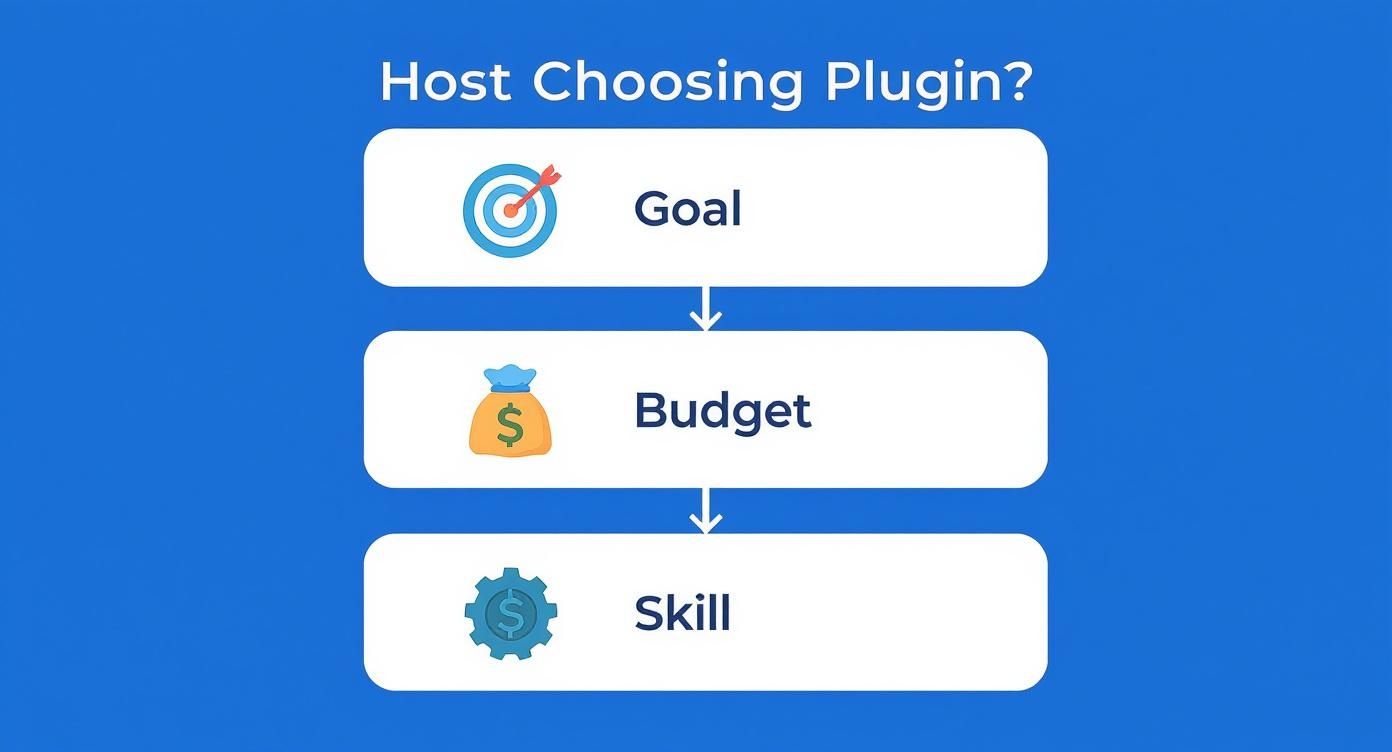
As you can see, your core objective should always be the starting point. It dictates which features are just nice-to-haves and which ones are absolutely critical for your success.
Foundational Tools for Every Website
Let's start with the basics. Every website, no matter how simple, needs a way for people to raise their hands and say, "I'm interested."
- Contact Forms: These are the absolute workhorses of lead generation. You'll find them on "Contact Us" pages or tucked into footers, offering a straightforward way for potential customers to ask a question or request a quote. They're reliable and expected.
- Newsletter Signup Forms: Perfect for sidebars or the end of a blog post, these are your primary tool for building an email list. They help turn casual passersby into a loyal audience you can connect with over time. For many, this is ground zero, and you can learn more about the best plugins for this right here: https://mxchat.ai/top-3-best-plugins-for-newsletter-wordpress-a-comprehensive-guide/
Think of these tools as non-negotiable. They're the digital equivalent of having a phone number and a front door for your business.
High-Impact and Dynamic Tools
Once your foundation is solid, it's time to get a bit more proactive. Dynamic tools are all about capturing attention at key moments, and they can make a huge difference in your conversion rates when you get the timing right.
Key Insight: The point of dynamic tools isn't to annoy people. It's to enhance their experience by making a relevant offer at the perfect time. When you do that, it stops feeling like an interruption and starts feeling like a helpful suggestion.
Here are a few of the most effective types:
- Popups and Slide-ins: These are triggered by what a visitor does—like moving their mouse to leave the page (exit-intent), scrolling down a certain percentage, or just hanging out for a while. A well-timed popup offering a 15% discount can be the nudge a hesitant shopper needs to finally make a purchase.
- Landing Page Builders: These let you create super-focused, distraction-free pages for specific marketing campaigns. Imagine you're running a webinar. A dedicated landing page strips away the main navigation and focuses only on the event details and a registration form to maximize signups.
- Floating Notification Bars: You’ve seen these—the sticky bars at the top or bottom of a site. They’re perfect for time-sensitive announcements like a flash sale or a new feature launch. They get the message across without being too in-your-face.
- Interactive Quizzes and Surveys: People love these. A real estate site could use a "What's Your Dream Home Style?" quiz to capture leads. In exchange for a fun, personalized result, visitors are happy to provide their email address.
The power of these tools is multiplied by the sheer size of the WordPress ecosystem. With WordPress projected to hold a 62.6% market share of all content management systems by 2025, the demand for great lead generation tools is only growing.
To see how these different tools look in action, it's always a good idea to check out some high-converting lead generation form examples.
To make the decision a little easier, here's a quick breakdown of the different plugin types and what they're best used for.
Comparing Lead Generation Plugin Types
This table gives a bird's-eye view of the main plugin categories, helping you match the right tool to your marketing goals.
| Plugin Type | Primary Use Case | Best For | Example Tool |
|---|---|---|---|
| Simple Form Builders | Basic contact and signup forms. | Websites needing a reliable, no-frills way to collect inquiries. | Contact Form 7 |
| Advanced Form Builders | Multi-step forms, quizzes, surveys, and conditional logic. | Businesses that need to qualify leads or collect detailed information. | Gravity Forms |
| Popup & Opt-in Tools | Popups, slide-ins, and notification bars. | Driving email signups and promoting time-sensitive offers. | OptinMonster |
| Landing Page Builders | Creating standalone campaign pages. | Marketing campaigns (webinars, ebooks) that need high conversion rates. | Elementor Pro |
| All-in-One Suites | A combination of forms, popups, and landing pages. | Marketers who want a single, integrated solution to manage everything. | HubSpot |
Ultimately, the "best" plugin is the one that aligns with what you're trying to achieve. A small blog might only need a simple form builder, while a fast-growing e-commerce store will likely need an all-in-one suite to keep up.
Your Strategy for Capturing More Leads
Having one of the best WordPress lead generation plugins is like owning a high-performance sports car. It's packed with potential, but you still need a skilled driver and a clear map to win the race. A powerful tool is just the start; your strategy is what turns that potential into a steady stream of new leads.
The heart of any solid lead generation plan is the lead magnet. This is the valuable "thing" you offer someone in exchange for their email address. It doesn’t need to be some monumental effort, but it absolutely must solve a real problem for your audience. Think of it as a compelling trade—their contact info for your expertise.
Crafting an Irresistible Offer
Your lead magnet has to be genuinely useful. Let's be honest, a generic "subscribe to our newsletter" CTA just doesn't cut it anymore. Instead, you need to offer something specific and high-value that your ideal customer would be excited to get their hands on.
Some of the most effective lead magnets I've seen include:
- Checklists: A simple, actionable list that helps people get something done.
- Ebooks or Guides: A deeper dive into a topic your audience is passionate about.
- Exclusive Discounts: A coupon code for a first purchase is a classic, powerful incentive for e-commerce.
- Webinar Access: A free training session is a fantastic way to showcase your knowledge and build authority.
Once you’ve created an offer people can't refuse, you have to make sure they actually see it. This means strategically placing your forms where your most engaged visitors are already hanging out. High-traffic spots like your homepage, popular blog posts, and the sidebar are great places to start for maximum visibility.
Your strategy isn't just about what you offer but where and how you offer it. The right form in the right place can dramatically increase your sign-up rate by meeting visitors at their point of highest interest.
Mastering the Call-to-Action and Follow-Up
The Call-to-Action (CTA) is the button or link that tells the user what to do next. This is where your copywriting skills really shine. Use clear, action-oriented language that tells visitors exactly what they're getting. Ditch the boring "Submit" and try something like "Download Your Free Guide" or "Get My 15% Discount."
Finally, the job isn't done once you've captured the lead. The follow-up is where you start building a real relationship. It's crucial. Set up an automated welcome email that delivers the lead magnet immediately and introduces your brand. This first interaction sets the tone for everything that follows and begins the process of nurturing that new lead into a loyal customer.
To get more ideas, you can explore these proven lead generation strategies that can really boost your pipeline. For more advanced techniques, you can also learn how to boost conversions with chat funnels and MXChat to further automate and personalize your follow-up.
Got Questions About Lead Generation Plugins? We’ve Got Answers
Stepping into the world of WordPress lead generation plugins can feel a bit overwhelming at first. You've probably got a few questions swirling around, from how they affect your site's speed to whether they'll just annoy your visitors. Let's clear the air and tackle some of the most common concerns people have.
Will a Lead Generation Plugin Slow Down My Website?
This is probably the #1 question on everyone's mind, and for good reason. Site speed is everything for both user experience and your Google rankings. The short answer? It all comes down to the quality of the plugin you choose.
A well-built, lightweight plugin is designed with performance in mind and will barely make a dent in your load times. On the flip side, a clunky or bloated plugin can load up your site with messy code that makes everything grind to a halt. The key is to stick with reputable plugins known for being lean and efficient.
Am I Going to Annoy My Visitors with Popups?
Nobody likes landing on a website and immediately getting hit with a popup that blocks the whole screen. It’s a huge concern, but it’s also completely avoidable. The secret lies in using the plugin's targeting features thoughtfully.
The best tools give you incredible control over when and where your forms show up. This is the difference between an intrusive ad and a genuinely helpful offer.
Here’s how you can make your forms a welcome sight, not a nuisance:
- Use Exit-Intent: This is a game-changer. It shows your offer only when a visitor’s cursor moves toward the exit button, giving you one last chance to connect.
- Set a Time Delay: Let people get a feel for your page first. Waiting 30 seconds before displaying a form ensures you're engaging with someone who is already interested.
- Target Specific Pages: Show a special offer for your new e-book only on relevant blog posts, not on your homepage or contact page.
The goal is to make your offers feel like a natural part of the browsing experience, not an obstacle. Smart targeting turns a potential annoyance into a valuable, context-aware interaction that actually helps the visitor.
What Happens If I Run Into a Technical Problem?
Sooner or later, something will go wrong—a form might break after an update, or a feature won't work quite right. This is precisely when you’ll be glad you chose a plugin with solid customer support, especially if you're paying for it.
Before committing, look for plugins with a strong reputation for having responsive and helpful support teams. A quick scan of user reviews will tell you a lot about what to expect. A great support team can save you hours of headaches and keep your lead generation efforts running without a hitch.
Lastly, you might be wondering what separates a dedicated lead generation plugin from a simple contact form tool like Contact Form 7. While a basic contact form is perfect for your "Contact Us" page, a true lead generation plugin is an entire marketing system. It's packed with features like A/B testing, detailed analytics, and deep integrations with your email marketing tools—all designed to actively grow your business, not just field messages.
Ready to turn your website into a lead-capturing machine without the technical headaches? MxChat offers a powerful, no-code AI chatbot builder that integrates seamlessly with your WordPress site. Capture leads, automate support, and increase conversions with an intelligent assistant that works 24/7. Explore what MxChat can do for you.


