
11 Best Live Chat Plugins for WordPress 2025 (Paid & Free)
11 Best Live Chat Plugins for WordPress 2025 (Paid & Free)
To make your website successful, you need to connect with customers faster and more effectively. But you already know that. What you probably didn’t realize is that there are over 2,000 WordPress chat plugins to choose from.
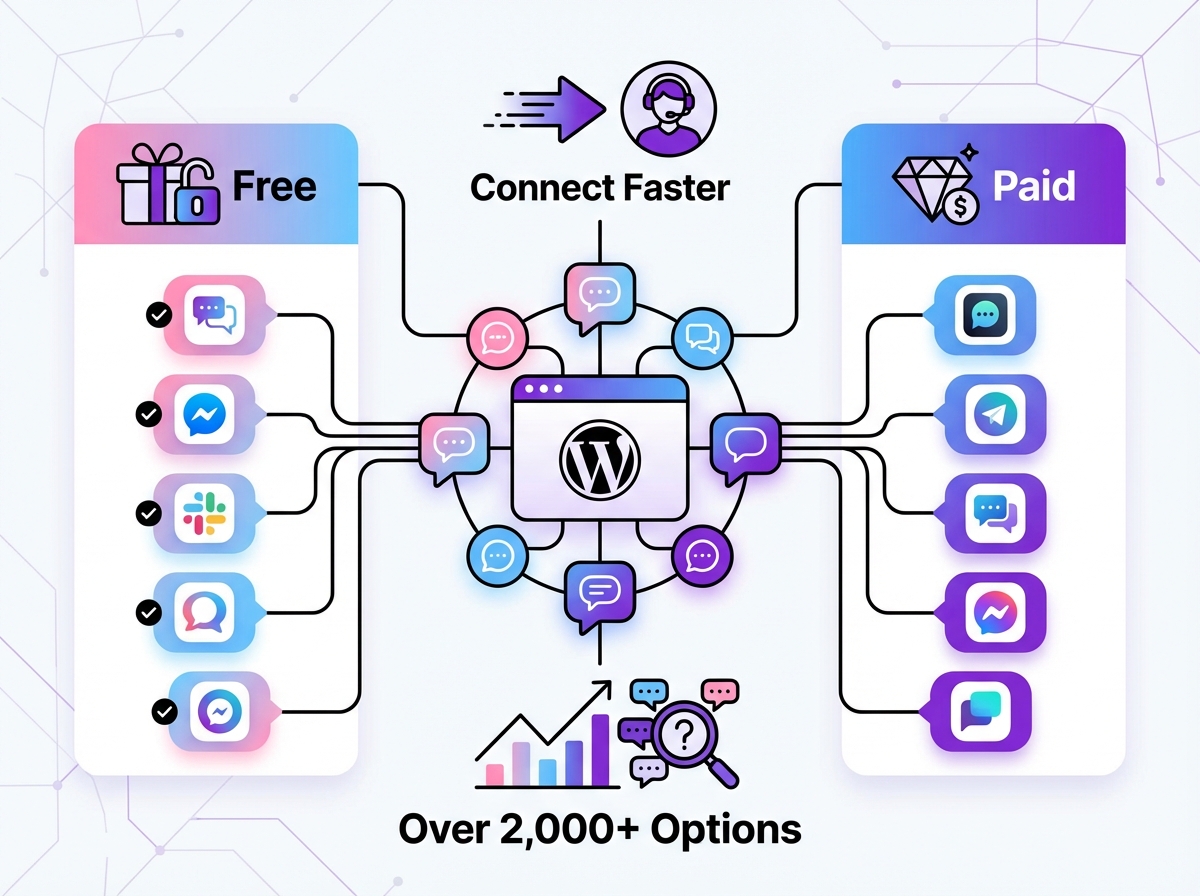
Which one is right for you? How do you separate the powerful tools from the outdated ones without spending weeks testing them?
To save you time, we’ve created the definitive list of the top eleven live chat plugins for WordPress, comparing their features, pricing, and unique strengths. You can easily decide which one suits your business best without sifting through hundreds of options.
Benefits of Adding a WordPress Live Chat Plugin
Before we dive into the list, let’s quickly cover why installing a chat plugin is one of the smartest moves you can make for your website. Live chat makes communication with customers instant and convenient, which directly translates into tangible business growth.
- Boost Sales and Conversions: Answer pre-sale questions in real-time, guide users to the right products, and address concerns that might otherwise lead to cart abandonment. 44% of online shoppers say that having questions answered by a live person during a purchase is a must-have feature.
- Improve Customer Satisfaction: Don’t make customers wait for an email response. Instant support shows you value their time, leading to higher satisfaction rates and stronger loyalty.
- Gain a Competitive Edge: While live chat is a customer-favorite feature, less than 3% of WooCommerce stores currently use a chat plugin. Installing one immediately puts you ahead of the competition and marks you as a customer-centric brand.
- Automate Support with AI: Modern plugins do more than just connect you to a visitor. They can deploy AI-powered chatbots to handle common questions 24/7, capture leads, and free up your human agents to focus on complex issues.
A List of the Best Chat Plugins for WordPress
We’ve analyzed dozens of plugins based on ease of use, feature set, AI capabilities, pricing, and overall value. Here’s our definitive ranking for 2025.
1. MxChat
Best for AI-Powered Automated Support & Lifetime Value
MxChat isn’t just another live chat window; it’s a complete, no-code AI customer support agent for your WordPress site. Designed for businesses that want to provide intelligent, 24/7 support without the high cost of a full-time team, MxChat stands out by leveraging your own website content to deliver accurate, contextual answers.
It uses advanced Retrieval-Augmented Generation (RAG) technology, combining your knowledge base, product pages, and blog posts with powerful AI models like GPT-4, Claude 3, and Gemini. This means the chatbot provides answers grounded in your specific business information, not generic responses. You can deploy a fully trained agent in minutes, ready to automate customer support and sales around the clock.
Key features like the multi-bot manager allow you to create different chatbots for different departments (e.g., sales, technical support) with dedicated knowledge bases. The deep WooCommerce integration provides AI-powered product recommendations and order tracking, turning your chat into a sales machine. When a human touch is needed, the seamless live agent handoff ensures customers are never left hanging. Perhaps its most compelling feature is the pricing: a one-time payment gives you lifetime access, eliminating the recurring monthly fees that define every other tool on this list.
- Rating: 5/5 ⭐️ on WordPress.org
- Best For: Small to medium-sized businesses, e-commerce stores, and anyone looking for a powerful, one-time purchase AI solution without monthly fees.
- Pricing: A fully functional free plan is available. The premium version costs a one-time payment of $69.97 for lifetime access.
2. Tidio
Best for a Unified Customer Service Inbox
Rating: 4.8/5 ⭐️ on WordPress.org with 100k+ installations
Tidio is an extremely popular all-in-one customer service platform that combines live chat, AI-powered chatbots (Lyro), and a help desk in a single, unified inbox. It’s known for its user-friendly interface and quick setup, making it a great starting point for businesses new to live chat. The free plan is quite generous, offering live chat for up to 50 unique visitors per month and basic chatbot functionality.
One of Tidio’s strengths is its multichannel support, allowing you to manage conversations from your website, Facebook Messenger, and Instagram in one place. However, to unlock its full potential, including the more advanced Lyro AI features and higher visitor limits, you’ll need to subscribe to one of their monthly plans. While powerful, these recurring costs can add up, especially as your business scales.
- Best For: Businesses looking for an easy-to-use, all-in-one communication hub with a solid free plan to start.
- Pricing: Free plan available. Paid plans start at $29/month per seat.
3. 3CX Live Chat
Best for Integration with a Phone System
Rating: 4.5/5 ⭐️ on WordPress.org
Formerly known as WP-Live Chat, 3CX Live Chat is a solid option for those who want a self-managed solution or need to integrate chat with a broader communication system. Its core function is to attract customers to the 3CX Phone System, so many of its advanced features, like video and audio calls, are tied to that ecosystem. It offers good customization options for tech-savvy users who are comfortable with more complex setups.
The plugin itself is free and allows you to manage chats directly from the WordPress dashboard, which some users prefer. However, the user interface has received mixed reviews after its redesign, and it lacks the advanced AI and automation features found in more modern solutions like MxChat. It’s a functional tool, but primarily for those already invested or planning to invest in the 3CX environment.
- Best For: Tech-savvy users and companies that use or plan to use the 3CX Phone System.
- Pricing: The plugin is free, but advanced communication features require a 3CX plan.
4. Crisp
Best for a Modern, Modular Chat Experience
Rating: 4.6/5 ⭐️ on WordPress.org
Crisp is known for its clean, modern design and modular approach. It offers a shared inbox that consolidates conversations from live chat, email, Messenger, and more. Beyond chat, Crisp offers features like a knowledge base builder and a simple CRM, making it a multifaceted platform. The free plan is decent, allowing for two agents and basic chat functionalities.
However, essential features like canned responses, chat triggers, and customization options are locked behind their paid plans. Crisp’s marketplace approach means you might need to install extra plugins within the main software to get the functionality you need, which can complicate the setup. It’s a visually appealing tool, but the costs can escalate quickly as you add more features and agents.
- Best For: Startups and teams that appreciate a clean aesthetic and want a platform that can grow with them, provided they have the budget.
- Pricing: Free plan available. Paid plans start at $25/month per website.
5. Tawk.to
Best Completely Free Live Chat Solution
Rating: 4.7/5 ⭐️ on WordPress.org
Tawk.to has built its reputation on being 100% free, which has made it one of the most widely used chat plugins on WordPress. It offers an impressive range of features at no cost, including unlimited agents, chat history, and basic triggers. The business model is unique: Tawk.to makes money by offering hired chat agents for $1/hour. This means they don’t have a financial incentive to develop advanced automation or AI chatbots, as that would compete with their core service.
The chat widget design can feel a bit dated for some brands, but it’s highly functional. If your only requirement is a free, reliable way to chat with website visitors live, and you don’t need AI automation, Tawk.to is an unbeatable option. It’s perfect for businesses on a tight budget who can staff the chat themselves.
- Best For: Businesses on a zero budget who need a robust, manual live chat tool.
- Pricing: Completely free. Optional hired agents are available for a fee.
6. LiveChat
Best for Large, Enterprise-Level Teams
Rating: 4.7/5 ⭐️ on WordPress.org
LiveChat is a premium, enterprise-grade solution designed for large support teams and corporations. It’s incredibly powerful, with detailed analytics, advanced reporting, ticketing systems, and extensive integration capabilities. The platform is modular, allowing you to connect it with other products from the same company, like ChatBot and HelpDesk, to build a comprehensive customer support suite.
This power comes at a price. There is no free plan, and the entry-level plan is quite limited and costly per agent. LiveChat is an excellent tool for businesses that need sophisticated routing, agent management, and security features. However, for small businesses or startups, the cost and complexity can be prohibitive.
- Best For: Large companies and enterprise clients needing a powerful, scalable, and feature-rich support platform.
- Pricing: Starts at $20/month per agent (billed annually). 14-day free trial available.
7. Formilla
Best for AI Chatbots with Custom CSS
Rating: 4.8/5 ⭐️ on WordPress.org
Formilla is a solid live chat solution that offers a good balance of features, including real-time visitor monitoring and AI-powered chatbots. One of its standout features for developers is the ability to directly edit the widget’s CSS for deep customization. The free plan is available but quite limited, allowing only one agent and 30 chats per month.
The AI chatbots are promising but require a significant corpus of existing chat data to train effectively, which can be a hurdle for new businesses. Most of the valuable features are reserved for the paid plans, which are priced competitively but still follow a recurring subscription model. It’s a good choice for those who want a blend of live chat and basic AI with strong customization options.
- Best For: Users who want deep design customization and a mix of live chat and AI features.
- Pricing: Limited free plan available. Paid plans start at $13.99/month.
8. JivoChat
Best for Omnichannel Support Including Phone
Rating: 4.9/5 ⭐️ on WordPress.org
JivoChat is a popular omnichannel messenger that allows you to connect with customers via website live chat, phone, email, and social media. Its interface is clean and modern, and it’s one of the more affordable options on the market. The free plan is generous, supporting up to 5 agents.
Its main focus is on connecting people, so it doesn’t offer AI chatbots for automation. Instead, it makes up for this with strong phone support tools, including a callback feature that lets customers request a phone call directly from the chat widget. If your support strategy relies heavily on voice communication in addition to chat, JivoChat is an excellent choice.
- Best For: Teams that need to manage communications across multiple channels, including phone support.
- Pricing: Free plan for up to 5 agents. The professional version starts at $19/month per agent.
9. Zendesk Chat
Best for Integration with the Zendesk Suite
Rating: 4.5/5 ⭐️ on WordPress.org
Formerly known as Zopim, Zendesk Chat is the live chat component of the massive Zendesk customer service ecosystem. The chat widget is elegant, minimalistic, and user-friendly. It offers powerful features like skill-based routing, analytics, and triggers. However, the chat plugin is not really a standalone product; it’s designed to work best within the broader Zendesk Suite, which includes help desk, CRM, and knowledge base tools.
This integration is its greatest strength and its biggest weakness. If you’re already a Zendesk customer, adding the chat functionality is a no-brainer. If you’re not, using it as a standalone chat plugin can feel confusing and limiting, as many features are designed to push you toward their other paid services. There is no truly free standalone option.
- Best For: Companies already using or planning to commit to the full Zendesk customer service platform.
- Pricing: Plans that include chat start at $55/agent per month.
10. Pure Chat
Best for Unlimited Chats on a Budget
Rating: 4.6/5 ⭐️ on WordPress.org
Pure Chat used to be known for its generous free plan, but after being acquired by Ruby, it shifted to a paid-only model. It still offers great value, with its starter plan providing unlimited chats for up to 3 users at a very competitive price point. The platform includes all the essential features you’d expect, such as canned responses, chat transcripts, and widget customization.
It can be integrated with ArtiBotl for chatbot functionality, but this is a separate service. Pure Chat’s strength lies in its simplicity and affordability for small teams that need a reliable, no-frills live chat tool without usage limits. It gets the job done without overwhelming you with features you may not need.
- Best For: Small teams looking for an affordable, straightforward live chat solution with unlimited usage.
- Pricing: Starts at $39/month (billed annually) for up to 3 users.
11. Intercom
Best for Proactive, High-End Customer Engagement
Rating: 3.4/5 ⭐️ on WordPress.org
Intercom is a premium, high-end Customer Communications Platform that goes far beyond simple live chat. It’s designed for proactive engagement, using targeted messages, product tours, and sophisticated automation to convert visitors and support users. Intercom’s bots are some of the most advanced on the market, capable of qualifying leads, booking meetings, and resolving complex issues.
This level of sophistication comes with a very high price tag, targeting well-funded startups and large enterprises. The pricing structure is complex and often requires purchasing multiple add-ons to get the full suite of features. For businesses that can afford it, Intercom is an incredibly powerful tool for growth. For everyone else, it’s likely overkill.
- Best For: Large, well-funded companies that need a state-of-the-art, proactive customer engagement platform.
- Pricing: Starts at $74/month, but costs can quickly rise into the hundreds or thousands.
WordPress Live Chat Feature Comparison
Feeling lost in the details? This table breaks down the key differences between our top picks to help you make a quick decision.
| Plugin | Best For | AI Capability | Pricing Model | Free Plan |
|---|---|---|---|---|
| MxChat | AI-Powered Automated Support | Advanced (RAG Technology) | One-Time (Lifetime Deal) | Yes (Fully Functional) |
| Tidio | Unified Inbox | Yes (Lyro AI) | Monthly Subscription | Yes (Limited) |
| LiveChat | Large Enterprise Teams | Yes (via Add-on) | Monthly Subscription | No |
| Tawk.to | Zero-Budget Teams | No | Free (Hired Agents) | Yes (Full-Featured) |
| Intercom | Proactive Engagement | Advanced | Monthly Subscription | No |
How to Choose the Right Live Chat Plugin for Your WordPress Website
Not every plugin fits every website. Choosing the right one comes down to understanding your site’s traffic, team size, and customer expectations. Ask yourself these questions:
- What is my primary goal? Are you trying to increase sales, provide faster support, or capture leads? If your goal is sales, look for features like WooCommerce integration. For support, focus on ticketing and AI automation.
- Can I staff it 24/7? If you have a dedicated support team, a manual tool like Tawk.to might work. If you’re a small team or solopreneur, an AI-powered plugin like MxChat is essential to provide 24/7 responses without burning out.
- What is my budget? Be realistic about recurring costs. A $29/month subscription adds up to $348 per year. A one-time payment for lifetime access to an AI chatbot can offer significantly better long-term value.
- Do I need advanced automation? Simple canned responses are helpful, but true automation involves AI that can understand user intent and resolve issues independently. Deciding this upfront will narrow your choices significantly. Many modern websites benefit from the wide range of AI plugins for WordPress that go beyond just chat.
How to Integrate Live Chat into WordPress
Wondering how to add live chat to your site? Thankfully, the process is incredibly simple with WordPress. All the plugins on this list can be installed in just a few clicks from your dashboard.
That’s it! In less than five minutes, you can have a fully functional live chat system on your WordPress website.
Key Takeaways
Installing a live chat plugin is no longer a luxury—it’s a critical tool for modern websites. It helps you connect with customers, solve their problems, and grow your business.
When choosing the best free live chat plugin for WordPress, look for a tool that:
- Is easy to install and use.
- Offers a fair pricing model (a lifetime deal is often better than endless subscriptions).
- Provides intelligent automation with AI and chatbots.
- Integrates with your existing tools like WooCommerce and social media.
- Scales with your business as you grow.
Similar Articles
Interested in learning more about how AI and chatbots can transform your website? Check out our guides on effective chatbot design and how to build a specialized chatbot for IT support. These resources will help you get the most out of your new chat plugin.