Embedding API error – check embedding API key

Kiu Ghaderi November 26, 2025 at 2:59 pm
6 Replies
2 Participants

Discussion

Hello Maxwell,
Thank you for your comment on the WordPress support pages, and I apologize for posting my query there by mistake.

I am therefore copying my topic here.

_________

I purchased the Pro version of mxChat to integrate a chatbot into my online store.

I am currently familiarizing myself with the basics and have read through

MxChat OpenAI Assistants API Docs

and created an assistant in my OpenAI API account.

After entering the credentials in my MxChat dashboard, I see “green check marks” there.

However, when I ask a test question on “staging.my-lovesong.de,” I get this message:

“Embedding API error – check embedding API key.: Project proj_sOKNQfYBJvoCjTzt4AtoJMfx does not have access to model text-embedding-ada-002”

Unfortunately, I have no idea what I’m doing wrong. Can you please help?

Thank you so much.

Kiu

Hi Maxwell,

I hope you’re doing well. I just wanted to kindly follow up regarding the issue I’m facing. Unfortunately, I haven’t been able to find a solution through forums or with the help of ChatGPT, so I’m currently a bit stuck.

Whenever you have a moment, I’d appreciate your advice on what you think would be the best next step.

Thank you very much in advance,
Kiu

Hi Kiu,

Thanks for reaching out. This API error is stating that your account does not have access to the embedding model you have selected. This typically occurs if you have not added any credits to your OpenAI account. Have you added any credits into your billing?

Thanks,
Maxwell

Hi Maxwell,

thank you very much for getting back to me.
In the meantime, I’ve gone through a few checks, and I thought it might be helpful to share them with you so we’re working from the same information and can hopefully narrow down the cause more easily:

1) The budget on my OpenAI API account is sufficient. Another indicator is that a different plugin is also accessing the same API account without any issues.

2) I created a separate API key specifically for the chatbot, and the permissions are set to “all”.

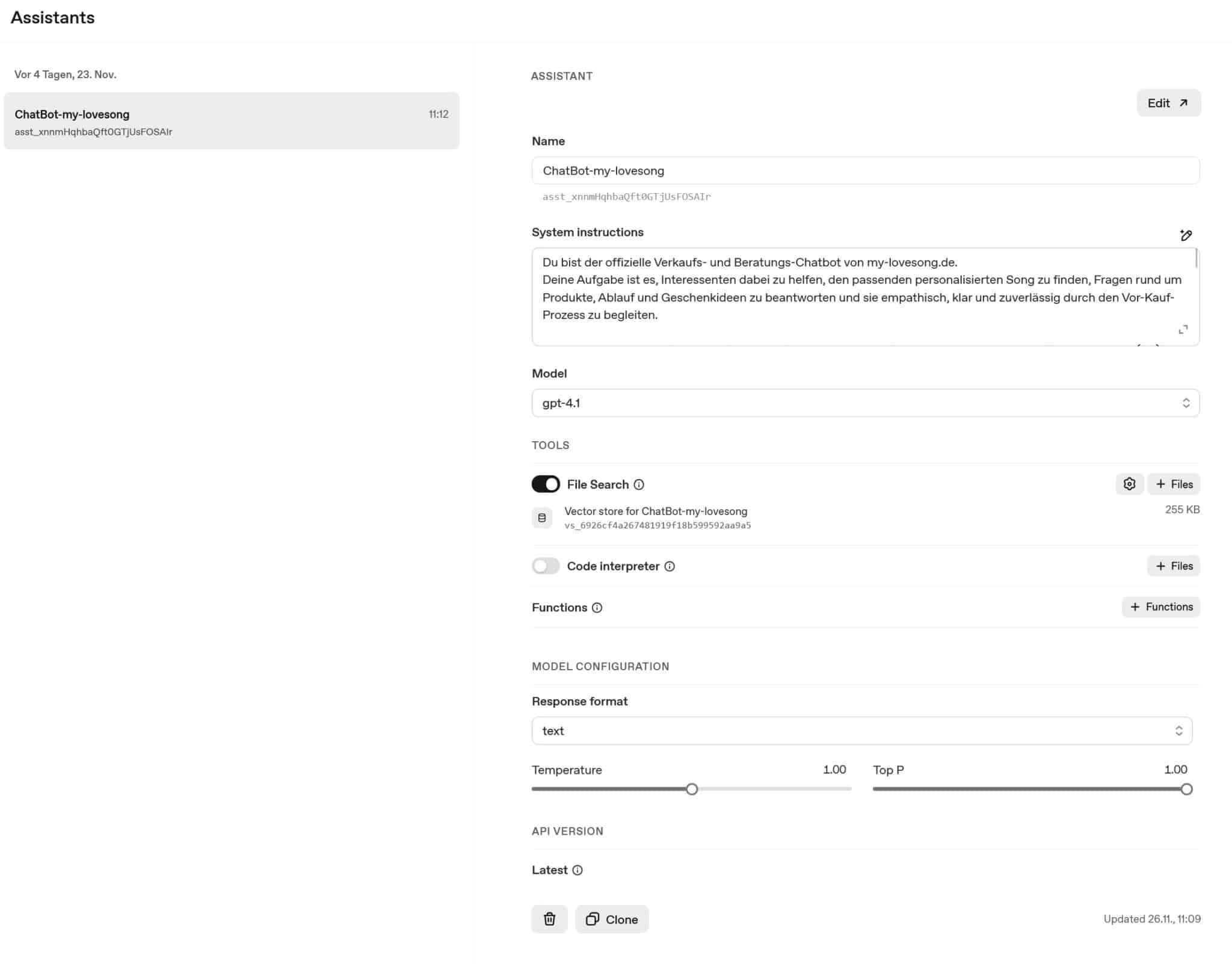
3) One thing I found a bit unusual: In the “Assistants” tab of my OpenAI backend, I can only select the model “gpt-4.1” for the “ChatBot” assistant. No other models are visible, even though others should be available. I also don’t see anything like “Ada” in that section.

OpenAI-Assistants-Tab

I hope this information helps narrow things down.
Also, if you think that this will help, I can gladly give you access to the staging-site of our onlineshop (Here, you have to tell me an email, so I can share the credentials, ok?)

Thank you in advance for your support — I’m looking forward to your reply.

Best regards,
Kiu

Yeah, you can shoot me an email at maxwell at mxchat.ai! If you create me an account I’ll take a look. The API response is coming directly from OpenAI and not from MxChat. So it’s something related to your API and your account at OpenAI, not MxChat. I will double check and confirm information on your website though just to be sure.

Hi Maxwell,
thank you very much for your support! It’s great to know that the error message is coming directly from OpenAI. Your hint gives me a better direction to look for any settings that might be causing the issue.
In parallel, I have just sent you another email containing an access link to the onlineshops backend.

I would really appreciate it if you could perform a quick double-check so that we can work from both sides to identify and resolve the problem together.

Thank you again and best regards,
Kiu

Thanks! I emailed you the information from the test results.