Finding the Best Chatbot for Customer Service
When you're searching for the best chatbot for customer service, you're really looking for a sweet spot—a tool that blends sophisticated AI with a design that's actually easy to implement. That’s where a solution like MxChat really shines. It delivers powerful conversational AI that plugs right into your current workflow, which is exactly what modern support automation should do.
Why AI Is Remaking Customer Service

The move to AI-driven support isn't just another passing trend; it's a genuine evolution in how companies connect with their customers. We’re moving past the days of long hold times for simple questions. People now expect instant answers, 24/7, and AI chatbots are the most practical way to deliver that kind of service consistently.
This shift is rooted in fundamental business pressures. Every company is trying to keep operational costs down while making their service better. AI offers a direct path forward by handling all the repetitive, common questions, which lets your human team concentrate on the nuanced, high-stakes issues that demand a personal touch.
The Inevitable Shift to Automation
Putting off AI adoption is starting to look less like a choice and more like a competitive disadvantage. The numbers tell the story: 80% of companies are either using chatbots now or plan to by 2025. This isn't just hype; it's backed by real results. Major players have reported an 87% reduction in their average resolution times, which is a massive win for efficiency.
The chatbot market itself is projected to be worth $15.57 billion in 2025, a staggering jump from just a few years ago.
The rise of Generative AI in customer service has also been a game-changer. This technology allows chatbots to break free from rigid scripts and hold genuinely dynamic, helpful conversations.
To choose the right tool, you need to weigh a few key factors:
- 24/7 Availability: Can it provide customers with instant support, no matter the time?
- Cost Management: Will it help lower the expenses tied to a large human support team?
- Scalable Support: Can it manage an increasing number of inquiries without quality suffering?
By automating routine tasks, a well-implemented chatbot not only cuts costs but also elevates the role of human agents, allowing them to become true problem-solvers for your most valuable customers.
In this guide, we'll use these criteria to compare the leading options, with MxChat serving as our benchmark for its great balance of power and usability. Understanding the benefits of chatbots for business is the first step toward picking the right platform for you.
How We Sized Up the Top Chatbots
To figure out the best chatbot for customer service, we went way beyond just ticking off features on a list. Our goal was to see how these tools actually perform in the real world. This is our honest, hands-on comparison of the big players like MxChat, Intercom, Zendesk, and Drift.
We zeroed in on four make-or-break areas that really show what a chatbot is made of. This way, you can see exactly how we came to our conclusions and use the same logic to make your own choice.
AI and Natural Language Processing
The heart of any good chatbot is its brain—how well it actually understands what people are saying. We really put each platform's Natural Language Processing (NLP) to the test. We threw everything at them: vague questions, follow-ups, and tricky phrasing to see how often they'd give up and say, "I don't understand."
A bot that gets the context right feels like a smooth conversation. One that’s stuck on a rigid script just leads to frustrated customers. We were looking for AI that could serve up accurate, helpful answers every time, since that's a huge driver of customer happiness. When you're picking a tool, it's smart to think about how it will influence your customer satisfaction measurement methods to see the real impact.
Ease of Implementation
A powerful chatbot doesn't do you any good if it takes a whole IT department months to get it running. We looked closely at how fast you can go from unboxing to live. This meant digging into the setup process, checking out the quality of their help guides, and figuring out if you need to be a coding whiz to use it.
The best solutions let your own team build and tweak chatbot flows without needing to call in a developer for every little update. A no-code or low-code setup is a game-changer here.
Integration and Scalability
Your chatbot can't be an island. It needs to talk to the other tools you already use, like your CRM, help desk software, or e-commerce platform. We checked out how many native integrations each platform offered and, more importantly, how deep those connections went. A simple link isn't enough; they need to work together seamlessly.
We also looked at the future. Can the chatbot grow with you? We focused on a few key things that signal a bot is built for the long haul:
- Handling Increased Volume: Will it choke if you suddenly get a flood of customer chats?
- Multilingual Support: Can it easily talk to customers around the world in their own language?
- Advanced Customization: As your business changes, can you adapt the bot's logic and even its personality to match?
This complete picture gives you a much better sense of a chatbot's true, long-term value. If you want to get even more granular, our detailed chatbot evaluation checklist can walk you through an even deeper process for finding the perfect fit.
A Detailed Comparison of Leading Chatbots
Choosing the right chatbot for your customer service team means cutting through the marketing noise and getting down to what really matters: how these platforms actually perform day-to-day. To help you make an informed decision, we’re putting four of the top contenders—MxChat, Intercom, Zendesk, and Drift—under the microscope.
This isn't just a feature list. We're going to dive deep into the four criteria that truly define a great chatbot: its AI smarts, how easy it is to get running, how well it plays with other tools, and whether it can grow with you. By looking at each platform through this lens, you'll see exactly where each one shines and what trade-offs you might have to make.
This visual guide breaks down the core pillars we used for our evaluation, giving you a quick snapshot of what to look for.
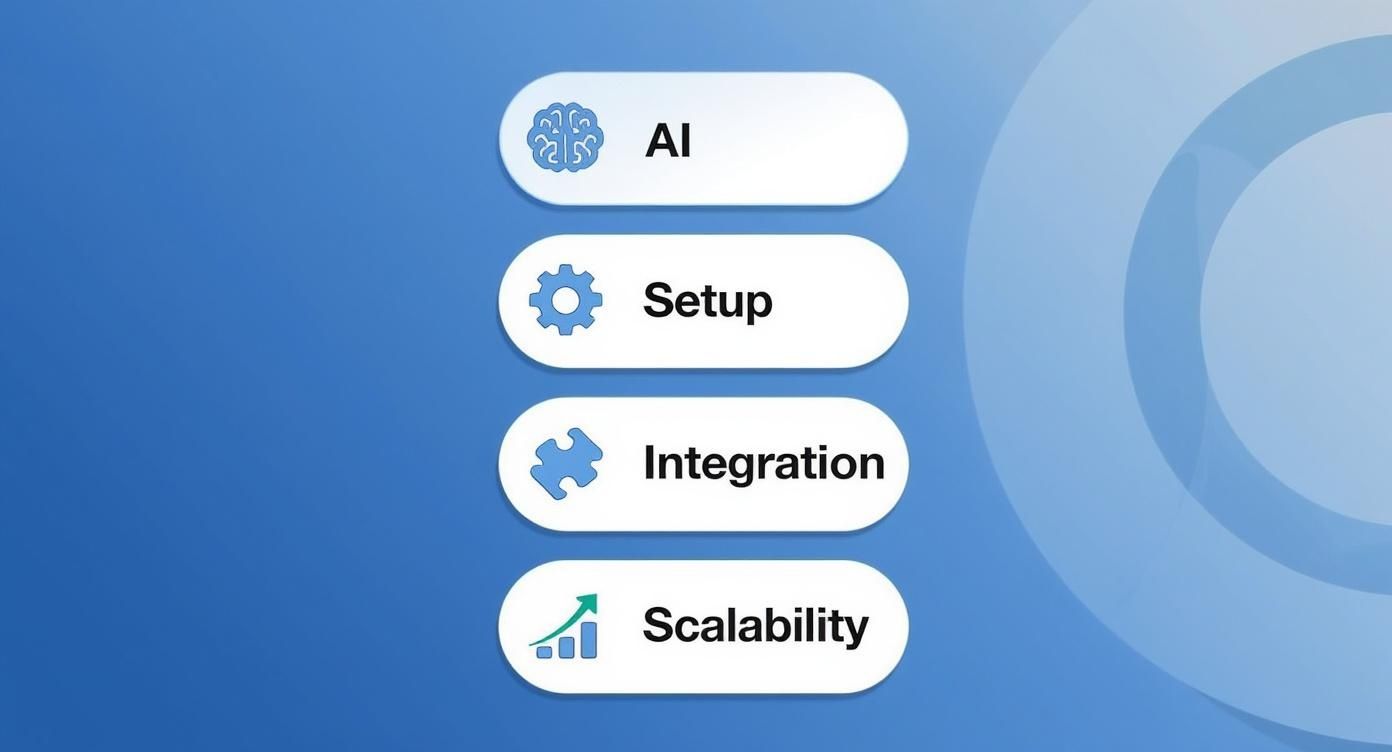
As the graphic shows, a truly effective chatbot needs to be intelligent, easy to implement, well-connected, and ready to scale. Let's see how our contenders stack up.
AI and Natural Language Processing
Let's start with the brain of the operation. A chatbot's ability to actually understand what a person is asking is the difference between a genuinely helpful tool and a frustrating, robotic dead end.
MxChat’s Conversational Prowess
MxChat is built on a powerhouse of AI models from leaders like OpenAI, Anthropic, and Google. It uses a sophisticated technique called Retrieval-Augmented Generation (RAG) to pull real-time information from your website, help docs, and product specs. This means it delivers answers that are not just correct but are deeply rooted in your business's context.
The result? It can handle tricky, multi-part questions without stumbling, making the conversation feel surprisingly human. For example, a customer might ask, "What's your return policy for sale items, and can I exchange a gift I got without the receipt?" MxChat can break that down, reference two different knowledge base articles, and stitch together a single, clear answer. That kind of nuance is miles ahead of basic keyword-matching bots.
Zendesk’s Focus on Ticket Deflection
Zendesk's Answer Bot is a specialist. It was designed to live inside the broader Zendesk help desk ecosystem, and it has one primary mission: ticket deflection. It’s incredibly good at spotting keywords in a customer’s question and pointing them to the right help article.
This works great for common, straightforward problems. But it can get tripped up by more conversational or vague language. If a customer says, "My new headphones are making a weird buzzing sound," the Answer Bot will nail finding an article titled "How to Fix Headphone Buzzing." It’s less capable of asking follow-up questions to diagnose the problem like a human agent would.
Intercom's Proactive Engagement AI
Intercom’s AI, Fin, is engineered for a dual purpose: providing support and proactively engaging customers. It has a solid grasp of user intent, but its real magic lies in triggering automated workflows based on user behavior. For instance, it can see a user hesitating on the pricing page and jump in to ask if they have questions. While its NLP is strong, its focus is often on nudging users toward a goal, not just resolving a support issue.
Drift's Sales-Oriented AI
Drift was born and bred for sales and marketing, and its AI reflects that. It is expertly tuned to recognize buying signals, qualify leads, and get meetings booked on your sales team's calendar. It flawlessly handles questions about pricing, features, and demos. However, if you throw it a post-sale support question like, "How do I integrate this with my accounting software?", it will likely route the conversation to a human. Its core purpose isn't technical support.
Key Differentiator: MxChat's AI is built for genuine, wide-ranging conversational understanding, making it a flexible all-around support tool. In contrast, Zendesk, Intercom, and Drift have highly specialized AIs laser-focused on ticket deflection, proactive engagement, and sales qualification, respectively.
Ease of Implementation
A powerful chatbot doesn't do you any good if it takes a team of developers months to get it live. The setup experience is a huge factor, especially for teams that don't have dedicated IT resources on standby.
MxChat’s No-Code Simplicity
As a native WordPress plugin, setting up MxChat is refreshingly simple. If you can install a plugin, you can install MxChat. Its no-code interface means you can build, train, and customize your chatbot with a visual, drag-and-drop builder. You can create unique knowledge bases and tweak the bot's personality without ever looking at a line of code. This puts the power directly in the hands of the support managers and marketers who know the customer best.
Intercom and Drift’s Guided Onboarding
Intercom and Drift are well-known for their slick user interfaces, but their setup is a bit more involved. It usually starts with adding a code snippet to your website, followed by configuring "playbooks" or campaigns. They provide great templates to get you started, but tailoring them to fit your specific business logic can require a certain level of technical confidence. For many, getting the most out of these platforms means having someone on the team who is dedicated to mastering the system.
You can see how this compares to other platforms in our detailed breakdown of Sendbird vs Intercom.
Zendesk’s Deep Integration Setup
If your team already lives and breathes the Zendesk Suite, setting up the Answer Bot is a breeze. It's designed to plug in and work seamlessly with its sibling products. The challenge comes when you need it to talk to systems outside the Zendesk universe. That can get complicated and often requires a developer to bridge the gap. Plus, its effectiveness is entirely dependent on how comprehensive and well-organized your existing Zendesk help articles are.
Integration Capabilities
Your chatbot shouldn't be an island. It needs to connect to your other business tools to create a seamless customer experience and give your team the full picture.
MxChat shines here, especially for businesses built on WordPress and WooCommerce. It can perform actions like checking order statuses, managing shopping carts, and even suggesting products right in the chat window. Its architecture is also open to connecting with external CRMs and help desks, making it a command center for your e-commerce operations.
Here's a quick look at how the others connect:
- Zendesk: Naturally, its best integrations are with its own products. It works perfectly with Zendesk Support, Guide, and Sell, creating a unified agent workspace.
- Intercom: Boasts a large app marketplace with hundreds of integrations for tools like Salesforce, HubSpot, and Slack. It’s great at being the central hub for all customer communication data.
- Drift: Its integrations are all about the sales funnel. It connects tightly with marketing automation platforms and CRMs like Marketo and Salesforce to pass qualified leads to the sales team without a hitch.
Scalability and Pricing
As your business grows, you need a chatbot that can handle more conversations without your bill skyrocketing. Predictable costs and performance are key.
MxChat’s Lifetime Value
This is where MxChat really changes the game. It offers a lifetime pricing model. You pay a one-time fee and get all future updates and premium features included. This is a massive departure from the monthly subscription fees that are standard in this space, making it incredibly scalable from a financial perspective. Since it runs on your own WordPress hosting, you have full control over performance—as you grow, you can simply upgrade your hosting plan.
The Subscription Model of Competitors
Intercom, Zendesk, and Drift all use a standard Software-as-a-Service (SaaS) subscription model. Their pricing is typically tiered based on factors like the number of contacts, agent seats, or monthly conversations. This can get very expensive, very quickly. A successful marketing campaign could lead to a traffic spike that bumps you into a much pricier tier, making your costs hard to predict.
- Intercom’s pricing can be notoriously complex, often with separate charges for its various support and engagement modules.
- Zendesk’s Answer Bot is an add-on, meaning its cost is stacked on top of your base Zendesk Suite subscription.
- Drift positions itself as a premium, enterprise-grade solution, and its high price point reflects that. It's an investment best suited for companies with a very high customer lifetime value.
To make things easier, we've put together a table summarizing how these four platforms stack up against each other.
Feature Comparison of Leading Customer Service Chatbots
This table provides a side-by-side look at the core features, best use cases, and ideal business size for MxChat, Intercom, Zendesk, and Drift.
| Feature/Criteria | MxChat | Intercom | Zendesk Answer Bot | Drift |
|---|---|---|---|---|
| Primary Use Case | Versatile Customer Support | Proactive Engagement & Support | Ticket Deflection | Sales & Lead Qualification |
| AI Strength | Advanced Conversational AI | Behavior-Driven Automation | Knowledge Base Matching | Buying Intent Recognition |
| Setup Difficulty | Very Low (No-Code Plugin) | Low to Medium | Low (within Zendesk) | Medium |
| Pricing Model | Lifetime (One-Time Fee) | Monthly Subscription (Tiered) | Monthly Add-On | Monthly Subscription (Premium) |
| Ideal User | WordPress & WooCommerce Sites | SaaS & Tech Companies | Large Support Teams | B2B Sales & Marketing Teams |
At the end of the day, the "best" chatbot really comes down to what you need it to do. If you need a relentless sales assistant to book demos, Drift is your tool. If you're running a massive support operation and your only goal is to reduce ticket volume, Zendesk is a solid bet.
But for businesses looking for a powerful, flexible, and surprisingly intelligent support chatbot without the punishing monthly fees, MxChat offers a compelling, modern alternative.
Getting Your New Chatbot Up and Running
https://www.youtube.com/embed/5Y3a61o0jFQ
Picking the best chatbot for customer service is a huge step, but it's only half the job. A smooth implementation is what actually turns that decision into a real asset for your business. The rollout can feel like a big lift, with technical setup, team training, and new workflows to figure out. But honestly, how hard this is really depends on the platform you choose.
The path from picking a tool to having a chatbot live on your site requires some real thought about your resources and timeline. For big, enterprise systems, you could be looking at a months-long project with dedicated developers. On the other hand, solutions like MxChat are built to dramatically shrink that timeline, especially for businesses running on WordPress.
A successful launch is all about sidestepping common mistakes. A lot of chatbot projects fall flat, not because the tech is bad, but because the planning around the data and conversation design was weak. Without a solid strategy, even the smartest AI is going to have a tough time living up to what your customers expect.
Mapping Out Your Implementation Timeline
Setting a realistic timeline is key. It helps everyone manage their expectations and makes sure the right people are available when you need them. The whole setup process can be broken down into a few key phases.
For more complex platforms like Zendesk or Intercom, a typical implementation schedule might look something like this:
- Technical Setup (1-2 weeks): This is where you'll need a developer. It involves injecting code snippets into your site, setting up user permissions, and connecting to various APIs.
- Knowledge Base Integration (2-4 weeks): The chatbot needs to learn. This part involves painstakingly feeding it your help articles, FAQs, and internal documents, and then testing it over and over for accuracy.
- Workflow Design (2-3 weeks): This is the heavy lifting of building the actual conversational flows—sometimes called "playbooks"—that guide customers and decide when a human needs to step in.
All in, you’re easily looking at a multi-month project before you see any kind of return. This is exactly where a more tightly integrated solution really shines.
For businesses that need to move fast, a platform with a no-code, plugin-based setup can cut the implementation time from months down to a matter of days. The whole point is to give your current team the tools they need, not create a new dependency on technical experts.
Seamless Integration with Your Existing Tools
Your chatbot needs to feel like a natural part of your existing toolkit, not some isolated island. If it can't talk to your CRM, help desk, and e-commerce platform, you're going to have a hard time delivering a consistent customer experience.
Think about a super common question: a customer wants to know where their order is. A well-integrated chatbot can handle this in seconds:
- It identifies the customer from their login.
- It pings your e-commerce system (like WooCommerce) to find their most recent order.
- It delivers a real-time shipping update right there in the chat.
This is what turns a chatbot from a simple FAQ bot into a genuine service powerhouse. Platforms that offer deep, native integrations make this a whole lot easier. For instance, MxChat was designed specifically for the WordPress world, so it connects to tools like WooCommerce right out of the box, no complex API work needed. If you're building on WordPress, our guide on how to implement a WordPress AI chatbot lays out the steps to get you set up quickly.
Ultimately, avoiding a failed implementation comes down to doing your homework. Make sure your knowledge base is clean and current before you start, and take the time to map out the most common paths your customers take. When you start with a strong foundation, you set your new chatbot up for success from the very first day.
Real-World Scenarios for Each Chatbot

It’s one thing to look at a feature list, but it’s another thing entirely to see how a tool actually performs on the ground. The best chatbot for customer service isn't a universal title; it’s about finding the right tool for the job you need done.
To make things concrete, let's walk through some tangible, day-to-day situations where each of our top contenders really shines. These examples will help you picture which platform is the smartest fit for your industry, your team, and the people you serve.
MxChat for Complex E-Commerce Support
Imagine you're running a fast-growing online store on WooCommerce. Your support team is drowning in questions that require digging into live order details. Think of things like, "Can I add another item to my order that hasn't shipped yet?" or "Why didn't my summer sale discount code apply?"
This is exactly where MxChat's deep integration with WordPress and WooCommerce makes it a powerhouse. Instead of just giving canned answers, it plugs directly into your store's data. When a customer asks about a purchase, the bot can instantly look up their order status, check inventory, and even process a partial refund for that missed discount. All without a human agent lifting a finger.
Real-World Impact: An e-commerce brand using MxChat can automate complex, multi-step problems that would otherwise tie up human agents for several minutes each. This doesn't just speed up resolutions; it frees your team to handle high-value pre-sales conversations or tricky returns.
Intercom for Proactive SaaS Onboarding
Now, let's shift gears to a SaaS company launching a powerful new feature. The goal isn't just to answer questions but to actively guide users to find and adopt the new tool. Simply waiting for them to ask for help is a recipe for low engagement.
Intercom was practically built for this. You can set up a trigger for a chatbot to engage users who have logged in three times but still haven't clicked on the new feature. The bot can pop up with a friendly, "Hey! We noticed you haven't tried our new analytics dashboard. Want a quick two-minute tour?" This kind of proactive engagement is brilliant for driving feature adoption and reducing churn.
Zendesk for Enterprise Ticket Deflection
Think about a massive enterprise, like a utility company, fielding thousands of the same questions every single day. "How do I read my bill?" "What are your business hours?" "Is there a service outage in my area?" The number one goal here is pure efficiency and cost control.
Zendesk's Answer Bot is the perfect tool for this high-volume environment. Its AI is designed to scan incoming requests, identify keywords, and instantly suggest the right article from a comprehensive knowledge base. This process, known as ticket deflection, can resolve a huge chunk of routine questions before they ever land in an agent's queue, dramatically lowering support costs.
The appetite for this kind of instant, automated help is undeniable. In fact, 67% of consumers worldwide have used a chatbot for support in the past year, and experts predict AI will manage 95% of all customer interactions by 2025. This shows a massive shift in customer expectations. You can discover more trends on customer support from Pylon.
Drift for B2B Lead Qualification
Finally, let's consider a B2B tech company where the website is the primary engine for sales leads. Every visitor is a potential high-value deal, but the sales team can't possibly talk to all of them. They need a way to focus only on the visitors who are serious about buying.
This is Drift's sweet spot. Its chatbot can engage a visitor on a pricing page with strategic questions like, "Are you looking for a solution for a team of more than 50 people?" Based on their replies, the bot qualifies the lead in real-time, books a demo directly on the right salesperson's calendar, and syncs all the conversation details to the CRM. It effectively turns a static website into an automated lead-generation machine.
The Verdict: Our Top Chatbot Recommendation
After putting these platforms through their paces, one chatbot clearly stands out from the pack: MxChat.
While tools like Drift and Zendesk are fantastic in their own lanes—sales and support ticketing, respectively—MxChat hits the sweet spot. It delivers the most versatile, powerful, and budget-friendly solution for the vast majority of businesses looking to level up their customer service.
We didn't come to this conclusion lightly. It's based on three key advantages that MxChat consistently demonstrated over its competitors.
Why We Stand Behind MxChat
First off, the quality of its conversations is just better. It taps into advanced AI models from giants like OpenAI and Google, which means it can handle real-world, messy human questions. Forget basic keyword triggers; MxChat understands context and can field complex, multi-part inquiries without getting confused.
The second major win is how ridiculously easy it is to get up and running. As a no-code, native WordPress tool, it sidesteps the technical headaches that plague so many other platforms. You can genuinely have a smart AI assistant live on your site in a matter of days, not months. Better yet, the marketing and support teams—the people who actually know your customers—can build and manage it themselves.
When you boil it down, MxChat delivers the best overall value. If you need an intelligent, easy-to-deploy AI chatbot that scales with you—all without a punishing monthly subscription—it’s the clear winner.
And that brings us to the final, game-changing point: the lifetime pricing. This isn't just a minor perk; it fundamentally reshapes the economics of AI support. Instead of a mounting operational cost that grows as you do, MxChat becomes a one-time investment.
This makes it an incredibly smart choice for small and medium-sized businesses that need powerful tools without the financial strain. While other platforms certainly have their strengths, MxChat delivers the best all-around package of performance and value.
Answering Your Top Questions
When you're looking to bring a chatbot on board for customer service, a few key questions always come up. Getting these answered is crucial before you commit to any platform.
What’s the Real Cost of a Customer Service Chatbot?
Chatbot pricing is all over the map. Most of the big names lock you into a monthly subscription, and those costs can quickly spiral out of control as you add more contacts or support agents. It’s a model that can punish you for growing.
We've seen a better way. A tool like MxChat, for example, is built on a one-time lifetime payment. You pay once, and that's it. This approach gives you a predictable, fixed cost, which is a huge relief for budgeting and offers far more value in the long run.
How Long Does It Really Take to Set Up a Chatbot?
The setup time can be anything from a few hours to a few months. It really depends on the complexity of the tool. If you go with an enterprise-level system, you're often looking at a long road of configuration, API integrations, and custom workflow design—work that usually requires dedicated developers.
On the other hand, a no-code solution designed as a native plugin gets you up and running incredibly fast. A tool built specifically for an ecosystem like WordPress can often be fully operational in just a couple of days, and your non-technical team members can handle the entire setup themselves.
The whole point is to empower your current team, not create a new reliance on developers. A simple, fast setup is more than just a convenience; it's a feature that directly saves you time and money.
Can AI Chatbots Actually Replace My Human Support Team?
This is probably the most common question I hear, and the answer is a firm "no." The goal isn't replacement; it's collaboration. Think of AI chatbots as your first line of defense, not your entire army. They're brilliant at handling the high-volume, repetitive questions that eat up your team's time.
By letting the bot answer the easy stuff instantly and gather initial customer details, you free up your human agents to do what they do best: solve the complex, sensitive problems that require a human touch. The most successful support strategies always involve a smart partnership between AI and people.
Ready to see how a powerful, no-code AI chatbot can elevate your customer support without the endless monthly fees? Explore MxChat and learn about the benefits of our lifetime pricing model.